Charleston
-
Posts
8 -
Joined
-
Last visited
Content Type
Profiles
Forums
Blogs
News
Store
Everything posted by Charleston
-
https://mods.vintagestory.at/show/mod/27503 Hey guys! I'm new to the modding scene here, but I wanted to take a crack at it with something I think is much needed in the game: New hairstyles! New mustaches! New beards! I've gone ahead and uploaded this very early version to get some feedback, but updates and added hairstyles / facial hair should come quickly down the pipeline. By all means go ahead and throw some recommendations my way for anything you can think up!
-
- 1
-

-

Help a Beginner? (Adding Player Model Features)
Charleston replied to Charleston's topic in [Legacy] Mods & Mod Development
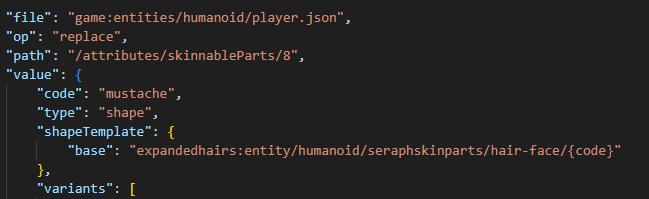
Hey for anyone following this! I managed to get things working. Using player model lib now even though it's not technically a dependency (just using for the scrolling feature, swapped off of old scrolling) Managed to get this! For anybody ever interested, I ended up just replacing the entirety of the section as seen below. This means all of the OLD mustaches (and in the future hair, beards, hair extras) are just contained within the mod folder now. Trying to addmerge a shape into an existing path without being able to have the game search in two different locations seems to just not function. Best option is to either create a whole new section (I compared my work to the goblin ears mod https://mods.vintagestory.at/goblinears Thanks @Aillun!) or to replace the entire section with a new folder. The "Object reference not set to an instance of an object." crash was due to the game being unable to pull the shape file, I'm assuming, which is what I set out to fix. Now to figure out how to get textures to overlay.... EDIT: Textures weren't mapped correctly. Was using the seraph-hair.png, should have been using lightgray.png... for some reason.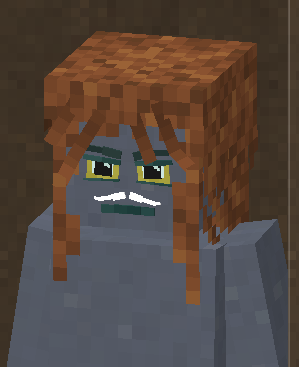
-
Help a Beginner? (Adding Player Model Features)
Charleston replied to Charleston's topic in [Legacy] Mods & Mod Development
Actually was comparing to exactly that, an older version before they swapped to player model lib. I'll respond to this post if I figure it out. I feel like there's just enough documentation for certain things (making items and blocks) but a severe lack of how certain things function past extreme beginner level. I'm also a newbie to this so not like I have any right to say that lol. Thanks again! -
Help a Beginner? (Adding Player Model Features)
Charleston replied to Charleston's topic in [Legacy] Mods & Mod Development
Game will launch and show the feature in the menu again, but crashes when clicked on. Running on 64 bit Windows 10.0.19045.0 with 15724 MB RAM Game Version: v1.20.12 (Stable) 8/9/2025 11:38:58 AM: Critical error occurred Loaded Mods: expandedhairs@0.0.1, game@1.20.12, scrollcharactercreation@1.0.3, creative@1.20.12, survival@1.20.12 System.NullReferenceException: Object reference not set to an instance of an object. Is it because I'm still missing some things required here? I don't have an en.json patch made yet because I figured I could go without it to start with. Really appreciate the help btw! -
Help a Beginner? (Adding Player Model Features)
Charleston replied to Charleston's topic in [Legacy] Mods & Mod Development
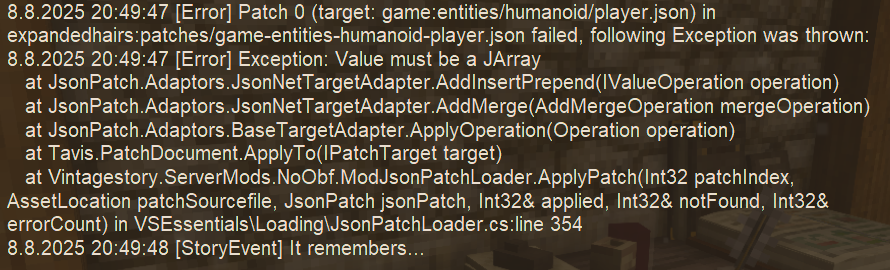
Updated the json a bit after reading some of other people's things. Still crashes but doesn't actually throw an error while loading, just once fully loaded when I click on the option in .charsel EDIT: Edited again removing the square bracket and extra bracket in place of a single bracket, game now throws this error and doesn't load the patch.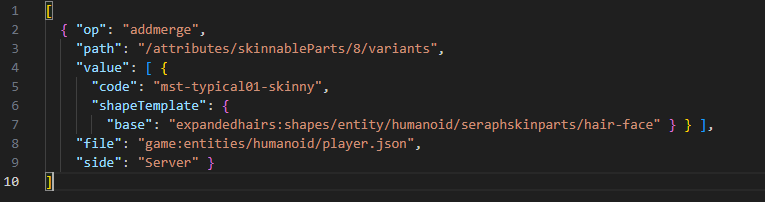
-
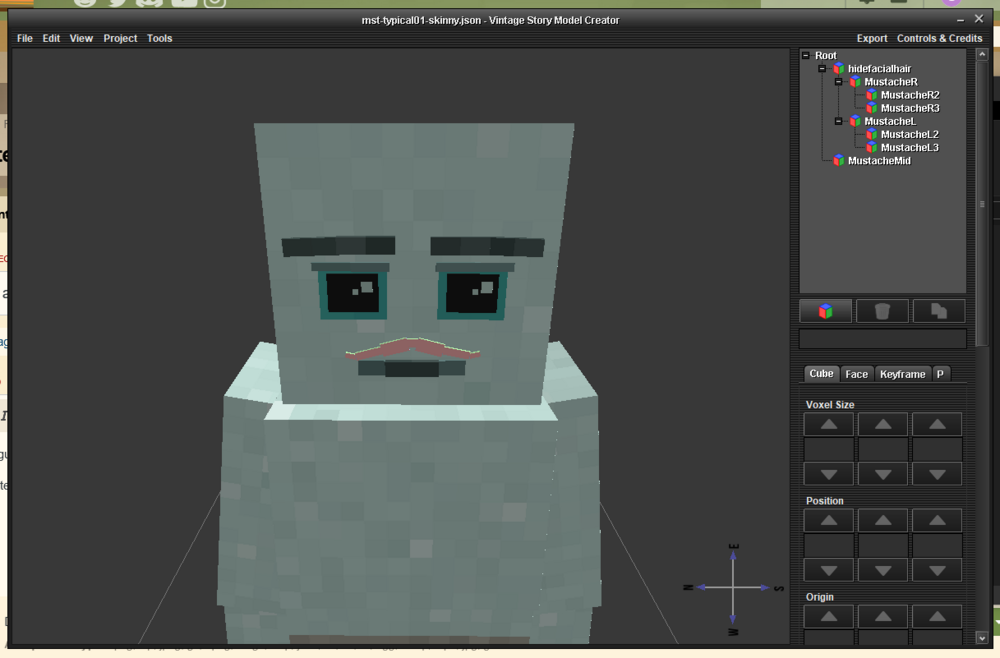
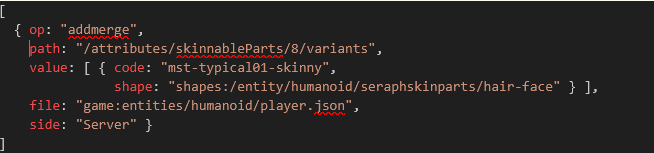
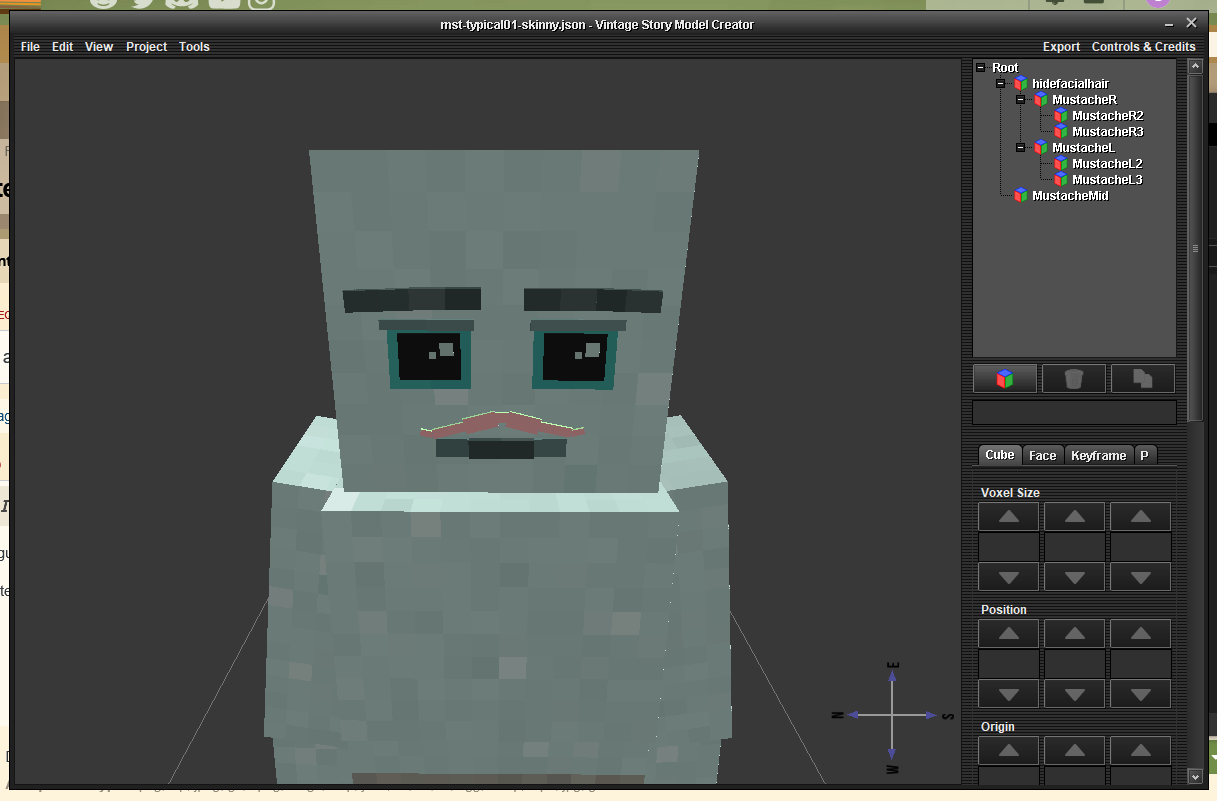
Hey guys, I am very much new to modding VS. I've been wanting to make a pack that adds several new hairs / beards / mustaches to the game. As a test I created this: Looks nice right? Anyway... I've added this to my assets folder for the mod, with a similar tree as the base game location: \assets\expandedhairs\shapes\entity\humanoid\seraphskinparts\hair-face Then I created a patch .json to ADDMERGE the one mustache into the player.json like so: I'm currently trying to figure out how to add the shape location into this. If I leave that shape line in (probably completely wrong) then I get an error when loading the world. If I remove the shape line the game loads and when I click my "mst-typical01-skinny" the game crashes to desktop (probably because it has no idea where the shape file is for that). Anybody more experienced wanna help me out? I'd greatly appreciate it. I'd love to learn how to properly mod this game and figured this would be a decent start.