neoneoson
-
Posts
4 -
Joined
-
Last visited
Recent Profile Visitors
116 profile views



neoneoson's Achievements

Wolf Bait (1/9)
6
Reputation
-
 neoneoson changed their profile photo
 -
The person that upload the flatpak haven't responded to me. But I spoke with his associates. My understanding is that there seems to be complications with GitHub right now that might delay the upload date. On the other side I managed to update the flatpak manually and I have made a guide for it. It's currently waiting for a review by the moderator. Guide link
-
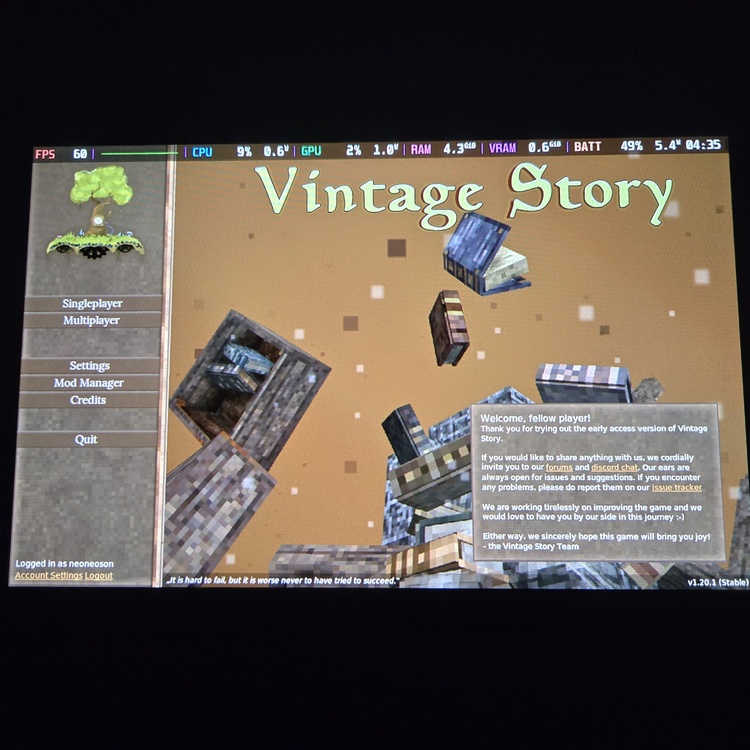
This guide is based on an already existing guide with minor tweaks: PLEASE BEWARE THAT IM NOT AN EXPERT ON THIS SUBJECT. I MANAGED TO GET THE NEW UPDATE TO WORK SMOOTHLY WITH THESE STEPS. FOLLOW THEM AT YOUR OWN RISK! In Desktop mode , go to Vintage story website and download the 1.20.1 file to your Download folder (Should be by default) Head back to Desktop . Press Application launcher at bottom left. Search for Konsole and run. *If you haven't set up sudo then follow this step 5. If you have sudo go to step 6.* In Konsole type passwd, set your password. Press New tab. Close passwd tab Copy the quote below and paste it in Konsole and Enter. *This will delete the file that contains your current version.* Copy, paste, Enter quote below in Konsole. *This will extract the 1.20.1 version to the location* Once the extraction is done close all tabs and exit desktop mode and launch Vintage story. NOTE! My worlds is still there after I lauch the game. You'll probably have to update all your mods to the current version, you should already know how to do that! AGAIN IM NO EXPERT AT THIS. BUT IM CURRENTLY RUNNING THE UPDATE ON STEAM DECK. YOU ARE UNSURE ABOUT THIS THEN WAIT TIL THE FLATPAK GET UPDATED.
-
I've reach out to the contributors for the flatpak about the update. I'll let you guys know as soon as I know something more.
-
There's nothing shown on update tap on discover app on Steam deck desktop mode. I thought it was released I don't understand:/