mac1969
-
Posts
11 -
Joined
-
Last visited
mac1969's Achievements

Berry Picker (2/9)
1
Reputation
-
Update: After about 10 days, the bee hives finaly sowrmed. I guess it was just a metter of time. In the past though they were showing the sworm timer almost right after you place the empty skep. I guees thats no longer the case. Thanks to all who tried to help. Good luck and have fun.
-
I reported the bug on github. Lets see what happens
-
Update: Found 4 more huves - same thing. Im putting VS on hold untill they fix this. Have fun.
-
This is the save file and Im ontop of one of those hives. Look into it. one year steel.zip
-
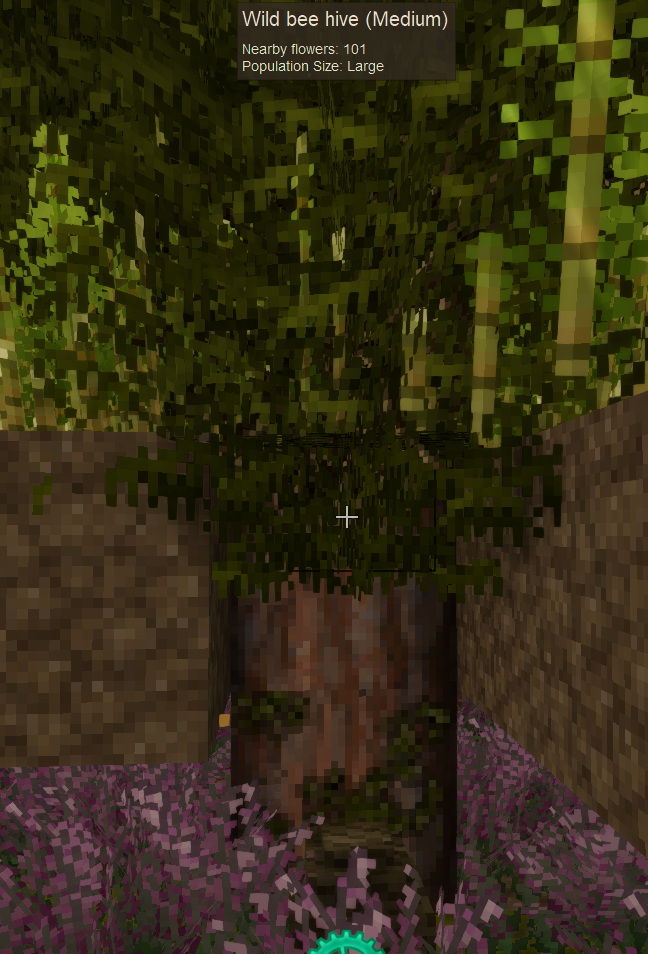
It got worse after the last update. I found 4 hives and neither of them swarmed. On the screenshot below you can see the hive and the empty skep below it. Its after 3 days of waiting. And yes, I still have the save.
-
Hello, This bug was never addressed. Some beehives wont sworm, no matter how many flowers you put around them. And to avoid silly questions - yes, the time is running in a single player game; yes, there is an empty skep within range and yes, I know how it works normaly. So, please, address this bug! Its anoying when you run around the map trying to find a beehive and when you find it - sorry, no bonus, I mean - no bees. Thank you in adbance.
-
I am in a temperate zone and I don't use mods. Started that save wihtout any customizetion.
-
Ill try that, thanks. What should I try to repair though? About fruit trees - no, no trees around the area I keep crashing. And no cubes to. At least I couldnt see any, before I crash again.
-
No. And it wont matter. As I said, I have another save that works just fine. Here, this is the crash report, in case somebody wanna help: Running on 64 bit Windows with 31 GB RAM Game Version: v1.17.11 (Stable) 10.3.2023 г. 10:06:01: Critical error occurred Loaded Mods: game@1.17.11, creative@1.17.11, survival@1.17.11 System.NullReferenceException: Object reference not set to an instance of an object. at Vintagestory.GameContent.BlockEntityFruitTreePart.GenFoliageMesh(Boolean withSticks, MeshData& foliageMesh, MeshData& sticksMesh) in VSSurvivalMod\Systems\FruitTree\BEFruitTreePart.cs:line 212 at Vintagestory.GameContent.BlockEntityFruitTreeBranch.GenMeshes() in VSSurvivalMod\Systems\FruitTree\BEFruitTreeBranch.cs:line 250 at Vintagestory.GameContent.BlockEntityFruitTreeBranch.GenMesh() in VSSurvivalMod\Systems\FruitTree\BEFruitTreeBranch.cs:line 236 at Vintagestory.GameContent.BlockEntityFruitTreeBranch.FromTreeAttributes(ITreeAttribute tree, IWorldAccessor worldForResolving) in VSSurvivalMod\Systems\FruitTree\BEFruitTreeBranch.cs:line 386 at Vintagestory.Client.NoObf.ClientChunk.AddOrUpdateBlockEntityFromPacket(Packet_BlockEntity p, ClientMain game) in VintagestoryLib\Client\Model\ClientChunk.cs:line 422 at Vintagestory.Client.NoObf.GeneralPacketHandler.HandleBlockEntities(Packet_Server packet) in VintagestoryLib\Client\Systems\GeneralPacketHandler.cs:line 817 at Vintagestory.Client.NoObf.ClientMain.ExecuteMainThreadTasks(Single deltaTime) in VintagestoryLib\Client\ClientMain.cs:line 1138 at Vintagestory.Client.GuiScreenRunningGame.RenderToPrimary(Single dt) in VintagestoryLib\Client\MainMenu\Screens\GuiScreenRunningGame.cs:line 123 at Vintagestory.Client.ScreenManager.Render(Single dt) in VintagestoryLib\Client\ScreenManager.cs:line 678 at Vintagestory.Client.ScreenManager.OnNewFrame(Single dt) in VintagestoryLib\Client\ScreenManager.cs:line 622 at Vintagestory.Client.NoObf.ClientPlatformWindows.window_RenderFrame(Object sender, FrameEventArgs e) in VintagestoryLib\Client\ClientPlatform\GameWindow.cs:line 124 at System.EventHandler`1.Invoke(Object sender, TEventArgs e) at OpenTK.GameWindow.RaiseRenderFrame(Double elapsed, Double& timestamp) in C:\Users\Nexrem\Desktop\transfer\opentk\src\OpenTK\GameWindow.cs:line 476 at OpenTK.GameWindow.DispatchRenderFrame() in C:\Users\Nexrem\Desktop\transfer\opentk\src\OpenTK\GameWindow.cs:line 452 at OpenTK.GameWindow.Run(Double updates_per_second, Double frames_per_second) in C:\Users\Nexrem\Desktop\transfer\opentk\src\OpenTK\GameWindow.cs:line 375 at Vintagestory.Client.ClientProgram.Start(ClientProgramArgs args, String[] rawArgs) at Vintagestory.ClientNative.CrashReporter.Start(ThreadStart start) in VintagestoryLib\Client\ClientPlatform\ClientNative\CrashReporter.cs:line 93
-
I looked into it, but im not a coder, so I cant figure it out. I have another save, that works fine. Guess its about the zone, ro something in my inventory. Anyway, I dont mind waiting, its all about the way it was closed - no explanation. It takes 1 minute, tops, to write a message saying, we will look into it and will let you know. Simple as that!
-
Greetings, I run v1.17.11 (Stable) of the game with no mods. Out of the blue the game started crashing within few seconds after I log in. Posted in issue tracker, as sugested in the crash report, but my report was closed few minutes later for being a duplicate of another report!!! No explanation and no direct message to me. My game keeps crashing and I cant play, like at all. When you buy I product and it breaks down, you have the right to know whats wrong and how long it will take those in charge to fix it. I enjoy the game and want to play it. I know there may be a problem and I'm not mad about that. But the way my report was handled pisses me off. Please, look into it. Thank you in advance.