Hexzatite
-
Posts
2 -
Joined
-
Last visited
Hexzatite's Achievements

Wolf Bait (1/9)
0
Reputation
-
 Yep that seems to have been the issue. Super odd it's trying to target net10 rather then net8 by default... I seriously wonder why that is. Anyone have any ideas? Regardless a quite easy fix then, thanks for the help!
 -
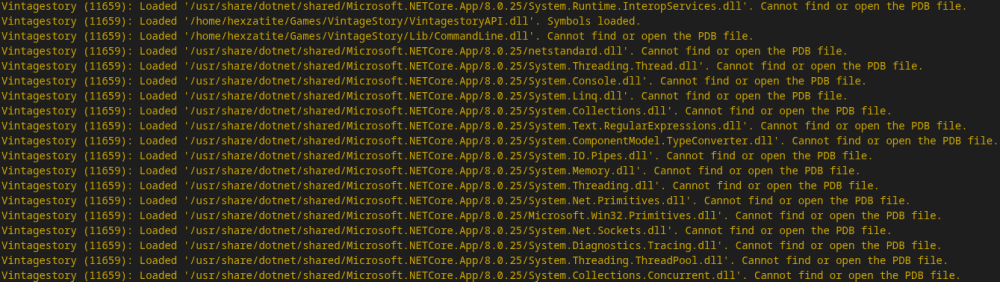
Game Version: 1.12.6 | OS: Arch Linux [6.19.8.1] | IDE: Visual Studio Code [1.109.5-1] Heya there folks. Been a real hecking fight trying to get modding to work on Linux. I'm almost there, just been absolutely STUMPED on this one pert here. Been following the guides over on the wiki and all has worked perfectly fine: Setting a environment variable to the correct VS folder, getting the template(s) installed into VS Code, and getting the debugging to work. All that is fine and has no issues at all, works flawlessly. However, there seems to be something terribly wrong with either the game or build system, as for some reason it can't find the correct assemblies or files to run when the world loads, despite me checking that NET is installed correctly and all the file paths I know NET dumps to and finding everything in place where it should be. This is on a completely empty and fresh Code mod too, nothing even edited yet. Interesting to note as well that in VSCode, when the setting "justMyCode" is set to false in the launch.json, the log in VSCode spits out a bunch of extra warnings about being unable to find or run the files, despite them clearly being there and having the right permissions to run (verified using ls -l and chown to make sure). I also noticed that the error noted the System.Runtime as version 10.0.0, but the files it seems to be searching through are version 8.0.25. It also only properly loads the files that are bundled with the game. Is it possible I somewhere along the way messed up a path, or am missing a package or setting? Something seems to be having some kind of misconfiguration one way or another I feel like. Any help would be appreciated, thanks!