Mirveil
-
Posts
15 -
Joined
-
Last visited
Mirveil's Achievements

-
Mostly on flat terrain, I would say yes... About there being anything under the ruins, no. Digging under them is pointless, but the cobblestone itself is an easy material that you can bring home to build walls with so that you're not just building a boring home with dirt. Though on the topic of building a beginner home, this video is wonderful: https://www.youtube.com/watch?v=1czquphs7X4 If you dig down far enough, there is almost always a tunnel under those ruins, but, that's because there are tunnels nearly everywhere.
-
It's extremely unlikely, but yes another application could want to use that port. But, it's fine. The worst that would happen is that the router would send the internet traffic to your computer, and then your computer wouldn't know what to do with it because this traffic is not related to Vintage Story and you don't have any other software listening on that port, so it would just ignore and delete everything that is received on that port, if it's not related to Vintage Story. Edit, I misread and explained what would happen if something tries to send you data on that port, but if something else on your computer wants that port too, it would simply just work. If you want to feel safe, you can always disable the port forwarding in your router when you are not hosting the game, but that would be huge paranoia. It's really just fine to keep that port forwarded. Short version: Don't worry!
-
No, that's not how it works. If your computer has access to the internet, it has access to the router. Any computer or phone that goes through the router to reach the internet can modify the router's settings. If typing 192.168.0.1 in your web browser does not work, you can find the correct address by opening the terminal (Windows Start menu, type "cmd"), then type "ipconfig" and the Default Gateway will show you the address that you need to type in your web browser. After that you need the user password to get in, and sometimes it's admin admin, or admin password... You can look online for your router name to find the default password, or maybe it's on a sticker at the bottom of the router... If you want to change settings regarding UPnP, you need to be able to access your router just like this anyway. You can feel free to ask questions if you're not sure about something, but if this all seems like too much trouble, then yes renting a server is easier.
-
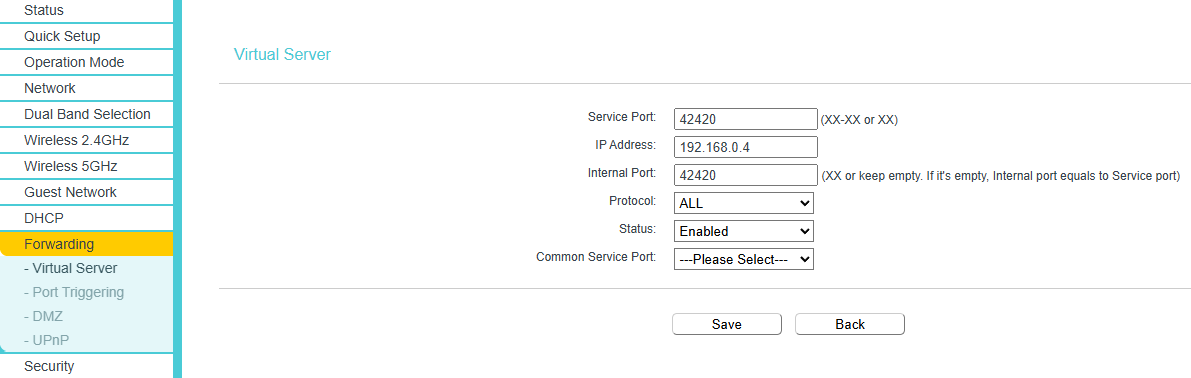
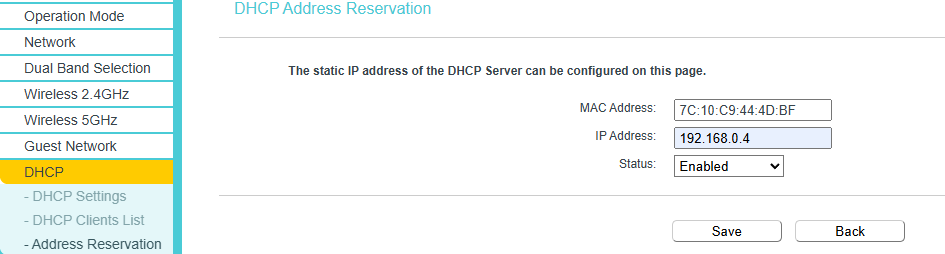
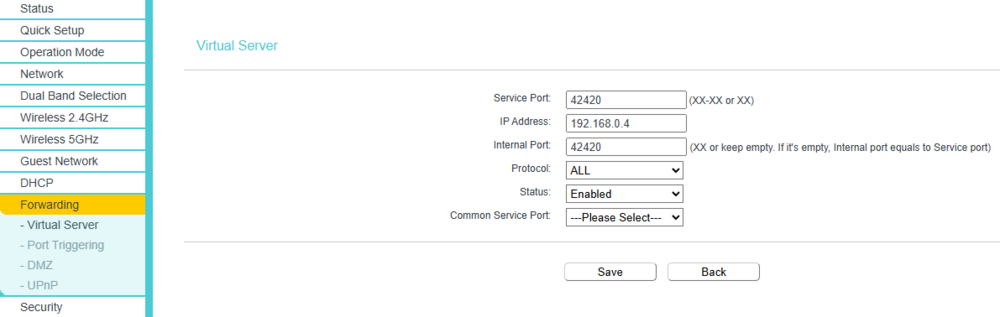
Hello, I've never used UPnP, but the proper and more secure way is to use port forwarding. It's a little more complex though! What this does is tell your router that if they receive internet traffic on a specific port, they should send it to a specific computer in your internal network (otherwise the router would just ignore the traffic entirely). To do this, you need to do a few things. - Set your internal IP to static - Forward the Vintage Story traffic to your computer. To make your IP static, go to your router's settings, usually by going to the web address 192.168.0.1 with your web browser. Find the DHCP section and the client list. It might look a little like this... DESKTOP-Blahblah is the name of my computer. The IP and the MAC address are the important information for us. Next, in the Address Reservation area, you would reserve the IP that your computer has right now, to the MAC address of your computer. For me, it would look like this... Now that your address is static, your need to tell your router to direct Vintage Story traffic to your computer. In my case, it's in the Forwarding -> Virtual Server section, and it looks like this... The port 42420 is what Vintage Story uses for its traffic, so you want to tell your router that anything that comes in through 42420 needs to be directed to your computer's 42420 port. Make sure that you are forwarding the port for BOTH internet protocols, UDP and TCP. I have an option for "both", but if you don't, you will need to make a rule to allow 42420 on TCP, and another rule to allow 42420 on UDP. Normally, at this point, your friend should be able to join your server. Keep in mind, the IP that you need to give to your friend is NOT the one that starts with 192.168 ... You need to give them your public IP instead. That's the IP given to you when you go to https://whatismyip.com Buuuut, if it doesn't work, then maybe your windows firewall is blocking it. If that's the case, do WindowsKey + R (or open the start menu and type run) ... and then type wf.msc On the left, Inbound Rules On the right, New Rule... Custom All Programs TCP, Specific Ports, 42420 (Local and Remote) Next next next... And repeat for UDP instead of TCP. I hope that was helpful?

-
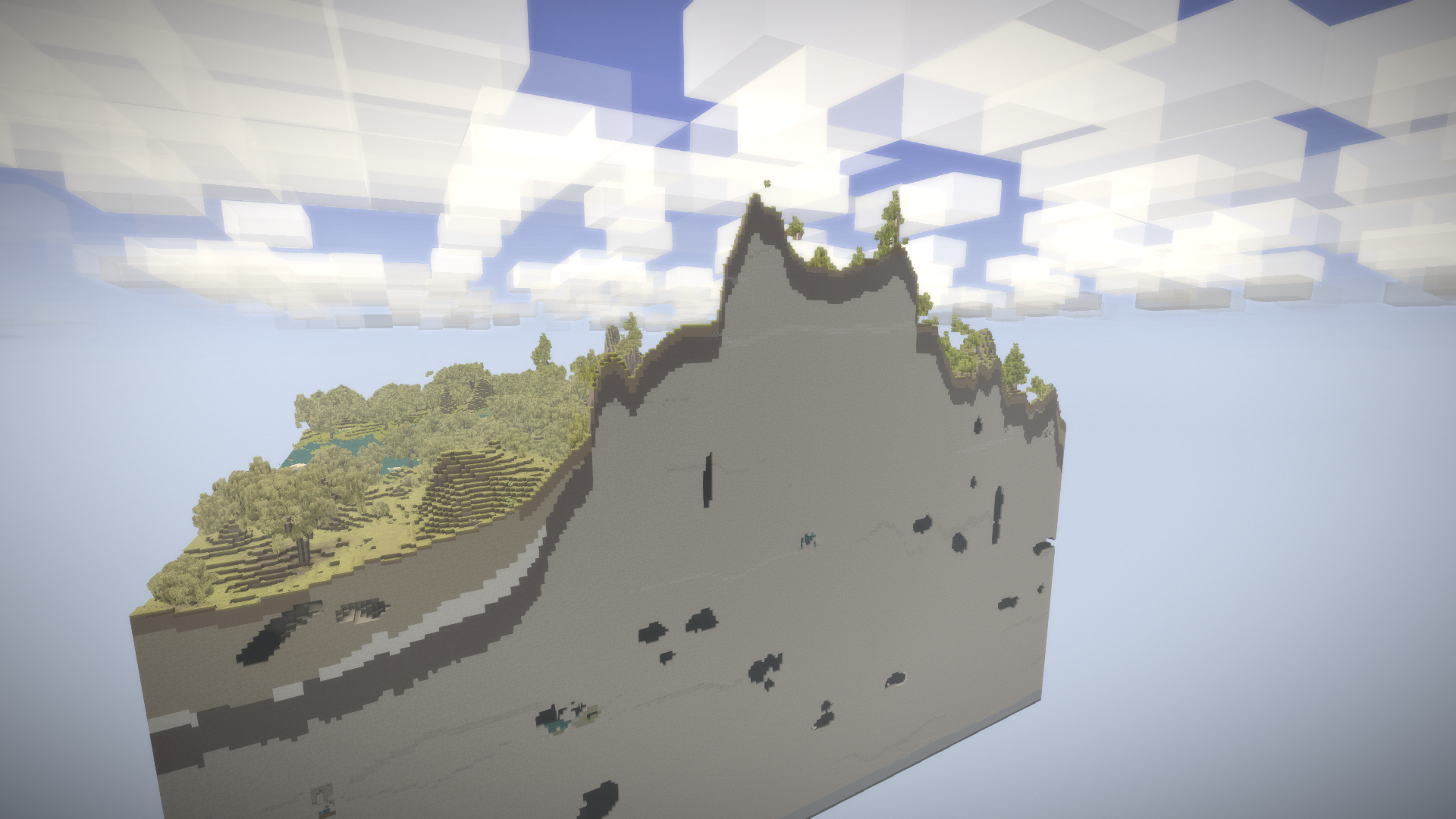
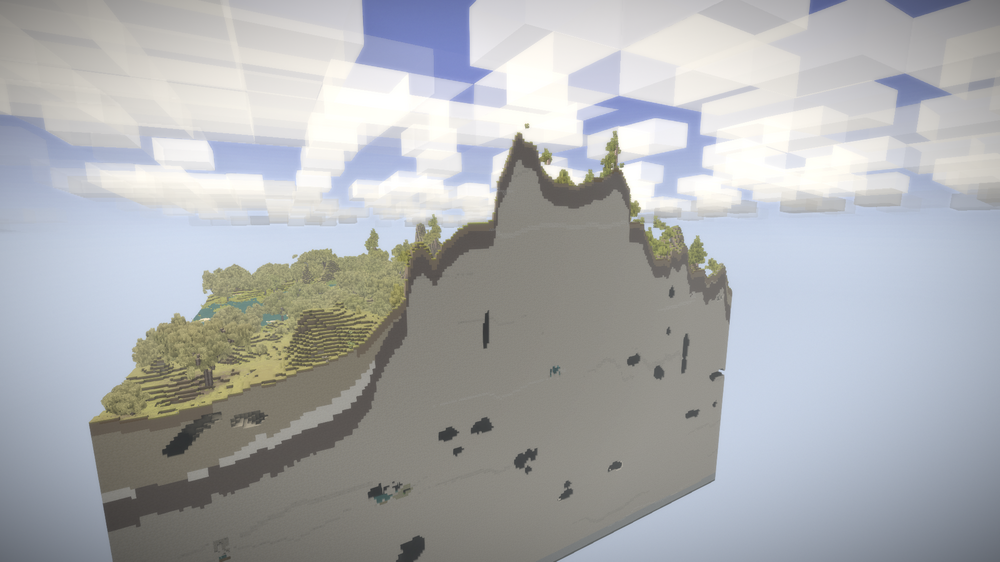
I think I can more or less answer my question now... And maybe it will be helpful to some other people, especially if they want to play with large ocean worlds. Soil composition is dependent on a file, located at (on windows) AppData\Roaming\Vintagestory\assets\survival\worldgen/rockstrata.json Example, basalt { blockcode: "rock-basalt", "amplitudes": [4, 2, 1], "thresholds": [2.2, 1.1, 0.5], "frequencies": [0.05, 0.1, 0.2], genDir: "TopDown", rockGroup: "Volcanic" }, - Amplitude is how hard it can stretch up or down from its base. Higher number means larger layers, like 5 cubes deep instead of 1. - Threshold, I don't fully understand, but lower means it's more likely to be chosen to be the rock type. - Frequency, from my understanding is like a zoom on the noise texture for the rock type... Smaller number means it's shrunk and repeats more often, thus has more chances to show up, but it makes smaller pockets. Higher number means it's more spread out, so less likely to be present, but when it is, it takes a larger space. TopDown means it tries to appear from the top soil and pushes downwards (with amplitude) and BottomUp is the opposite. One last trait is how many variables each rock type has. Basalt has 3 numbers in each category, and Claystone has 4. Adding more, should mean that you can pile up more of those noise patterns, with different frequencies, to give the rock type even more of a chance to be present somewhere. Some additional notes - Granite is weird, I think that it might fully ignore this file and just do its own thing... - The order seems to decide whether a rock type is likely to ever appear above another. For example you will probably never find sandstone under chalk. - This doesn't affect the shape of the world in any way, it only affects the soil composition. At the moment I'm using this file. It seems to me that it's still entirely possible to find large parts of the world where it's still granite, but I think I can be more confident that I can at least find a small bit of chalk or limestone somewhere within 2000-5000 cubes. It makes bauxite, chalk, chert, limestone more common, and most of the other types less common. { code: "rockstrata", variants: [ { blockcode: "rock-kimberlite", amplitudes: [100], thresholds: [80], frequencies: [8.00], genDir: "BottomUp", rockGroup: "Volcanic" }, { blockcode: "rock-basalt", "amplitudes": [4, 2, 1], "thresholds": [2.2, 1.1, 0.5], "frequencies": [0.05, 0.1, 0.2], genDir: "TopDown", rockGroup: "Volcanic" }, { blockcode: "rock-claystone", "amplitudes": [5, 2.5, 1.25, 0.7], "thresholds": [3.5, 2.25, 1.75, 1.1], "frequencies": [0.05, 0.1, 0.2, 0.4], genDir: "TopDown", rockGroup: "Sedimentary" }, { blockcode: "rock-sandstone", "amplitudes": [5, 2.5, 1.25, 0.7], "thresholds": [3.5, 2.25, 1.75, 1.1], "frequencies": [0.05, 0.1, 0.2, 0.4], genDir: "TopDown", rockGroup: "Sedimentary" }, { blockcode: "rock-shale", "amplitudes": [5, 2.5, 1.25, 0.7], "thresholds": [3.5, 2.25, 1.75, 1.1], "frequencies": [0.05, 0.1, 0.2, 0.4], genDir: "TopDown", rockGroup: "Sedimentary" }, { blockcode: "rock-conglomerate", "amplitudes": [5, 2.5, 1.25, 0.7], "thresholds": [3.5, 2.25, 1.75, 1.1], "frequencies": [0.05, 0.1, 0.2, 0.4], genDir: "TopDown", rockGroup: "Sedimentary" }, { blockcode: "rock-limestone", "amplitudes": [8, 7, 6, 5, 4, 3, 2], "thresholds": [0.55, 0.5, 0.47, 0.42, 0.35, 0.28, 0.22], "frequencies": [0.05, 0.08, 0.11, 0.14, 0.17, 0.2, 0.23], genDir: "TopDown", rockGroup: "Sedimentary" }, { blockcode: "rock-chert", "amplitudes": [7, 6, 5, 4, 3, 2], "thresholds": [0.55, 0.5, 0.47, 0.42, 0.35, 0.28], "frequencies": [0.05, 0.08, 0.11, 0.14, 0.17, 0.2], genDir: "TopDown", rockGroup: "Sedimentary" }, { blockcode: "rock-chalk", "amplitudes": [8, 7, 6, 5, 4, 3, 2], "thresholds": [0.55, 0.5, 0.47, 0.42, 0.35, 0.28, 0.22], "frequencies": [0.05, 0.08, 0.11, 0.14, 0.17, 0.2, 0.23], genDir: "TopDown", rockGroup: "Sedimentary" }, { blockcode: "rock-bauxite", "amplitudes": [7, 6, 5, 4, 3, 2], "thresholds": [0.55, 0.5, 0.47, 0.42, 0.35, 0.28], "frequencies": [0.05, 0.08, 0.11, 0.14, 0.17, 0.2], genDir: "TopDown", rockGroup: "Metamorphic" }, { blockcode: "rock-slate", amplitudes: [2.9, 1.6, 0.75, 0.43], thresholds: [1.1, 0.6, 0.3, 0.2], frequencies: [0.05, 0.1, 0.2, 0.4], genDir: "TopDown", rockGroup: "Metamorphic" }, { blockcode: "rock-phyllite", amplitudes: [2.9, 1.6, 0.75, 0.43], thresholds: [0.8, 0.4, 0.2, 0.15], frequencies: [0.05, 0.1, 0.2, 0.4], genDir: "BottomUp", rockGroup: "Metamorphic" }, { blockcode: "rock-andesite", amplitudes: [2.9, 1.6, 0.75, 0.43], thresholds: [1.1, 0.6, 0.3, 0.2], frequencies: [0.05, 0.1, 0.2, 0.4], genDir: "BottomUp", rockGroup: "Igneous" }, { blockcode: "rock-peridotite", amplitudes: [2.9, 1.6, 0.75, 0.43], thresholds: [1.1, 0.6, 0.3, 0.2], frequencies: [0.05, 0.1, 0.2, 0.4], genDir: "BottomUp", rockGroup: "Igneous" }, { blockcode: "rock-basalt", amplitudes: [10, 5, 2.5, 1.25], thresholds: [9, 4, 2, 1], frequencies: [0.05, 0.1, 0.2, 0.4], genDir: "BottomUp", rockGroup: "Igneous" }, { blockcode: "rock-granite", amplitudes: [2.9, 1.6, 0.75, 0.43], thresholds: [1.75, 1.5, 1.25, 1], frequencies: [0.05, 0.1, 0.2, 0.4], genDir: "BottomUp", rockGroup: "Igneous" } ] } This file can also be changed on a server, and I think the clients shouldn't need to change anything. If you play with large oceans, you might still want to be even more aggressive with chalk and limestone, by lowering the thresholds and frequencies further, increasing the amplitudes, and maybe adding even more variables in each category, but I don't know if there is any limit on that, or anything else. By the way, to test the differences, the best way that I know is to create a new world, with a specific seed, then type /gm 2, press F3 twice to fly with no-clip, and F2 a few times to be able to fly around faster than world generation, this way it's easy to see the soil composition. Then you can change this file, and create a new world with the same seed to repeat the process.
-
@DuperSoupy This game is your personal sandbox, so if you don't like the temporal storms aspect, you don't have to have it in your world. You can disable the storms, and set your spawn point anywhere you want without having to use gears, or be less extreme and just reduce their impacts on you. Disable temporal storms: /worldconfig temporalStorms off (Or you can set it to any of these: [off|veryrare|rare|sometimes|often|veryoften] ) Set your spawn point to where you are: /serverconfig setspawnhere Without storms it will be harder to activate teleporters without cheating. So if you want to compensate by giving yourself temporal gears to repair the teleporters, type /gm 2 to get into creative mode, press E or ctrl+F and type "gear" in the search bar, and give yourself the gears to repair the teleporter with. To make it feel less cheaty, you could sacrifice some resources of your choice in exchange. Type /gm 1 to get back to normal survival mode when you are done. If you don't want to disable this mechanic completely but just tone it down: Disable the wobbly effect from storms: Settings -> Accessibility -> Glitch Strength Waviness all the way down. Change the duration of the storms: /worldconfig tempstormDurationMul 0.5 (1 is the default, so 0.5 should be half the length of a normal storm) I love the freedom that is given in this game. These commands can easily be used to cheat, but they can also be used to tailor your experience to how you want it. And I would like to add, you can at least be perfectly safe during temporal storms by staying in a small room that has no space for drifters to come through, as long as the room has enough light in it. You can easily make windows by using slabs. The space isn't big enough for them to crawl through. And butcher them with your knife through the window. And you can try killing them with stones or a fire kiln trap, or if you are using the primitive survival mod, spikes.
-
I figured it out! Haha! If I sit on the ground my character can spin spin spin, but, if I sit on the -edge- of a cube, my legs hang down in front of me and then I cannot spin my camera. Mystery solved!
-
eh? I sit on the ground, by pressing G, in first person, and I can spin spin spin all around, and that's what I'm trying to avoid.
-
On the main page, the first thing it says is that VS is an uncompromising survival game. This is fine, of course. But, I was watching this amazing video, and it was making me realize, people -want- this. There are so many people in the world who want to build, but what stops them is that they need to learn how to use professional tools to do it, like Blender. For example, The Sims, or Second Life. I think it's the same way with Skyrim. Or, they don't have access to so much freedom for detail, in games like Minecraft and Valheim. Vintage Story is special because of how much detail and beauty is allowed with simple tools and at a small scale. I think that this should be taken seriously, I think that the creation aspect should be the first or second thing that comes to mind when people think about VS. And in that spirit, to allow everyone to play with these tools early on, maybe we could have a stone chisel, for wood blocks, or freeform clay making. And if that makes any sense, a built in system to browse a library of player-made objects to import into our world.
-
No, that's not it. I was in first person view, and I was not able to rotate more than 90 degrees on either side, it would just lock right there. And then when I did F5 twice, I was able to rotate and when I started typing, my character just stayed where it was, instead of swiveling to where my camera was pointing. I loved that. The only problem is that when I got up again and then sat, it just went back to "normal".
-
I was sitting on the floor and talking, and after a few minutes, my character became locked in place, in the sense that in first person view I was only able to rotate my camera 180 degrees in front of me. Does anyone know how to make this happen?
-
I can't find a text command to toggle making the server public, so I think you have to change the config file. I don't know how it works with this server hosting method, but on my server, the file is in (main VS folder)/data/serverconfig.json and change "AdvertiseServer" to true and for disabling the whitelist, the only way I can find is to log in to the server and write /serverconfig onlywhitelist 0
-
I was wondering exactly that, "if I start with limestone, what is it that I will be missing?" Now I know... But, is that it? Does everyone just accept that on a "small" world we might not have all we need and we need a huge world to be sure...?
-
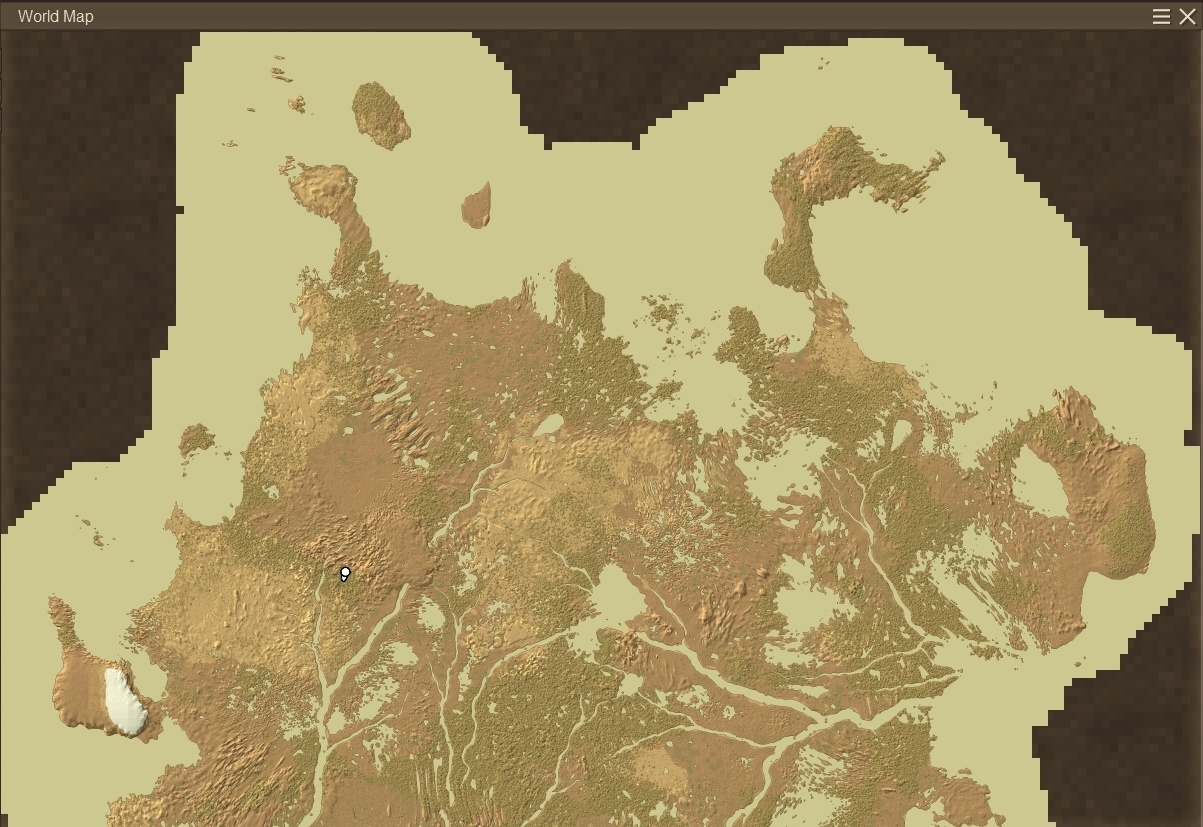
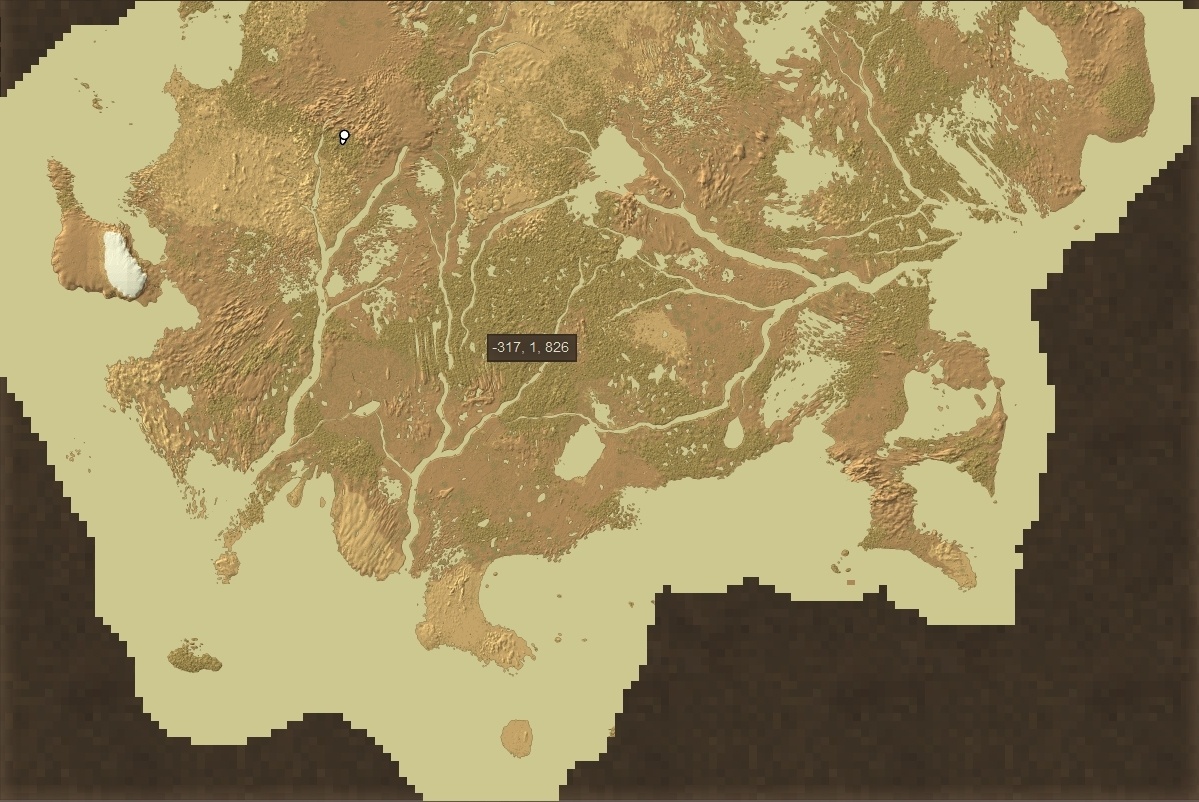
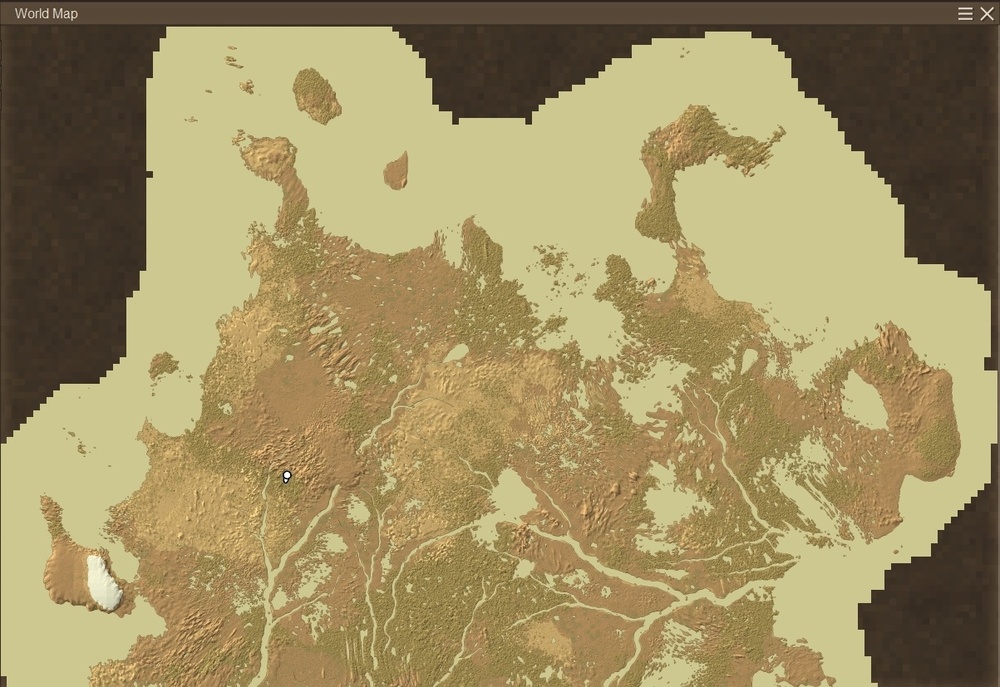
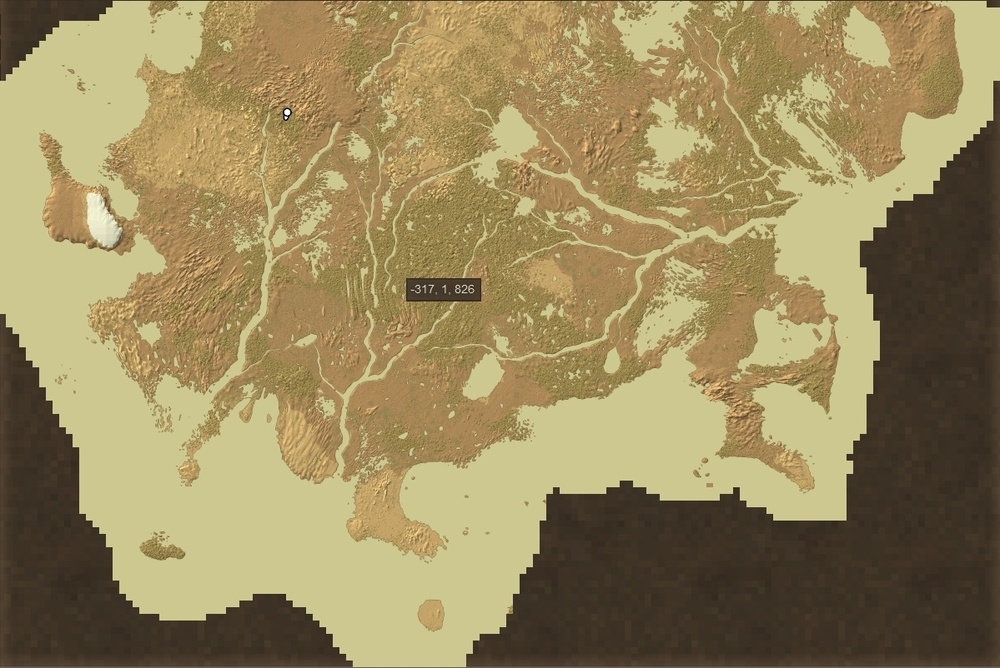
I'm not sure about vanilla, I'm using the rivers mod, but with 10% landcover and 300% landcover scale I started on a big island surrounded by the ocean.
-
For example, I create a small world, get in creative mode, fly or teleport around for 45 minutes, and all I see everywhere is granite... I'm trying to generate a world where I will have access to chalk or limestone, so if I see granite everywhere, that's a bad sign.