TheCrimsonKing96
-
Posts
5 -
Joined
-
Last visited
Content Type
Profiles
Forums
Blogs
News
Store
Everything posted by TheCrimsonKing96
-
Lemme dig through some of my old unreleased mods here today/tomorrow. I know I had attempted something similar in the past and ran into the same issue. There is a way to stop the player interaction from happing on an interactive object if they're looking at something else like in this case the elks gear slot. I don't recall if I ended up needing to custom code it with C# or if there is a way to flag it in JSON.
-
Hey @JeanPierre, welcome to the forums! I wouldn't consider myself a very experience modder myself but I do believe that filled vessels (jugs, pots, barrels, etc.) are considered different blocks/entities compared to when they're not filled. If anyone else knows better please lemme know if I'm wrong here! How are you currently attaching the empty jugs to the elk? If you have any snippets of code I might be able to help you further (no guarantees though, sorry!)
-
VSMC Texture Mismatch
TheCrimsonKing96 replied to TheCrimsonKing96's topic in Mod Development Questions/Troubleshooting
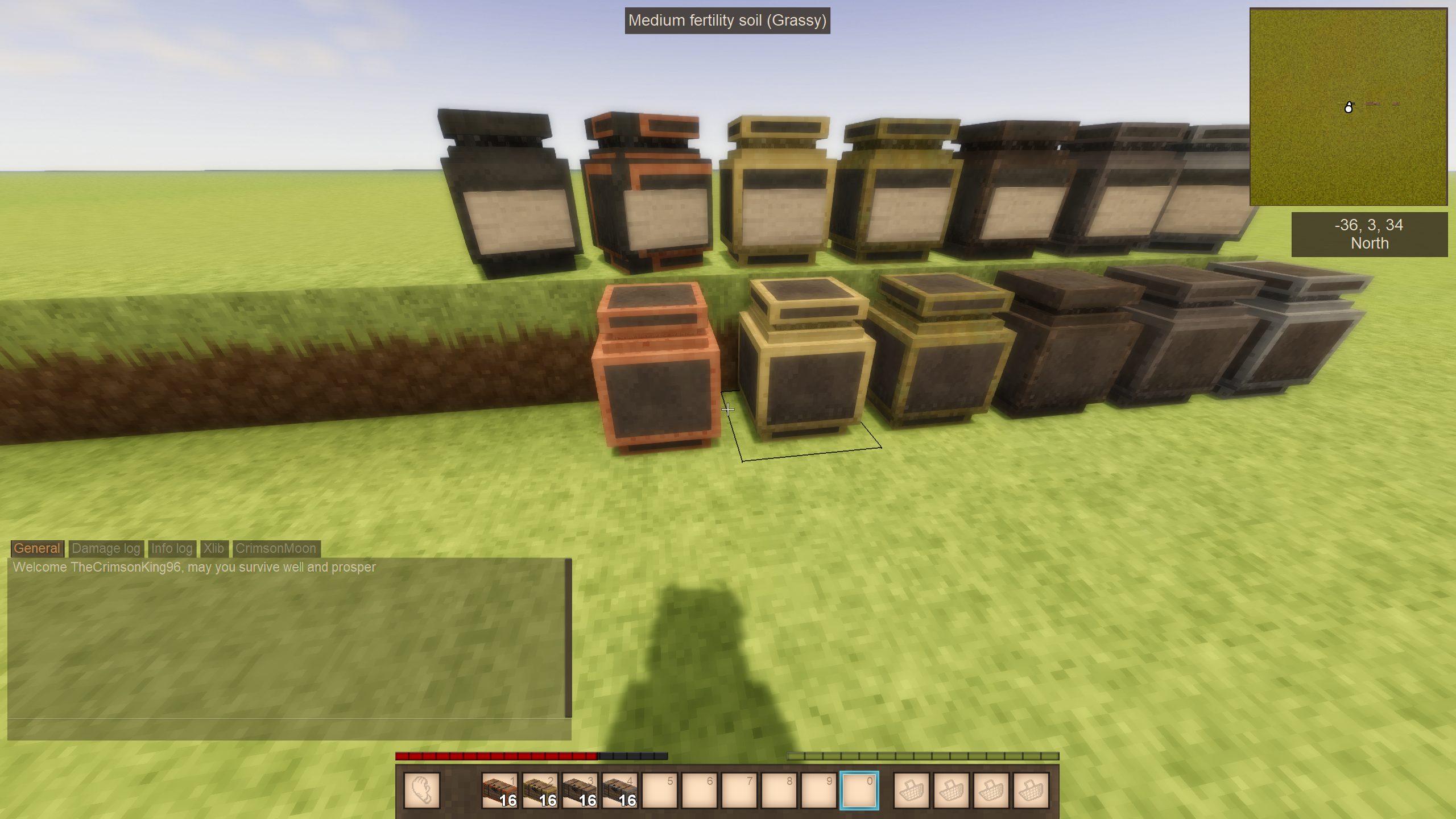
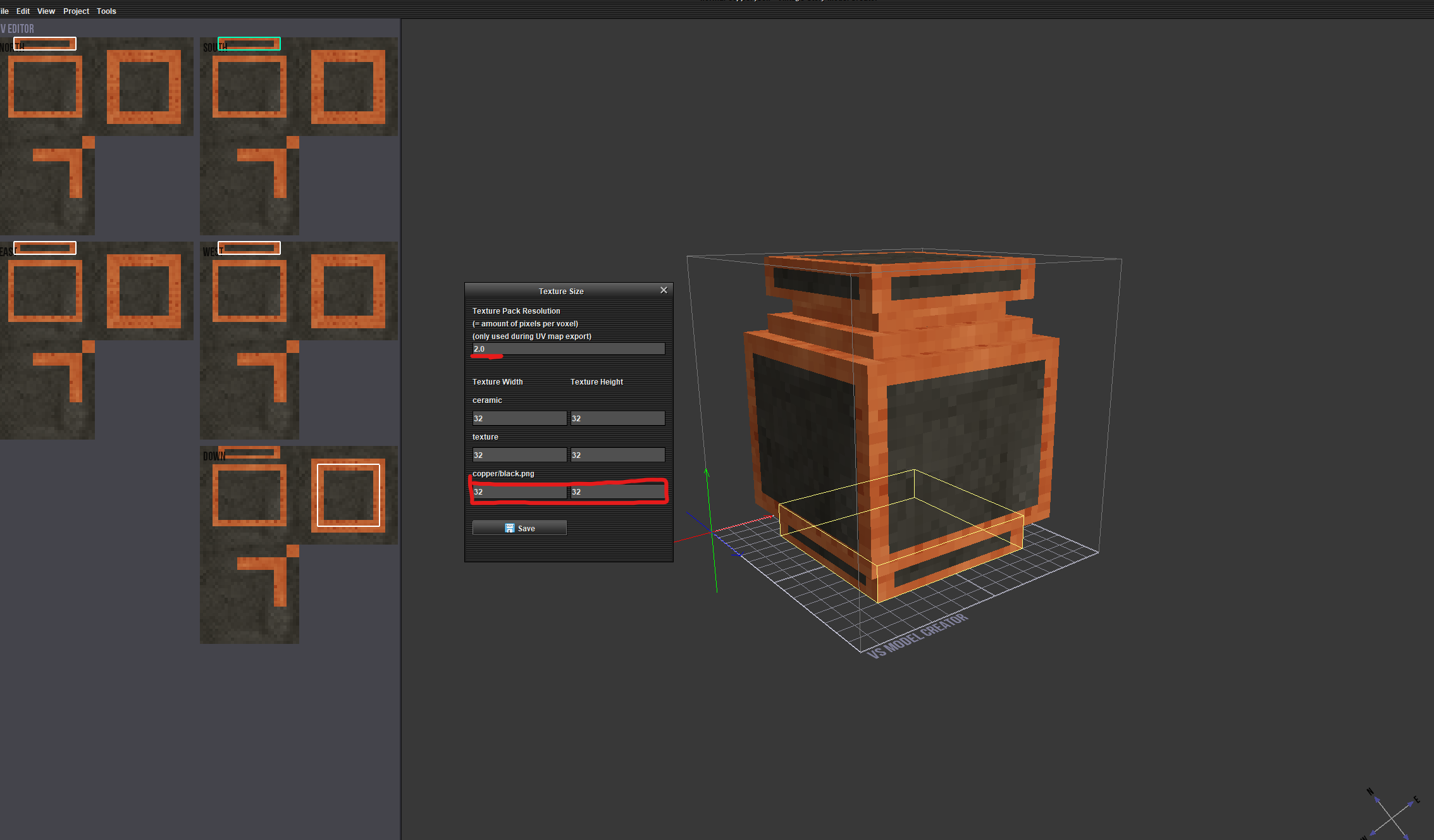
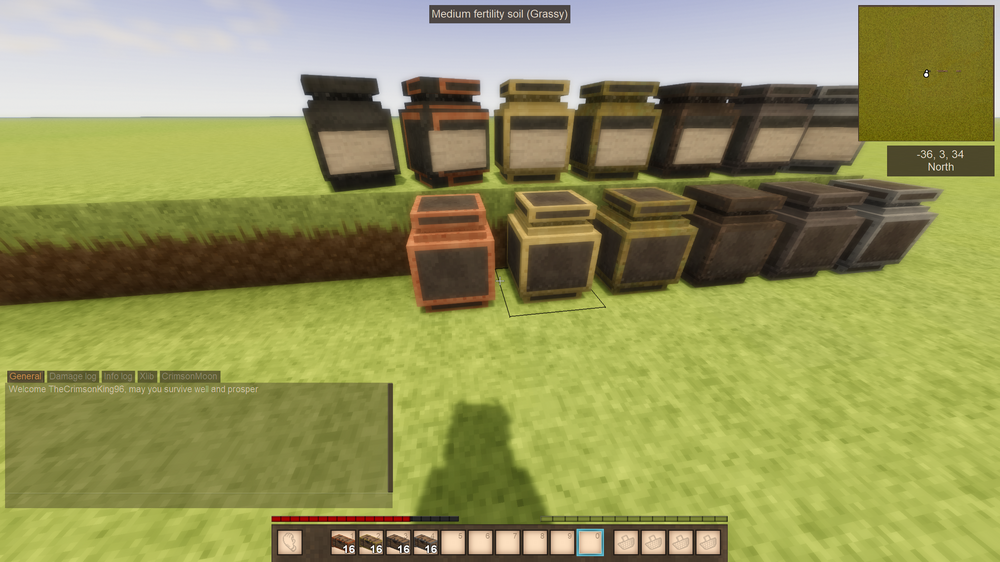
I was hand UVing these inside of VSCM and can hardly even call myself a beginner, I'll give this a look myself and give it a try! I appreciate you providing files for reference thank you! I spent two hours this morning trying to get 16x16, 32x32, and 64x64 texture height/width to work within the JSON and all gave me the same misaligned texture issues I started the post with. I don't fully grasp how VS works when it comes to textures. I'm not sure if ALL block data should have: "textureWidth": 16, "textureHeight": 16, no matter the size of the texture or if these should be accurate to the actual texture size. I initially worked under the assumption that due to vanilla files being 32x32 that the Width and Height within the block JSON should be 1/2 of what the texture size is but that seemed to make little difference. Edit: Your file does work, I am still incredibly confused as to why it does (and may likely never fully understand the why or how). I pulled your file into the VSCM tool, changed the texture size to 64x64 and the UVs data is not aligned in the tool. Yet in engine it works just fine now. Frustrating but also a relief, thank you for your assistance here I'd have never been able to get this resolved without it!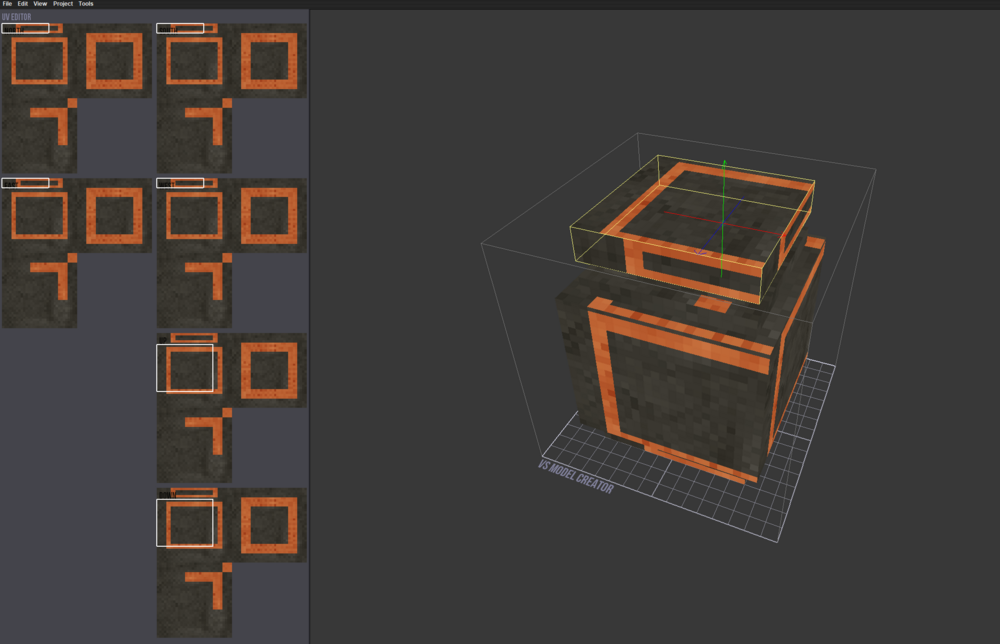
-
VSMC Texture Mismatch
TheCrimsonKing96 replied to TheCrimsonKing96's topic in Mod Development Questions/Troubleshooting
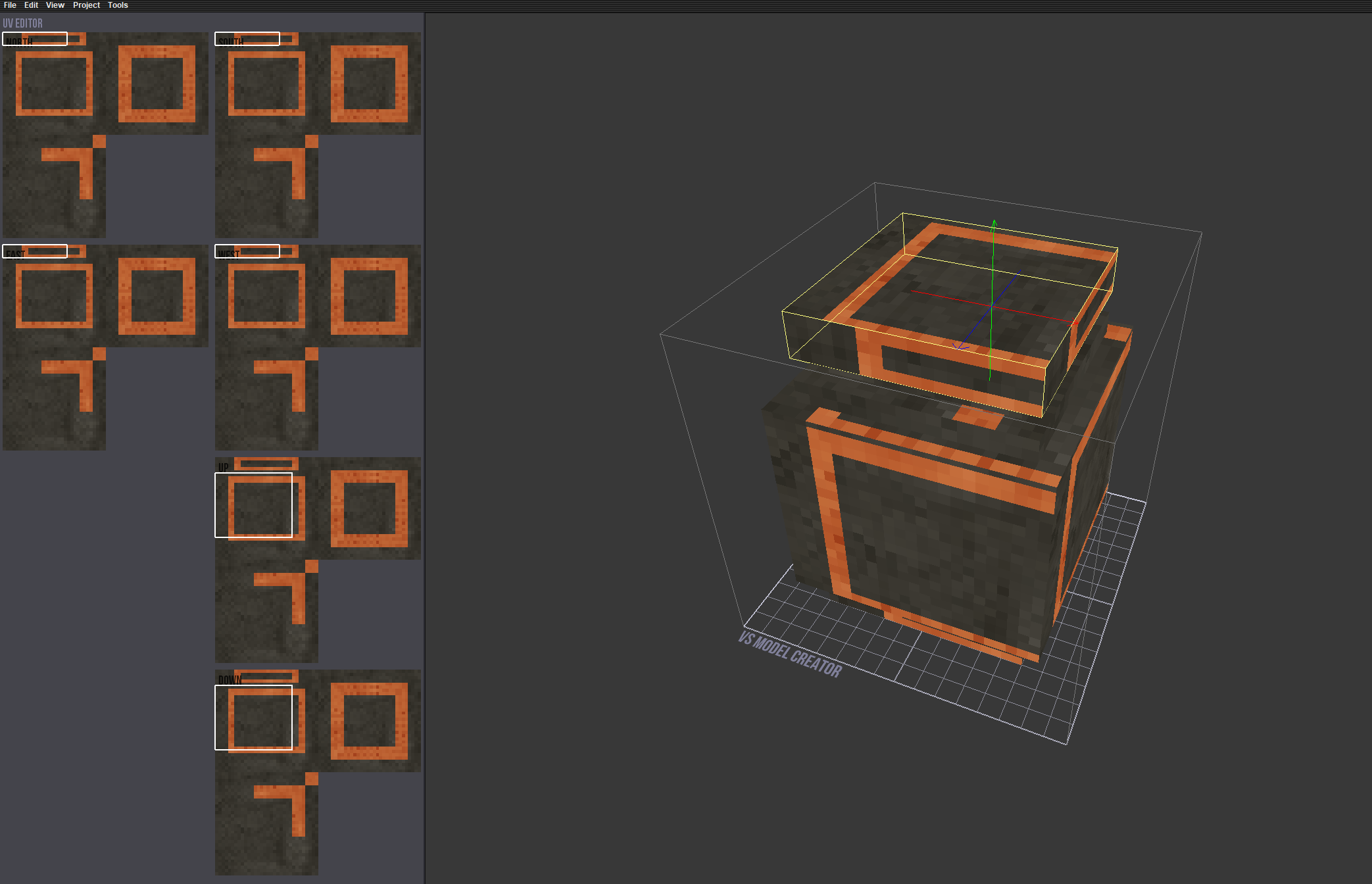
Good question @Brady_The! I hadn't considered noting that to begin with but no, there's nothing in the code that manipulates the textures, the code is very rudimentary and only meant to allow for labeled blocks such as trunks and storage vessels to also be able to be reinforced like their non-labeled counter parts. The reason I am so incredibly vexed by this issue is due to the texture which I've attached below which is also a 64x64 size working albeit the shape data for this one are different and this was a very shoddy first attempt at creating an atlas since I'm not really much of an artist. In order to get this shape file to work inside of VSCM you have to change the texture size of the file from 32x32 to 16x16. My thought process with the original texture was that I could simply do the exact same process and just move the UVs but in doing so it creates that shifted texture with large chunks of missing texture data. I had started working on an overlay atlas as well to reduce the amount of files further so I've supplied those below as well as the blocktype in case that context paints a better picture. normal-copper.json storagevessel.json

-
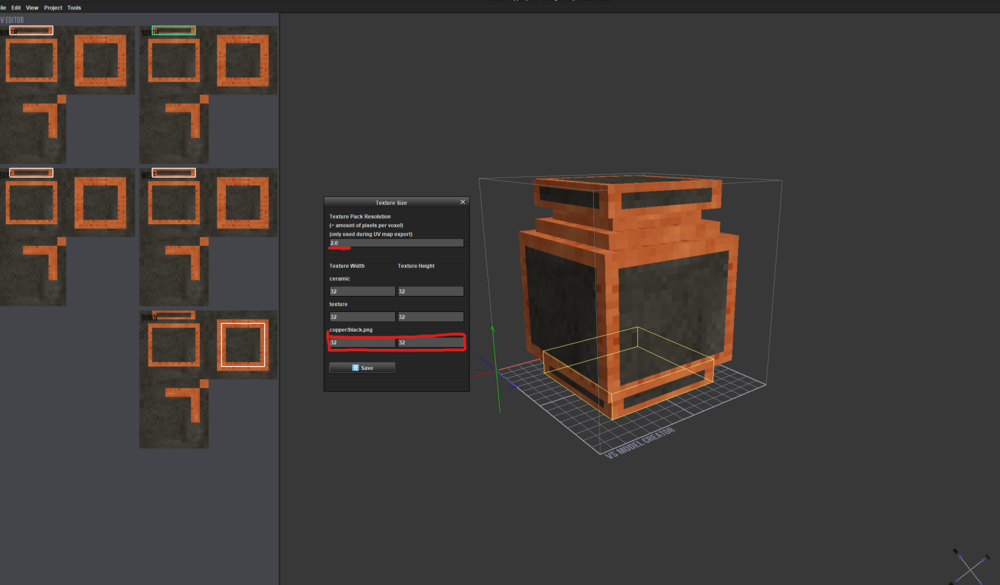
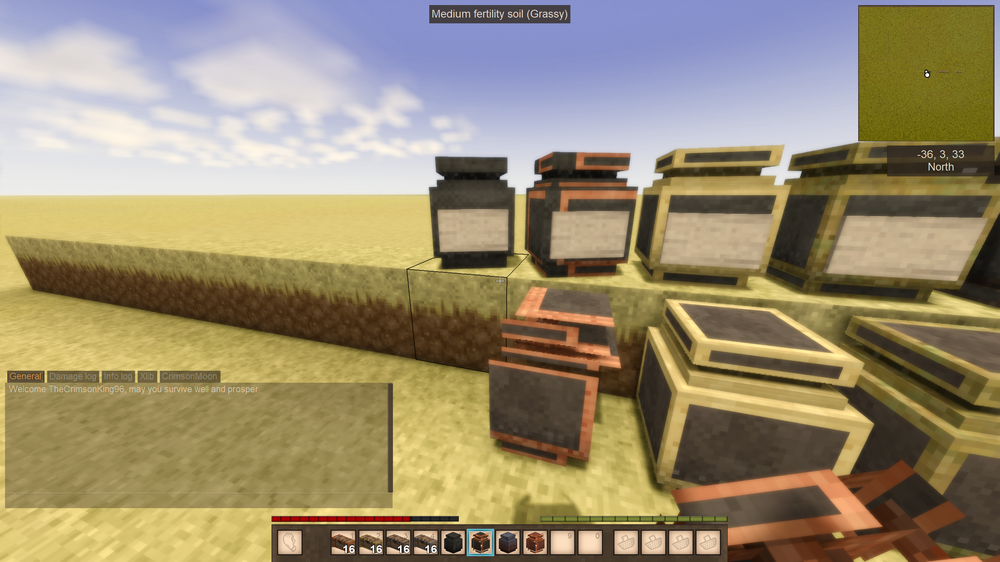
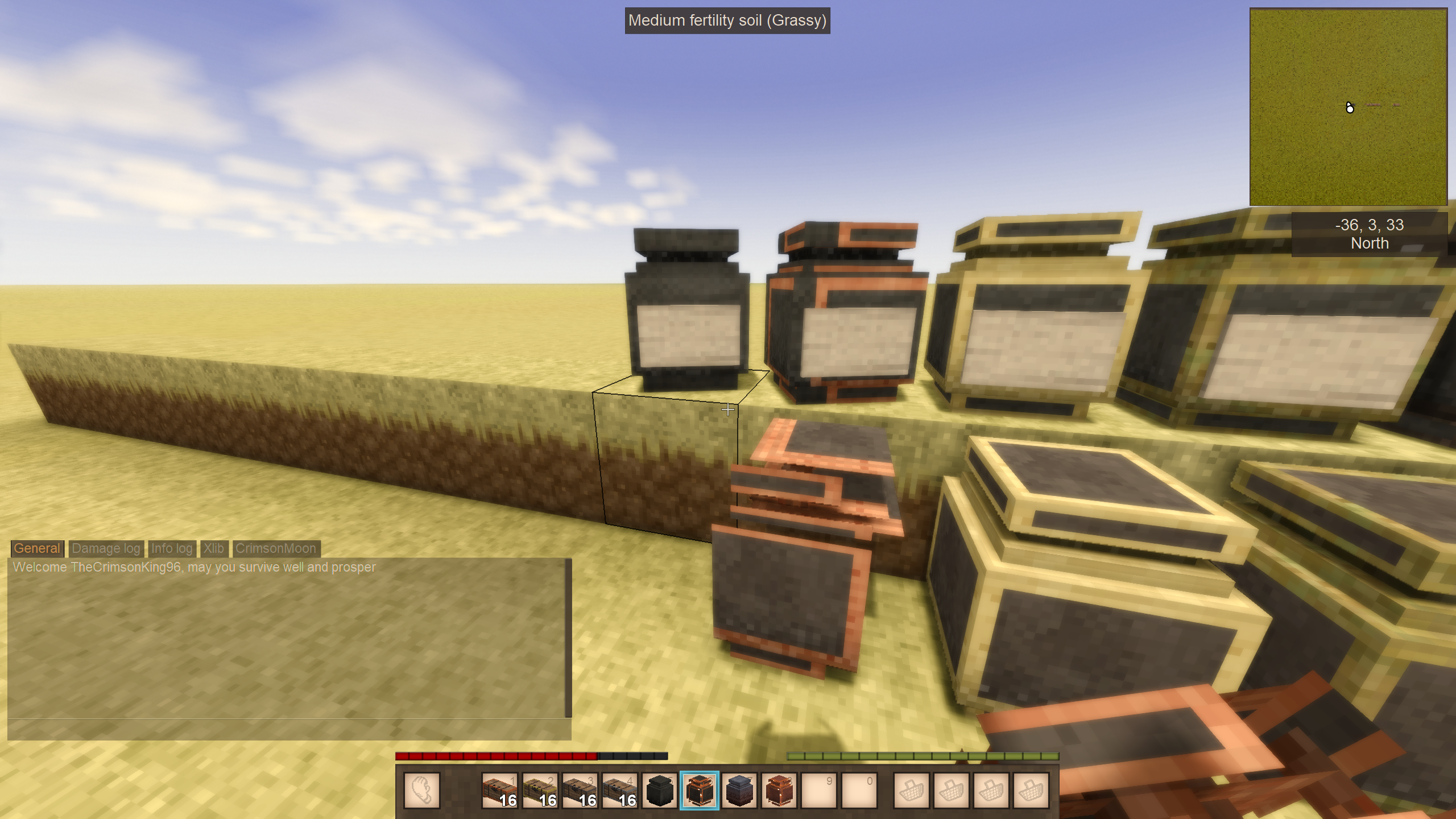
Mod Version: 1.21.5 Summary: Having issues getting textures to align in engine even they're they're aligning within VSMC. Description: While working on an optimization update on my Upgradable Storage mod I'm in the process of consolidating my storage vessels textures (3 32x32 textures for top, sides, and inside) into a singular 64x64 texture. I believe I've properly set the new UV's and set the texture size to 32x32 instead of the vanilla games 16x16 to accommodate for the 2px/voxel but when I launch the game to test the texture appears shifted leaving empty blank space. I'm completely vexed by this and have been stuck on the issue for several days now. Resolving this is the last thing I need to do to release my update. Has anyone ever run into this issue with VSMC before or know a work around/fix for it? I've attached screen grabs inside of VSMC and engine to better show the issue I'm encountering as well as the texture I'm using and my block data In the case that one one is inclined to take a look and see where I might be going wrong. Already Tried: Enabling Auto UV for all faces Setting the texture to 16x16 and 64x64 in textureHeight and textureWidth in block JSON Disabled Auto UV and hand placed all faces UVs Consolidating all pointers to a single "texture" pointer from "top", "sides", "inside" Any assistance is appreciated, thanks in advance! normal-copper.json