


Brady_The
-
Posts
750 -
Joined
-
Last visited
-
Days Won
7
Content Type
Profiles
Forums
Blogs
News
Store
Everything posted by Brady_The
-
The game will try to place items at whichever section of a block you are aiming at. If it doesn't work for you, there might be a mod interfering with that mechanic. Edit: I just noticed the topic. Weapons and tools look like they lean against walls and will require a backdrop of one (or two, depending on the size, shovels for example) blocks, but on a technical side those are stored on the ground.
-
I suspect that mod@canoemod.zip, mod@canoemodcircuitspatch_1.0.0.zip could be causing the issues. Both server-main logs are spammed with the same error message that's printed in the client log. [Error] Exception: Value cannot be null. (Parameter 'key') at System.Collections.Generic.Dictionary`2.FindValue(TKey key) at Vintagestory.GameContent.EntityRideableSeat.get_LocalEyePos() in VSSurvivalMod\Entity\Behavior\EntityRideableSeat.cs:line 25 at Vintagestory.API.Common.EntityPlayer.updateEyeHeight(Single dt) in VintagestoryApi\Common\Entity\EntityPlayer.cs:line 547 at Vintagestory.API.Common.EntityPlayer.OnGameTick(Single dt) in VintagestoryApi\Common\Entity\EntityPlayer.cs:line 654 at Vintagestory.Server.ServerSystemEntitySimulation.TickEntities(Single dt) in VintagestoryLib\Server\Systems\World\EntitySimulation.cs:line 258 at Vintagestory.Server.ServerSystemEntitySimulation.OnServerTick(Single dt) in VintagestoryLib\Server\Systems\World\EntitySimulation.cs:line 159 at Vintagestory.Server.ServerMain.Process() in VintagestoryLib\Server\ServerMain.cs:line 932 I currently don't see any other obvious mods that would contain entities with rideable seats.
-
The game seems to have an issue with sound files. I don't see any particular mods standing out, so your friends first step should be a reinstallation of the game. That might already fix this problem.
-
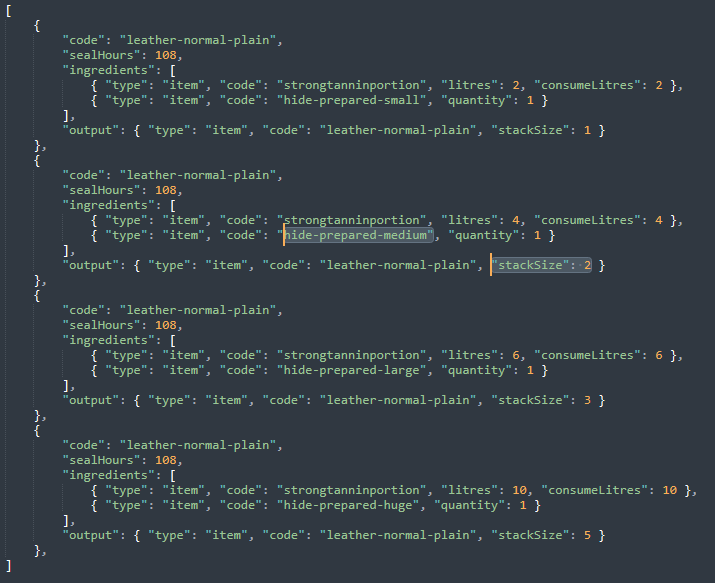
That's exactly what it should do. You might have mixed up huge and medium hides. Contrary to the grid recipe display, the "Created by" info in the handbook keeps scrolling the rest of the "formula" when you hover over an ingredient.
-
Keep an eye on https://mods.vintagestory.at/stickydirt for an update. It does make the instability a little more enjoyable.
-
I've only found https://github.com/anegostudios/VintageStory-Issues/issues/6773 with not many information inside. Maybe you can contribute to the crash report.
-
There should definitely be more music triggers in the game. Dawn, dusk, travel, fights, environment, etc.
-
 There are two ways. .blockitempngexport and .exponepng, which I personally would recommend using. Just take whatever asset you want to create an image from into your hand and execute ".exponepng hand [size]" in chat, in which [size] is the pixel width and height. 400 is generally the default used on the wiki, but you can choose whatever size you would like.
 -
Ability to harvest glow worms and a couple of other suggestions
Brady_The replied to Derro's topic in Suggestions
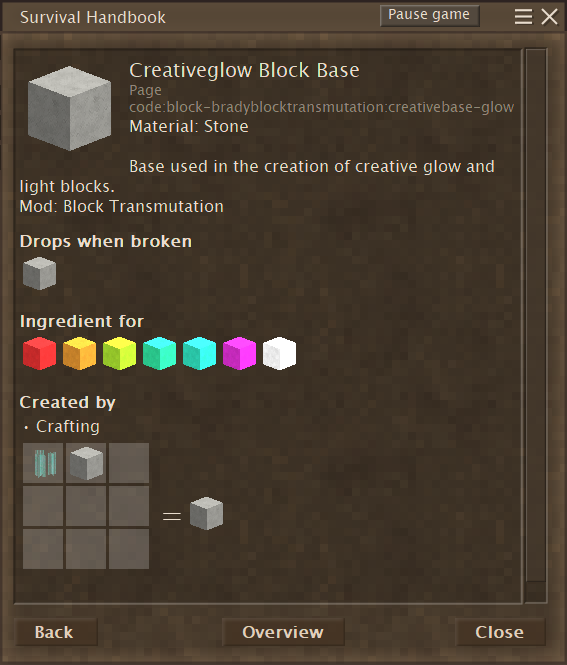
If you guys don't mind using mods: A while ago somebody requested this exact feature to be included in a mod I created for that user. https://mods.vintagestory.at/bradyblocktransmutation As the description suggest, this mod was created for creative builders in a Survival setting, which means that the recipes are quite cheap. The "Ingredient for" section only includes the basic colours. The subsequent coloured ones can be crafted with those basics.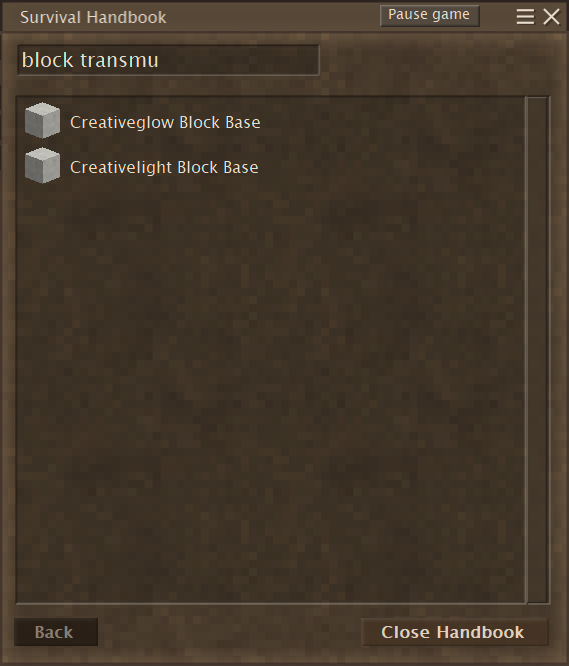
-
Forum: Can't add images. "1 file would exceed the allowed sized"
Brady_The replied to Professor Dragon's topic in Questions
Hey Professor Dragon, head to https://www.vintagestory.at/attachments/ and see if you might be close to the attachment quota. -
That looks really good! I'll keep that seed in mind. Cheers!
-
If you don't mind using mods, there's https://mods.vintagestory.at/improvedhandbookrecipes which does exactly what you are asking for!
-
This build turned out very nice. Thanks for the enjoyable videos you release.
-
If it is there, it has been installed. Maybe you used the 1-click install and forgot? Anyway, open the Mod Manager in game, click on "Open Mods Folder", look for the mod in question and delete it. It's rather unlikely that the mod has been saved in the Vintage Story installation folder\Mods, but it's a possibility.
-
It's in the footer.

-
That's how it goes sometimes. Still, I think this was/is a worthwhile exercise. It might be a good idea to go through the modding tutorials on the wiki: https://wiki.vintagestory.at/Special:MyLanguage/Modding:Modding_Basics_Portal They are great. That's how I got started. There are still a lot of abandoned mods out there. Your opportunity will come!
-
Speed up time for testing?
Brady_The replied to Echo Weaver's topic in [Legacy] Mods & Mod Development
There's /time speed and /time set. https://wiki.vintagestory.at/List_of_server_commands#/time If I remember correctly one of the two might be ignored by pit and beehive kilns. Talking about beehive kilns. This could be the source of the problems your users might be reporting. -
Most modders using wildcards will make use of "allowedVariants" to restrict combinations. If the devs or another mod should decided to add a green clay to the game for example, your mod would (not break) but it would print error messages, because it would encounter the same problem you have been facing, simply because "hangingflowerpot-green-fired" doesn't exist.
-
Most keys can make use of {variables} to shorten things. Instead of creating a dozen texture definitions for dozen of variations, you can do create simply one and the game will automatically fill in the variables. The flowerpots variantgroup code was changed from "type" to "color". You can simply copy the "texture" key from the vanilla file and should be fine. Don't forget to add the "game:" domain in front of the paths, though.
-
Your best bet is probably the dev log, particularly the API changes. However, those will not mention everything. Going from 1.20 to 1.21 for example, clay assets were split up into two separate files, one for raw and one for fired items. You are right about your hunch. The aforementioned change breaks the recipe. In 1.20 the recipe would have resolved "P": { "type": "block", "code": "game:flowerpot-*", "name": "kind" }, into "P": { "type": "block", "code": "game:flowerpot-(raw|burnt|amber|boneash|celadon|copper|earthern|moss|ochre|rutile|seasalt|tenmoku", "name": "kind" }, all of which will be saved into the variable "kind" and carry over into "hangingflowerpot-{kind}". This worked because the asset codes line up with the variantgroups in "hangingflowerpot.json" shown below (With the exception of raw, this might have been handled by code, but I have never used the mod before, so maybe it always produced the errors in the logs.) With the changes to the clay items in 1.21 now the recipe ingredient flowerpot will resolve into "P": { "type": "block", "code": "game:flowerpot-(blue|fire|black|brown|cream|gray|orange|red|tan)-(raw|fired)", "name": "kind" }, which doesn't line up with the hangingflowerpots variantgroups at all. Those items simply do not exist, and that's why you are getting those error messages. The fix might be as simple as simply overwriting the hangingflowerpots variantgroups with the game:flowerpots variantgroups. It could also involve some more changes to the code the mod is using. I am not a coder, so unfortunately I cannot help you in this regard.
-
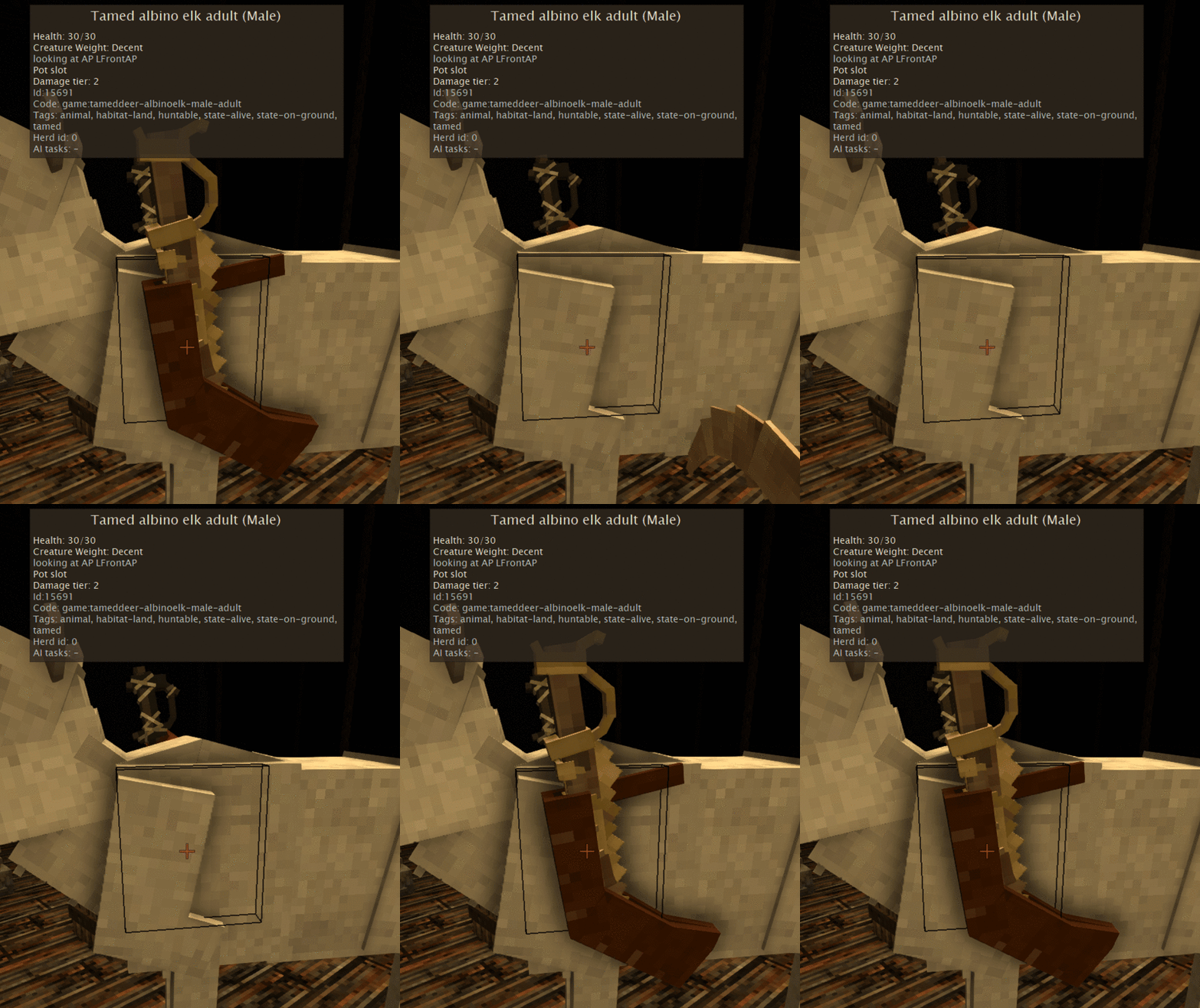
It works for me with the keyboard combination you mentioned. Are you playing Vanilla or could a mod cause an incompatibility? Probably a silly question, but is your elk fully tamed?
-
Moving the game, its mods and all the files to a new Windows (to 11)
Brady_The replied to kleptomanisch's topic in Questions
That's how I roll as well. I don't think it's too stupid of an idea. I wish programs would make it as easy as VS to store their data elsewhere. Not many programs ask at installation if you'd like to use a different drive either.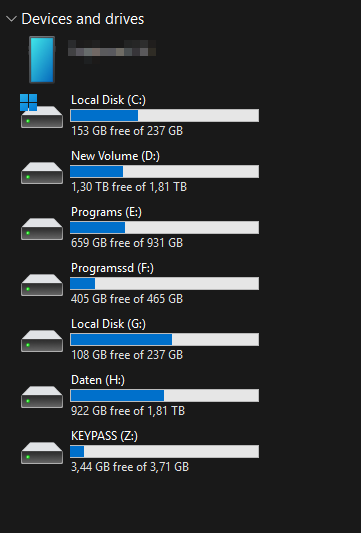
-
I noticed this a while ago too. It might be a bug. It doesn't really feel like the intended way, but who knows. I certainly don't.
-
I don't know of any mods that makes mushrooms decorative. You might be able to put them in Vanilla flower pots and planters. There's also https://mods.vintagestory.at/show/mod/21814 which is more about cultivating them, but maybe they the custom containers can act as permanent storage as well. Then there's https://mods.vintagestory.at/customflowerpots which expands the Vanilla flower pots by quite a margin.
-
Do you know about https://mods.vintagestory.at/playermodellib? I haven't done any player model mods, so I can't help you much in this regard, but I know that https://mods.vintagestory.at/goblinears makes use of the mod, which is very similar in scope.
- 7 replies
-
- 1
-

-
- playermodel
- animation
- (and 1 more)



