


Brady_The
-
Posts
733 -
Joined
-
Last visited
-
Days Won
7
Content Type
Profiles
Forums
Blogs
News
Store
Posts posted by Brady_The
-
-
35 minutes ago, circusseal said:
There's a lot of stuff about (I think) mods not loading properly or something when I start up my save. I've been wanting to post it here in the hopes somebody could tell me what the heck it all means and what I should do about it, but I don't even know how to do that.
Logs can be found here: "%AppData%\VintagestoryData\Logs". Generally for this sort of problem the most interesting logs are client-main.log and server-main.log.
The easiest way to share those is by either zipping them or changing the file extension from ".log" to ".txt", and attaching the files to a comment.
-
 2
2
-
-
24 minutes ago, Mackzli said:
I'm running a server with 2 of my friends. Possibly this is whats causing the issue? I installed it into the mods folder with every other mod however it gives me the following message:
That's it then. The mod on the ModDB is outdated. There's a version mismatch. I am not too well versed on Multiplayer mods, but it might be possible to manually install the mods. At least the wording on the screenshot seems to imply that this is possible.
To do that, ask your friends to download the mod version in the post linked below into "%AppData%\VintagestoryData\ModsByServer\[YOUR-SERVER-IP]". Hopefully that's sufficient to make this work.
If that doesn't pan out, my next step would be to ask for help in the #multiplayer channel of the VS Discord server, because unfortunately the above idea is all I got. Sorry!
-
10 minutes ago, MonkeyDP said:
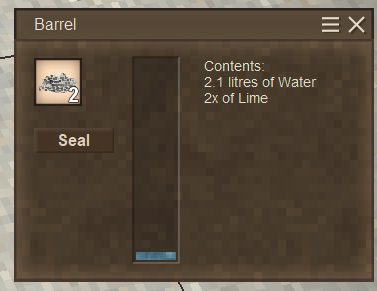
I'd try to remove .1 litres of water.
-
On 2/14/2025 at 8:31 PM, Wasted Wanderer said:
is it just that the OP dev is missing or was never was able to update or pass the torch off? but thx found some
It's just how it is with mod project. People come, people go.
24 minutes ago, Mackzli said:Hey dude this isnt working on the latest version, idk if it needs updating again or im installing it wrong
My comment above still holds true. 1.20.4. I spawned in a new world just to make sure, and 6 blocks away I found the first plants.
Mods should be installed in "%AppData%\VintagestoryData\Mods".
What isn't working for you?
-
1 hour ago, Caniby said:
I don't know if I somehow changed a setting without knowing it or what but I can no longer use any item, at all. The toolbar lists 1-9 then a window that says "left mouse" then the 4 basket slots. No matter which slot I highlight, when I click it just suto highlights the leftmouse. It's 2/16/2025 I just bought this game yesterday and it didn't work like this last time I played it, it is literally un-playable now. Please help.
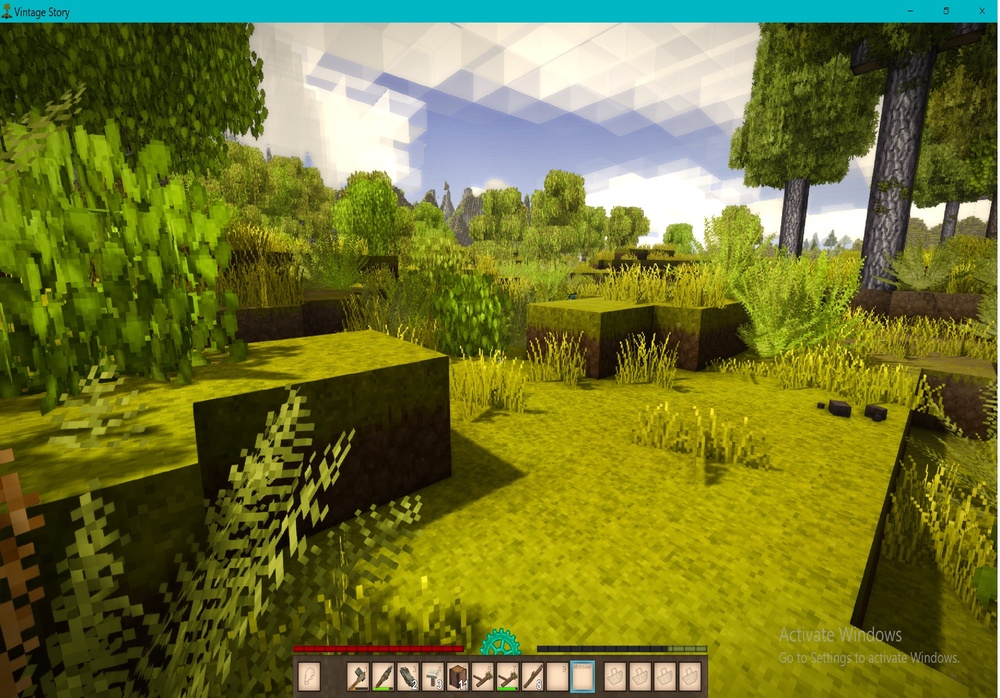
Go to Settings > Controls > Hotkeys > Select Hotbar Slot 10 and change the keybinding from "Left Mouse" to "0".
Alternatively you can simply click the big "Reset Controls" button at the bottom.
-
1 hour ago, Whiskey1349 said:
Laucher download
Specify. Do you mean https://account.vintagestory.at/ or do you mean
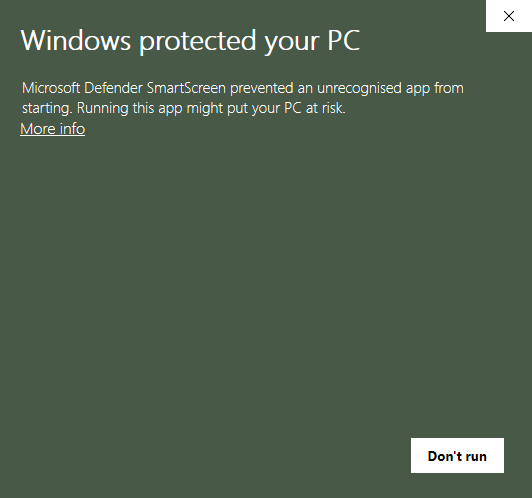 ?
?
If it is the latter, click on "More info" and "Run anyway".
If it is the former, we'll need more information.
-
9 hours ago, Porkbrick said:
i still have no idea how to navigate to it without the link though
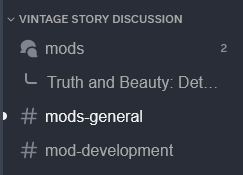
You can follow threads via two ways:
- Click on the three dots shown in the upper right corner of the screenshot and on Follow Post in the context menu that opens.
- Click on the Follow button shown in the lower right corner.
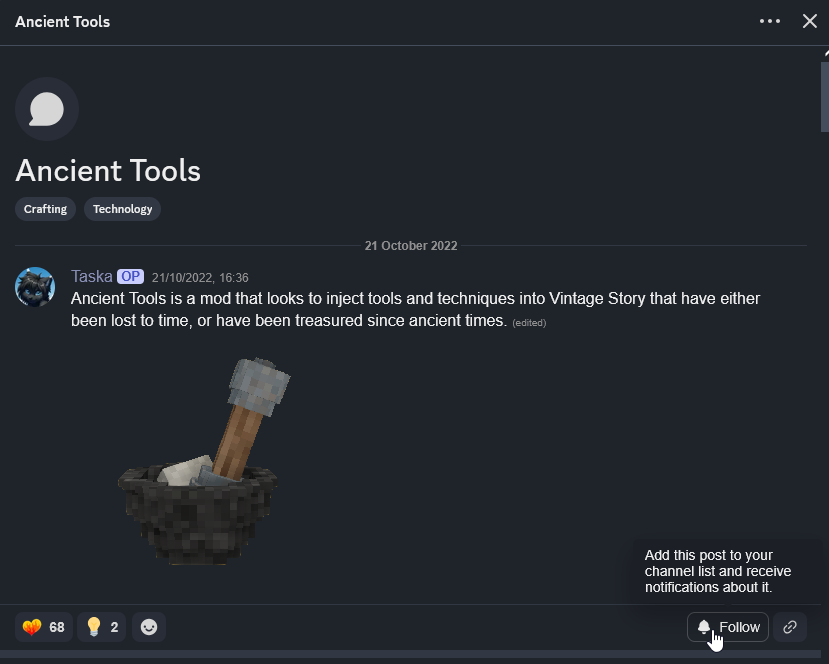
The mod thread should then appear in the navigation pane:
-
1 hour ago, Porkbrick said:
i really don know how to use discord, but i did find the one roof discussion on there
https://discord.com/channels/302152934249070593/1291558226093146143
Spoiler(Discord is a huge pile of manure.)
-
12 minutes ago, SketchySpaghetti said:
Please if anyone knows of a way or can just better explain to me the syntax or what is allowed then I would greatly appreciate it

Unfortunately currently only one wildcard (character) per recipe ingredient is allowed. You'll have to create 7 different recipes to cater to all size variants.
A tip: If you add
Quote"shapeless": true
to the recipe, you can put the ingredients anywhere in the grid without particular order.
-
1
-
-
8 hours ago, Wasted Wanderer said:
does https://gitlab.com/Brady_The/bits-and-bobs/-/raw/main/WeaversWeed.zip work for 1.20.3
Everything seems to be in working order. I quickly started a new world and almost immediately stumbled across some of the modded plants. Error logs show nothing either, so you should be good.

-
5 hours ago, Mistress Loona said:
I bought it from this very website though directly from them.
Do you already own https://www.vintagestory.at/store/product/7-simple-server-hosting-8-slots/?
If that is not the case, which I currently assume due to the information you have given us, I'd wager a guess and say that the item linked above is a prerequisite for the server upgrade you want to purchase.
-
1
-
-
9 minutes ago, Lukas Frykas said:
player inventory that allows it to rot only when that person(s) is on
That mod already exists: https://mods.vintagestory.at/offlinefoodnospoil
Your container suggestion sounds very nice, but I don't think that mod exists yet.
-
1 hour ago, Alfred said:
Hallo, gibt es einen Grund, warum der Geologenhammer nicht funktioniert in der 1.20, danke
Das, nicht näher beschriebene, Problem könnte möglicherweise mit der neuesten Aktualisierung behoben worden sein.
QuoteFixed: Propick results no longer automatically appearing
-
Welcome, Mellow_Punk.
1 hour ago, Mellow_Punk said:what is halite called in the code for commands and such?
Halite is set up differently than saltpeter. It's a variation of rock, so the code for halite would be "rock-halite".
If you are interested in finding naturally spawned blocks or generally experimenting with the world generation in-game, I can recommend this mod: https://mods.vintagestory.at/xray
-
1
-
-
46 minutes ago, drakrochma said:
So, is there a way to do so?
Hey there, drakrochma,
updating abandoned and outdated content mods is fairly easy. Judging from your description you are thinking about updating old code mods, though. That's a lot less straightforward. The older the mod, the more invasive a mod, the more likely you'll have to adjust huge parts of it to make it work again.
-
1
-
-
17 minutes ago, KipCreature said:
Yep, I have that running as well.
In that case I apologize for that question. You have no idea, how "inexperienced" some players are.
It appears that the default stone roads are crafted like this:
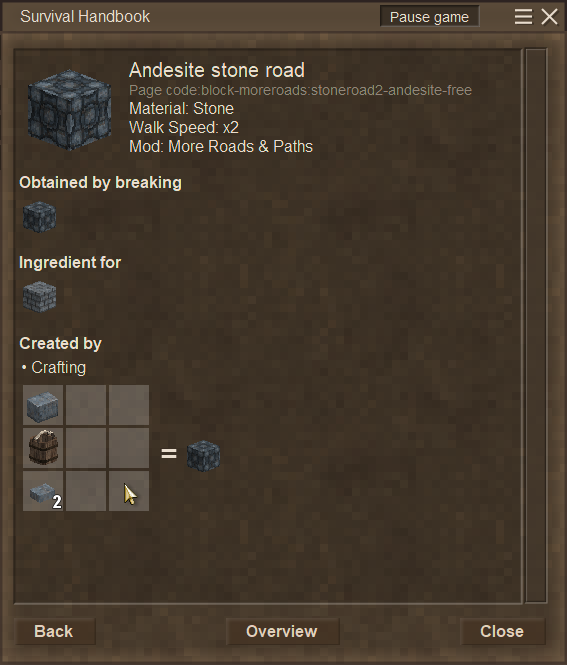
The alternative version seem to be toggled with the default stone road via the crafting grid.
-
1
-
-
18 minutes ago, KipCreature said:
Could someone detail the crafting for stone roads for me? I don't see any recipes for them in the handbook. I'm kind of at a loss to if this is a bug or just me not understanding.
Playing on 1.19.8 VS with mod version 1.5.8.Did you heed this hint?
QuoteVERSIONS 1.5.0 AND UP REQUIRE EXPANDED MATTER TO WORK!
-
28 minutes ago, KevBot360 said:
Is there a way to spawn the ruins and other structures in creative/world edit? I want to try and repair them to rebuild in survival but can't find a way other than looking for them.
There might be a fancier way, but I copied the contents of "[VS Installation]\assets\survival\worldgen\schematics" into "%AppData%\VintagestoryData\WorldEdit", which adds all contents of the folder into the World Edit Import tool.
This adds all schematics, so you might want to shrink the list down only to the structures you actually want to repair.
-
 1
1
-
 3
3
-
-
27 minutes ago, Warden_Priest said:
Hello there. I was going to continue my saved world today but I ran into an error where the game is telling me that my storage does not have enough room to play the game. I checked where my save was stored and it was stored in my C drive (which does not have a lot of storage).
Is there a way to transfer my save from my C drive to my D drive?Welcome to the forum, Warden_Priest.
There is a way you can retroactively change the path where you Vintage Story settings are stored. This includes mods and save files.
You can find a very in-depth comment about the how here (the topic is about multiple installations, but the same applies in your case):
Just follow the Step-by-step guide, and you should be good.
-
2
-
-
31 minutes ago, scoutfam said:
any ideas
Could potentially be related to:

Definitely send a support request: https://www.vintagestory.at/support/ You can expect an answer in 2 to 3 working days.
Don't worry, though, you won't be robbed.
-
1 hour ago, Maethius said:
Kind of in the title. I'm finally about to buy my first elk and was wondering if the poor thing than teleport. I have a translocator near my base that would cut 5k blocks off of my journey... it would be great if I could pack up my elk and jump through it for a real head start!
If the mechanic hasn't changed between the .pre versions and the stable release, you cannot ride on top of the elk through the translocators, but guiding the elk on top of the translocator pad will transport it.
Fun fact: That functionality hasn't been added in 1.20, translocators have been able to transport entities and even blocks or items that enter the teleportation zone for a pretty long time.
-
5
-
-
Welcome to the forum and the game, Mylo!
3 hours ago, Mylo said:I am trying to download the full 1.20.0 version of the game. When I click on full installer, it'll just pull an error saying that the file isn't commonly downloaded and that I must trust it before I can open it. I do not know how to trust it cause the error is not a clickable link, nor am I tech savvy. Also, when I downloaded it, I got a file called unconfirmed with a row of numbers.
I'm downloading this on Windows 11 btw
It's most likely Windows Defender not allowing the installation. If that is the case, click on "More info" to unlock the "Run anyway" button. Click that one to install VS.
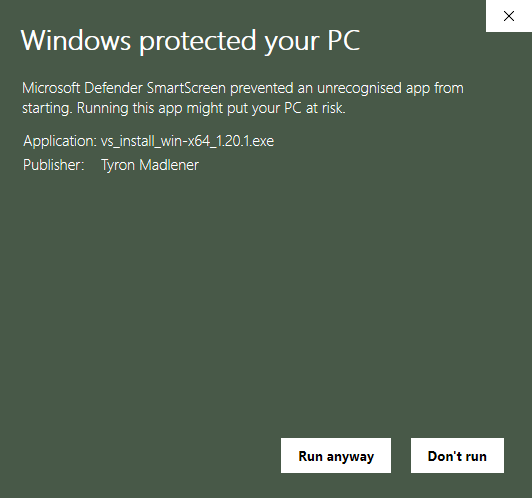
If you are stuck somewhere else, a screenshot showing the problem would definitely help.
-
38 minutes ago, jaqqu said:
im using betterruins and primitive survlival so I should wait
You are in luck. Both mods have already been updated for 1.20.
-
41 minutes ago, faelite said:
Just bought the game and same happened to me. Restart helped but then I tried to jump while sprinting and it occured again

Judging from the comment of the original poster it appears, that he had "Immersive Mouse Mode", found in "Interface" activated.
I am not sure if you are having the same problem, though, because this option should not activate itself with a key combination.

 ?
?


"No modinfo.json" error question
in [Legacy] Mods & Mod Development
Posted
I suppose you are talking about a downloaded mod? What happens if you double-click the .zip-file of that mod?