


Orbyte
-
Posts
5 -
Joined
-
Last visited
Content Type
Profiles
Forums
Blogs
News
Store
Everything posted by Orbyte
-
migrating to linux and issues with mods
Orbyte replied to Orbyte's topic in Using Mods Troubleshooting
no worries about my worlds, i still copies of them on my external storage device deleted VintagestoryData and downloaded my mods manually from the DB just to be on the safe side (hey the 1-click install also works now for some reason! guess it was the same issue of the incorrect path in the clientsettings.json) -
migrating to linux and issues with mods
Orbyte replied to Orbyte's topic in Using Mods Troubleshooting
@Diff this absolutely appear to be the source of my problems, thank you. i guess i forgot i copied the clientsettings.json too, changing the relevant value in that json to the correct path seems to have fixed things for now. do you know if there's a way to restore the entirety of the VintagestoryData folder into the state it was before i started messing around with things i probably shouldn't have messed with? because i think there are more files i messed with and don't remember, and i fear i am going to cause more issues to myself because of that -
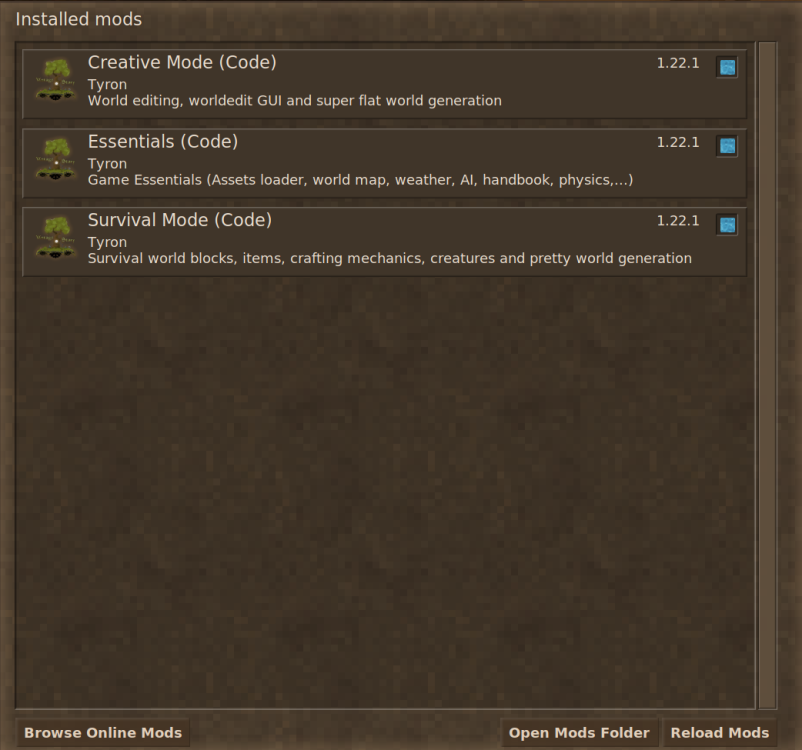
i have migrated to Linux Mint, and am in the process of migrating my old worlds into the new setup. i have my entire "users" folder from my windows system saved on an external drive, i have tried to copy the content of some of the folders in "VintagestoryData" that is on the disk into the corresponding folders in the new installation of VS on the new Linux system, but while the trick worked on the "VintagestoryData/Saves" and i can see all of my saves, it didn't work for "VintagestoryData/Mods". note that i copy/paste the content of "backups", "backupSaves" and "ModData", but not the other folders. don't know if i should have just copy everything another note is that i don't see any mods apart from the 3 built-ins in the in-game mod manager: but if i click "Open Mods Folder", it open this folder, which does contain mods: i am also unsure on how to download mods on linux in general, as i always just used the "1-click install" which doesnt seem to work on Linux and i didn't really understand how to preform the fix suggested here (or maybe i did preform it correctly but it just didnt work). am i suppose to unzip the mods after i download them?

-
Mods not loading on new installation
Orbyte replied to JustANormalAccount 2's topic in Using Mods Troubleshooting
how does one acquire a "fresh VintagestoryData folder"? i tried to only copy the content of my mod folder so no actual folders were copied, only files. it worked for my saves folder but not the mods, they dont show up in the mod manager that is in the game's home-screen, despite do showing up as .zips in the folder that the "open Mods folder" button links to. redownloading mods from the modDB doesnt work, so a fresh VintagestoryData folder sounds like an option i should try


