Rakeesh
-
Posts
4 -
Joined
-
Last visited
Rakeesh's Achievements

Wolf Bait (1/9)
0
Reputation
-
I never quick understood what that checkbox was for, but holy that perfectly solved my problem! Thank you MKMoose!
-
This might be an odd question - Is it possible to rebind the crouch+right click to place objects to something not requiring crouching? I've looked everything but have not found any mention of an alternate keybind or function that addresses solves this. It's not so much the key that's my problem, but crouching when trying to place items often makes it extremely finicky when trying to put an object down on the far end of a surface when standing in front of a block.
-
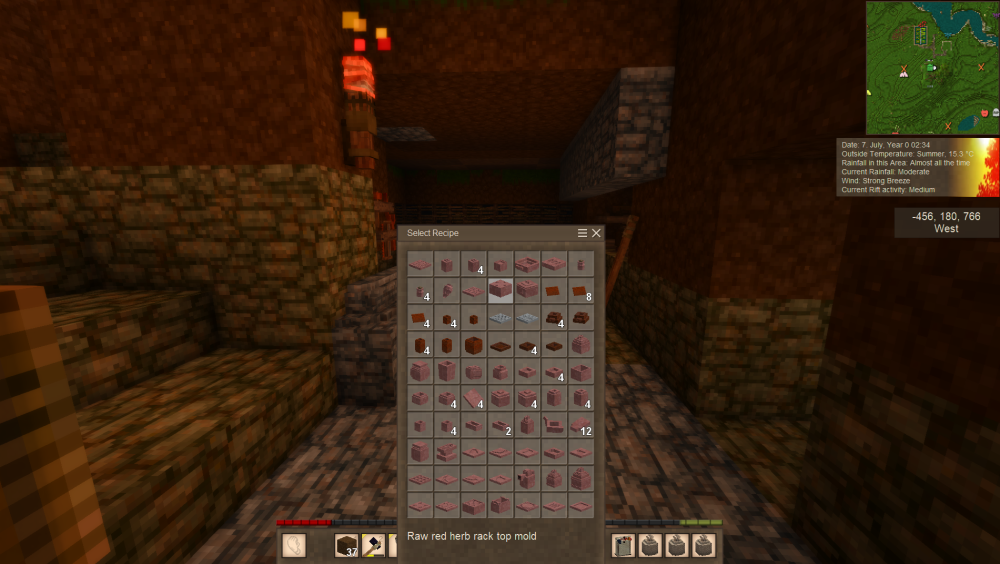
Hi yall! So I've been playing Vintage for a few months now and I've been getting into mods. One of the issues I've run into are mods that add more clayforming or smithing options where the menu grows larger vertically that when looking at items at the top of the list, the bottom portion with the details of the craft go off screen. This is fixed when I turn immersive mouse mode off since it then appears smack dab in the middle, but then I have to hit esc, go into interface, turn it off, do my thing, go back in, turn it back on, which gets very tedious. I've already tried making the UI smaller, but with my eyes I can't go any smaller. Is there any way to map Immersive Mouse Mode on/off, or would there a UI mod somewhere that can help solve the window issue? I feel like I can't be the first to have this issue but I've not been able to find anyone mention it.