


jun1per
-
Posts
34 -
Joined
-
Last visited
Recent Profile Visitors
681 profile views


jun1per's Achievements

-

What Dictates the Texture for Panned Blocks?
jun1per replied to jun1per's topic in Mod Development Questions/Troubleshooting
i tried both but got the same result. "pannedBlock" didn't yield any results, it didn't even reset to the layer i defined when panning any of the layered blocks. "inContainerTexture" did work, just not for the pan. (i was able to confirm using a barrel) i tried a few other things including substituting a different texture that i know works but still provided a missing texture. (the texture of the layered blocks themselves did change) even copying and pasting another custom layers file to use for Muddy Gravel still had no texture in the pan. i'll be honest, i'm legitimately starting to believe there's something in the actual panning code that's causing this bug. maybe it's because the panning guide calls out Muddy Gravel by name as "NOT WORKING" or that i've never had this problem with the other 22 blocks i made pannable. -
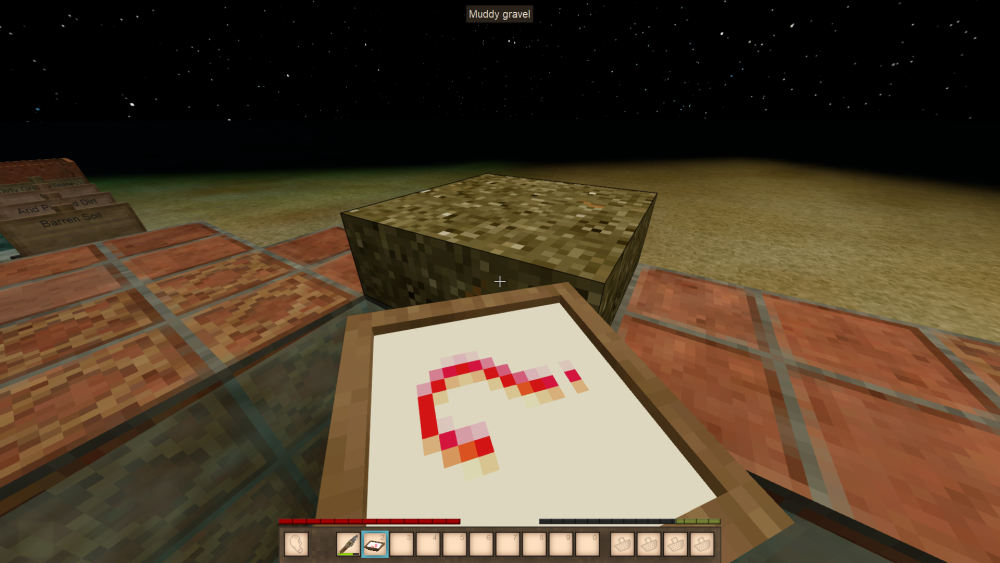
the mod i'm working on allows a bunch different blocks to panned similarly to sand and gravel. i've already got the functionality down, but am having some issues with the texture inside the pan when taking material from the blocks themselves. this has only happened with Muddy Gravel, specifically the layered block not the vanilla Muddy Gravel block. here's a photo of what i mean: and the code used to create the layered block: (file pathway in mod folder: "assets/game/blocktypes/soil/muddygravel-layered.json") if anyone knows how the game determines which textures the pan uses or is able to point out where i may have gone wrong with this code, please let me know!
-
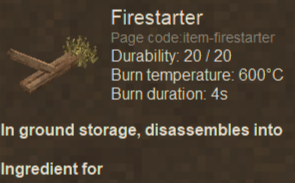
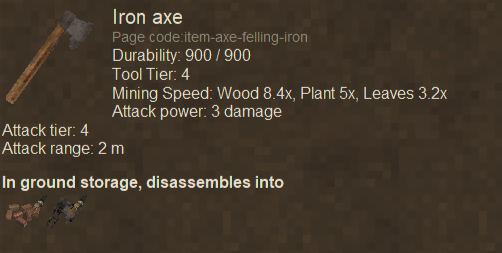
i've been messing with the new groundcrafting code trying to make in-world weapon and tool disassembling, but noticed that a few items (bows, firestarter, fishing rod, etc) function strangely with the patches i've been using. i suspect it may have something to due with how the "behaviors" section is formatted in the base jsons, but that's just a hunch. if anyone knows more about how the groundcrafting code works or what my patches might be missing please let me know! here's an example photo of a tool i successfully patched: along with the patch i used: and what the "strange function" with specific items looks like: and the code for that: (another thing i've noticed with the improperly functioning tools is that every property works perfectly except for the "processedStacks" and "remainingItem" properties.)
-
What Textures Does Stone Knapping Use?
jun1per replied to jun1per's topic in Mod Development Questions/Troubleshooting
Figured it out! There's a block that dictates the knapping surface's texture under "blocktypes/stone/knappingsurface.json". You can patch in whatever textures you need with something like this: [ { "op": "addmerge", "path": "/textures", "value": { conglomerate: { base: "block/stone/rock/conglomerate1" }, limestone: { base: "block/stone/rock/limestone1" }, phyllite: { base: "block/stone/rock/phyllite1" }, slate: { base: "block/stone/rock/slate1" }, kimberlite: { base: "block/stone/rock/kimberlite1" }, scoria: { base: "block/stone/rock/scoria1" }, tuff: { base: "block/stone/rock/tuff1" }, bauxite: { base: "block/stone/rock/bauxite1" }, halite: { base: "block/stone/rock/halite1" }, suevite: { base: "block/stone/rock/suevite1" }, whitemarble: { base: "block/stone/rock/whitemarble1" }, redmarble: { base: "block/stone/rock/redmarble1" }, greenmarble: { base: "block/stone/rock/greenmarble1" }, travertine: { base: "block/stone/rock/travertine1" }, coralchunk-dead: { base: "block/creature/aquatic/coral/sponge/dead2" }, }, "file": "game:blocktypes/stone/knappingsurface.json", } ] Hope this helps anyone else who runs into this problem!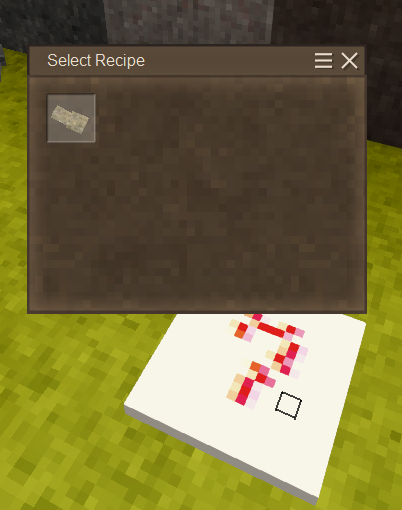
-
I'm making a mod that make other stone types knappable into tools, but I noticed the "stone plate" that you knap on lacks textures for some stones. (conglomerate, phyllite, etc) I'm unsure which files dictate the texture used for this object or which textures it draws from. If anyone knows please let me know! Example of what I'm talking about:
-
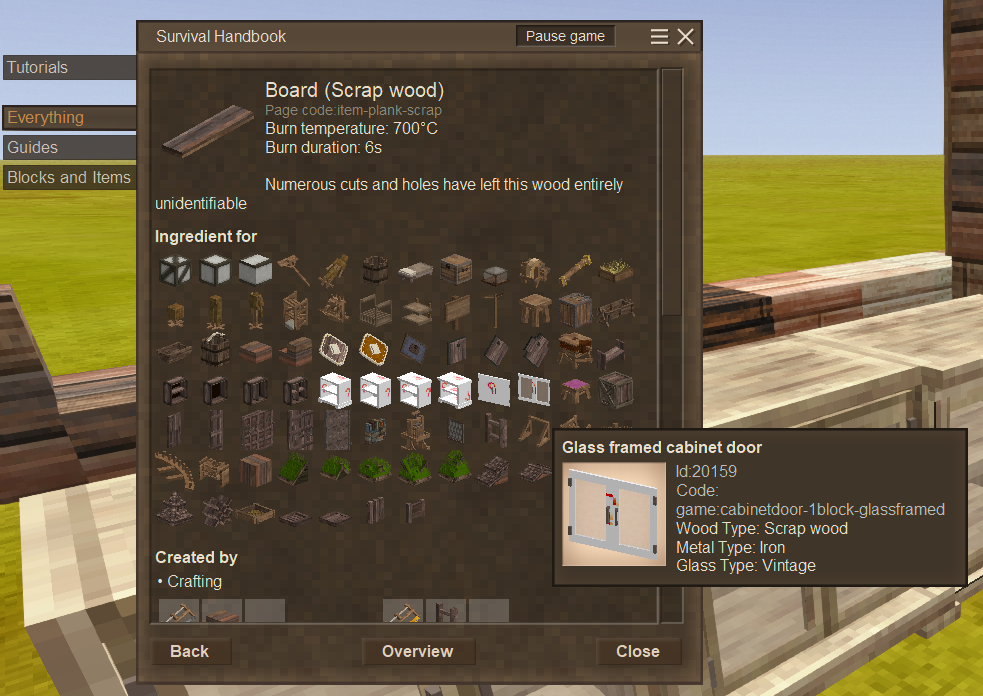
I'm having trouble properly integrating a new cabinet type using my custom wood type. I patched in my wood type so it appears inside the handbook, but I can't figure out how to integrate recipes or get my custom textures to apply. Here's how it looks in the handbook: As for the recipe, I'm unsure how it determines which wood types can and can't be used. Vanilla code for Bottom Cabinets: { ingredientPattern: "PPP,PPP,HNS", ingredients: { "S": { type: "item", code: "saw-*", isTool: true, toolDurabilityCost: 4, tags: ["tool-saw"] }, "H": { type: "item", code: "hammer-*", isTool: true, toolDurabilityCost: 1, tags: ["tool-hammer"] }, "N": { type: "item", code: "metalnailsandstrips-{metal}" }, "P": { type: "item", code: "plank-{wood}", quantity: 2 } }, allowedVariants: { metal: ["copper", "blackbronze", "tinbronze", "bismuthbronze", "iron", "silver", "gold", "meteoriciron", "steel", "electrum" ] }, skipVariants: { wood: [ "agedacacia", "agedebony", "rottenebony" ] }, name: "cabinet", width: 3, height: 3, output: { type: "block", code: "cabinet-bottom", attributes: { "wood": "{wood}" } } }, I'm assuming the {wood} field in the "P" section of the ingredients acts similarly to a "*" (wildcard), but I'm not entirely sure. If someone who's more familiar with these newer recipes knows anything please tell me. Thanks!
-
Not exactly what I was looking for. I was thinking more like receiving two different extra items using returnedStack, like getting both cupronickel bits and gold bits in addition to the original output from the same recipe. Something like this probably: returnedStack: { type: "item", code: "metalbit-cupronickel", quantity: 8 }, { type: "item", code: "metalbit-gold", quantity: 8 }
-
I'm curious if anyone here has figured out if the "returnedStack" function is able to give more than a single item. I've tried it before but have had no luck and I'd like to know if I'm simply formatting it incorrectly or if their is a built in limitation. Thanks!
-
Thank you! Took a minute to figure out where it should go, but it worked like a charm.
-
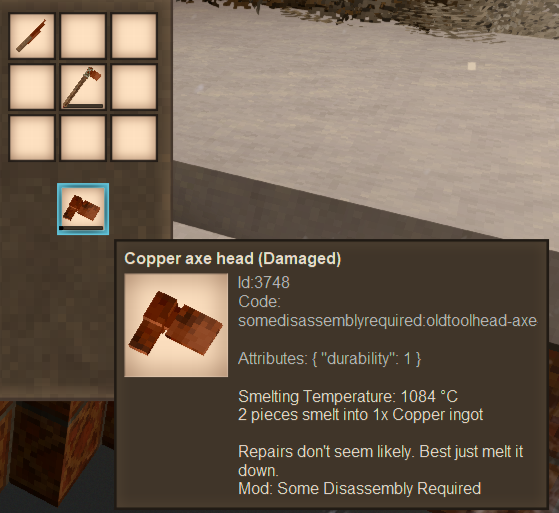
Hi, I've having trouble understanding why the output items of some of my recipes are having the "durability" attribute added to them. Here's an example of what I mean: And the code for the recipe: Also something of note, the durability attribute is only added if the item being consumed (the copper axe in this case) has the durability attribute itself. If anyone knows what causes this or knows how to remove attributes from output items please let me know!
-
Snowy Versions of Custom Slabs Break
jun1per replied to jun1per's topic in Mod Development Questions/Troubleshooting
I couldn't find anything that stuck out to me in the logs but I'll post them here in case I missed something. Also I regularly break and replace whatever block I'm working on to assure whatever changes I made went through. Client Main Log: Server Main Log: Also here's the current version of my mod that I'm using for testing: sdr-woodredo.zip -
Snowy Versions of Custom Slabs Break
jun1per replied to jun1per's topic in Mod Development Questions/Troubleshooting
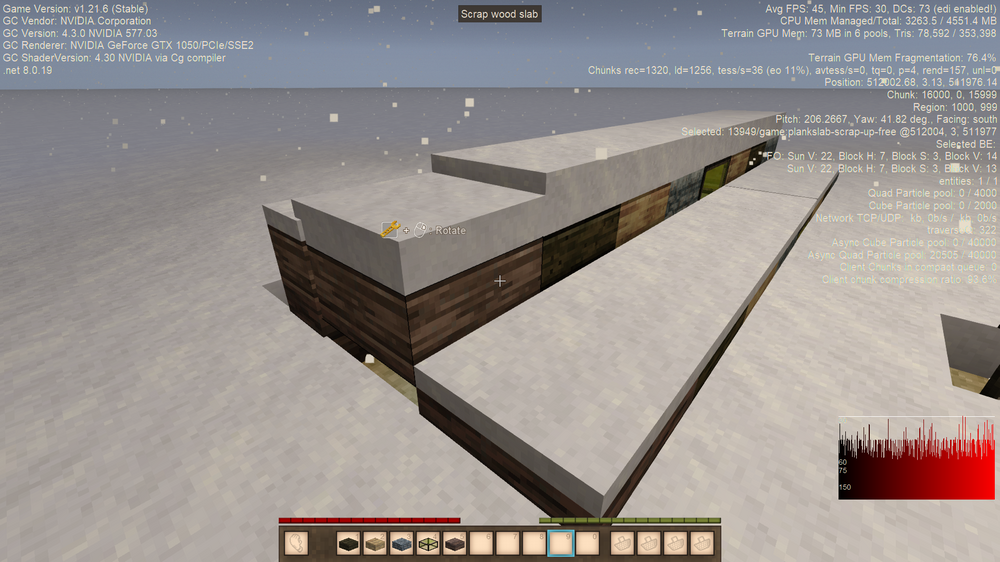
Sorry for the late response and lack of info, but I did more testing around the issue. I can confirm that they are "up-snow" variants of the Scrap Wood Planks that break instead of the intended "up-free" variants. Oddly enough this also happens with any other Wooden Slab. (pictured is an up facing Aged Wood Slab and a Birch Slab) Testing in a different world didn't reproduce the same results through. Every single slab including my modded one functioned perfectly fine. I'm assuming because of this that whatever causes this bug to occur is world related or due to changing the active modlist in some way I don't yet know. If you have insight on this please share it with me.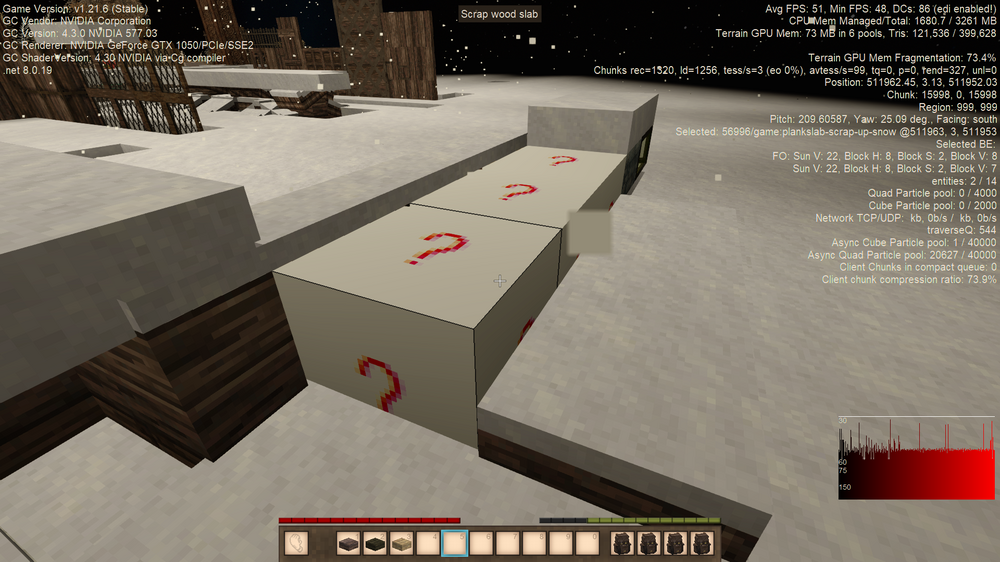
-
Hi! I recently implemented my own wood type in my mod (using Aged Wood as a base so there's no tree or log types) and have been having trouble with specifically top slabs breaking (turning into error models) when they are covered with snow. I've used exclusively patches to implement it, this code I made for the slabs: It's specifically this "-up-snow" version of the slab, which shouldn't exist due to the skipVariants line in plankslab.json, but it generates regardless. If anyone knows why this is happening please let me know! Thanks!
-
I accidentally saved over the vanilla recipe for making cider (VintageStory/assets/survival/recipes/barrel/cider.json) while modding thinking it was one of my own. Could someone attach their version or paste a copy of the file's text so I don't have to redownload everything?
-
Need Help Understanding this ConfigLib Error
jun1per replied to jun1per's topic in [Legacy] Mods & Mod Development
Here's the configlib-patches.json file: Some other details: this file is stored at assets/somedisassemblyrequired/config and this json is considered valid using a json validator. Also the in-game config settings only generate when the “file” line is removed. But those settings have no effect on the actual config file.



