


xXx_Ape_xXx
-
Posts
305 -
Joined
-
Last visited
-
Days Won
11
Content Type
Profiles
Forums
Blogs
News
Store
Everything posted by xXx_Ape_xXx
-
 Hm you have a point.. I remember trying to do something similar some time ago, and never got it to work until I listed everything separately, but I might have just missed something or got the syntax wrong.
 -
Can't use { } to dynamically declare variants when using inventorystacks, you have to list them separately. Hard give more advice without seeing the entire json for the vessels..
-
Mod recommendation for displaying "Butterfly Pins"
xXx_Ape_xXx replied to Professor Dragon's topic in Questions
-
Anybody else notice that Dave is missing?
xXx_Ape_xXx replied to Teh Pizza Lady's topic in Discussion
I swear, Dave's following me...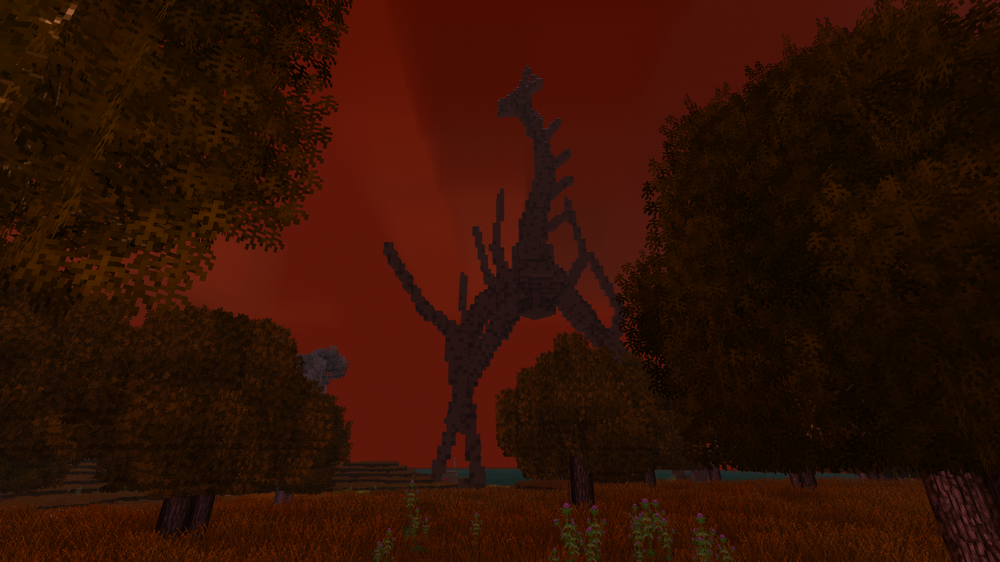
-
help with making a recipe
xXx_Ape_xXx replied to Straille's topic in [Legacy] Mods & Mod Development
It depends on your custom block and if it has variants for each cardinal direction? Like, is this the correct key for your block? bedshortopengreen-bedshortopengreen-head-north It's hard to know without seeing your full json for the block. -
help with making a recipe
xXx_Ape_xXx replied to Straille's topic in [Legacy] Mods & Mod Development
You're not addressing the attributes correctly. Try this: { "ingredientPattern": "B", "ingredients": { "B": { "type": "block", "code": "game:clutter", "attributes": {type: "bed-short-old", "collected": true}, "quantity": 1 }, }, "width": 1, "height": 1, "shapeless": true, "output": { "type": "block", "code": "liberatedbeds:bedshortopengreen-bedshortopengreen-head-north", "quantity": 1 } } -
How do I create a superflat world that is more than 3 blocks deep ?
xXx_Ape_xXx replied to Etwahl's topic in Questions
Might be a limit for how many layers there can be, I didn't look that much into the code for chunk layer generation. Try reducing your layers to below 32, since that seem to be the amount that do get generated. -
How do I create a superflat world that is more than 3 blocks deep ?
xXx_Ape_xXx replied to Etwahl's topic in Questions
Try removing all the comments, they were only there for a quick explanation of what direction it builds the layers. -
Go deep... deeeeep....
-
How do I create a superflat world that is more than 3 blocks deep ?
xXx_Ape_xXx replied to Etwahl's topic in Questions
You can easily make a custom layers.json file and replace the one found in "assets/creative/worldgen" folder. { "code": "superflatworldgen", "blockCodes": [ "rock-granite", // bottom layer "rock-granite", // more stone "soil-medium-normal", // dirt "soil-medium-normal", // more dirt "soil-medium-normal", // even more dirt "soil-medium-normal" // surface layer ] } This will generate a 6 layer thick world, with two layers of granite rock at the bottom, then 4 layers of soil. This file can have as many layers as you like, with a limit of the world height (usually 256). Go wild.. EDIT: Remove the comments, they are just there for explanation of what direction it builds the layers!! -
Ah yes, the everlasting battle of removing beams.. I've lost my hair from battling these buggers a long time ago, they still haunt my dreams to this day. It seem you have tried everything I'd advice and do myself when cursing at the screen because they get placed like a 5'yr old tossing them around like lego's. I feel your pain and join the suffering.. One thing (which you probably already have tried) I do, that sometimes help, is to equip the axe and wave around in the general area of where the beam was placed, while simultaneously adjusting the angle and position I view the beam. I find that the hitbox can sometimes only be targeted from a certain angle, and not necessarily the same angle you were standing in when placing the beam. And occasionally I find the hitbox be way off from the beam itself. It's not much of a tip, but worth mentioning at least.. I wish you godspeed and good luck in your search for the allusive beam hitboxes! May the maker have mercy on your sanity..
-
Try Accessibility Tweaks It lets you lower or mute individual sounds.
-
I'm disappointed by the bottom and top roof shapes
xXx_Ape_xXx replied to Johnny Blood's topic in Questions
It didn't require rocket science to make that mod, that's for sure Why it isn't vanilla, only the devs can answer.. -
Paying for help with new item models and .json for my mod.
xXx_Ape_xXx replied to Velynicus's topic in Discussion
Drop me a DM, I might be able to help you out. -
I agree, I liked the new rounded moon. It was still clearly pixelated, so I think it fit perfectly with the rest of the aesthetics of the game.
-
Mod Idea: A Dynamic Manure & Fertilizer System
xXx_Ape_xXx replied to Jakub Essa's topic in [Legacy] Mods & Mod Development
Maybe not 100% what you suggested, but it's fairly close. Here you go: Natural Fertilizer Now get out there and clean them pens, cause the animals be messy little buggers- 1 reply
-
- 1
-

-
Have you contacted support with a ticket, to have them look into your problem? If not, you can do so here: Create support ticket!
-
Already a mod for this: Prospect Together
-
When in creative, hit the | key to open world-edit, and adjust the fog to your liking in the provided menus.
-
Need help identifying source of CTDs
xXx_Ape_xXx replied to ProfessorFluffytail's topic in [Legacy] Mods & Mod Development
Hi and welcome to the forums First of all, you got several versions of some mods: 16.9.2025 08:45:03 [Warning] Multiple mods share the mod ID 'xlibrabite' ('xlib_v0.8.20', 'xlib_v0.8.20.zip'). Will only load the highest version one - v0.8.20. 16.9.2025 08:45:03 [Warning] Multiple mods share the mod ID 'xskillgildedpatch' ('xSkillGildedpatch', 'xSkillGildedpatch.zip'). Will only load the highest version one - v1.1.1. 16.9.2025 08:45:03 [Warning] Multiple mods share the mod ID 'xskillsrabite' ('xskills_v0.8.23', 'xskills_v0.8.23.zip'). Will only load the highest version one - v0.8.23. 16.9.2025 08:45:14 [Warning] Multiple mods share the mod ID 'armory' ('armory_0.2.4.zip', 'armory_1.1.1.zip'). Will only load the highest version one - v1.1.1. 16.9.2025 08:45:14 [Warning] Multiple mods share the mod ID 'battletowers' ('battletowers_1.0.6.zip', 'battletowers_1.0.7.zip'). Will only load the highest version one - v1.0.7. 16.9.2025 08:45:14 [Warning] Multiple mods share the mod ID 'combatoverhaul' ('combatoverhaul_0.3.10.zip', 'combatoverhaul_0.7.1.zip', 'combatoverhaul_0.9.3.zip'). Will only load the highest version one - v0.9.3. 16.9.2025 08:45:14 [Warning] Multiple mods share the mod ID 'exoskeletons' ('exoskeletons_0.3.0.zip', 'exoskeletons_0.4.2.zip'). Will only load the highest version one - v0.4.2. 16.9.2025 08:45:14 [Warning] Multiple mods share the mod ID 'facop' ('FA CO_Compatibility_Eldred_1.2.0.zip', 'FA+CO_Compatibility_Eldred_1.0.0.zip'). Will only load the highest version one - v1.2.0. 16.9.2025 08:45:14 [Warning] Multiple mods share the mod ID 'rivers' ('rivers_4.1.0.zip', 'rivers_4.7.2.zip'). Will only load the highest version one - v4.7.2. 16.9.2025 08:45:14 [Warning] Multiple mods share the mod ID 'spawnersapi' ('spawnersapi_1.1.3.zip', 'spawnersapi_1.1.4.zip'). Will only load the highest version one - v1.1.4. 16.9.2025 08:45:14 [Warning] Multiple mods share the mod ID 'xinvtweaks' ('xinvtweaks_1.8.1.zip', 'xinvtweaks_v1.8.1.zip'). Will only load the highest version one - v1.8.1. 16.9.2025 08:45:14 [Warning] Multiple mods share the mod ID 'xlibrabite' ('xlib_v0.8.20', 'xlib_v0.8.20.zip'). Will only load the highest version one - v0.8.20. 16.9.2025 08:45:14 [Warning] Multiple mods share the mod ID 'xskillgildedpatch' ('xSkillGildedpatch', 'xSkillGildedpatch.zip'). Will only load the highest version one - v1.1.1. 16.9.2025 08:45:14 [Warning] Multiple mods share the mod ID 'xskillsrabite' ('xskills_v0.8.23', 'xskills_v0.8.23.zip'). Will only load the highest version one - v0.8.23. You either have the same mods in two different directories, or you have more than one version of the same mod in one. If this is also the server, it might cause issues for sure. Regarding the error, you did not include any crash log, so what ever caused the crash is very hard to figure out from what we got here. -
Variants for grass overlays
xXx_Ape_xXx replied to Slye_Fox's topic in [Legacy] Mods & Mod Development
Just made a quick test, and yes, you can use variants for the grass textures. [ { "enabled": true, "side": "universal", "file": "game:blocktypes/plant/tallgrass.json", "op": "addmerge", "path": "/texturesByType/*-free/north", "value": { "alternates": [ { "base": "block/plant/tallgrass/{cover}/{tallgrass}1-north" } ] } }, { "enabled": true, "side": "universal", "file": "game:blocktypes/plant/tallgrass.json", "op": "addmerge", "path": "/texturesByType/*-free/south", "value": { "alternates": [ { "base": "block/plant/tallgrass/{cover}/{tallgrass}1-south" } ] } } ] This will patch the vanilla tallgrass.json, and insert alternative textures for each variant. Just make the textures and place them inside "assets/game/textures/block/plant/free/" inside your mod. Remember to also make textures for snow cowered versions. Have the above patch inside "assets/your-mod-id/patches/" and you should be golden. Hope that helps -
Add handbook title and text?
xXx_Ape_xXx replied to Frepo's topic in [Legacy] Mods & Mod Development
Very useful info @DavidLokison, thank you for figuring this one out. I've been tearing my hair out (what's left of it) many times, trying to find out why my text isn't showing up in the handbook. Hope the PR gets accepted and implemented! -
No, that will not work, as the "half" variant is not defined in the root tree of the clutteredbookshelf, but is assigned via attributes using "variant": "half" Clutter use an attribute driven generation of its variations, while most regular blocks/items use "variantGroups" to define various variations of the block/item. Even tho "variantsGroups" is used in the file, it is nested inside the "attributes": tree, and not in the root, and can not be called like we would do with regular blocks. These attributes are then parsed by C# code to make all the variations. I know it's confusing, it took me a long time to get a somewhat grip of what it all does too.
-
You can use these in recipes like this (generally for any clutter): { "ingredientPattern": "B", "ingredients": { "B": { "type": "block", "code": "game:clutteredbookshelf", "attributes": { "type": "bookshelves/bookshelf-ruined-empty1", "variant": "half" } } }, "width": 1, "height": 1, "output": { "type": "block", "code": "my-amazing-block" } } Hope that helps
-
Simple answer: Use at your own risk! It might break, it might not, and no guarantees are given either way.





