


Diff
-
Posts
539 -
Joined
-
Last visited
-
Days Won
1
Content Type
Profiles
Forums
Blogs
News
Store
Everything posted by Diff
-

Is there a way to migrate a multiplayer game save from one server to another?
Diff replied to BitterNess's topic in Questions
If it's the official server hosting, "Request World Download" in the server dashboard. Never used it, so disclaimer for that, but basing that off the screenshots on the store page: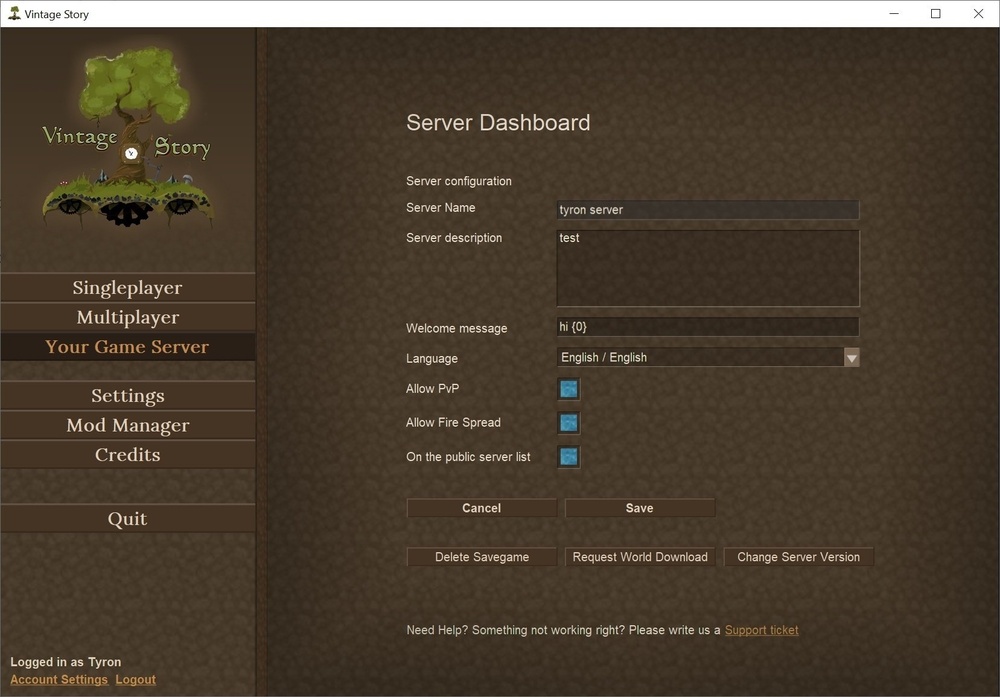
-
New version, very few outward changes. Huge amount of energy went into refactoring how notices, warnings, and channels work, combined all of them into a general metadata system that I'm going to stick with. This mod no longer uses funny characters stuffed into the language file for metadata, instead caption data is stored in assets/domain/captions/*.json. If any other mods want to provide caption data, that's where it should be! One new feature from all of this, captions can now be tagged, and you can block captions with certain tags from showing up. Currently there are only two interesting tags for this, "player" which applies to all player-generated noises (which sounds these are is still being evaluated), and "ambient" which applies to any ambient noises that do not have gameplay implications.
-
I'm not sure I understand where the confusion is on the quern's behavior. The note on mechanical power for querns says: And you can see the output slot when you place items inside. If you stick around, you can watch them fill up the output slot just like when you power it manually. There's no such slot for helve hammers, so I think it's reasonable to assume that it will just drop items immediately. I think there could be room for a note that mechanically dropped items aren't protected from despawning like normal, since right now it's left in between the lines about hoppers and chests catching quern output.
-
It's odd adjusting to it. On macOS, it mostly just takes up the space the menu bar takes up, leaving the rest of the screen a normal 16:10 ratio. Kinda nice, I guess. But for fullscreen games, it's odd and often in the way. Things can be configured to only use the space below the notch, but I don't think thin, even bezels around 3 sides of the screen are worth the extra oddness a notch brings on a desktop OS.
-
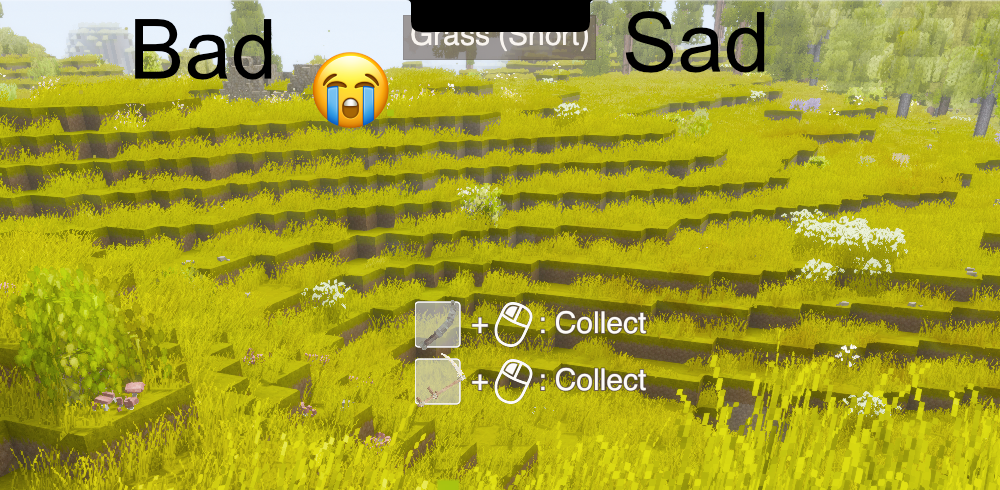
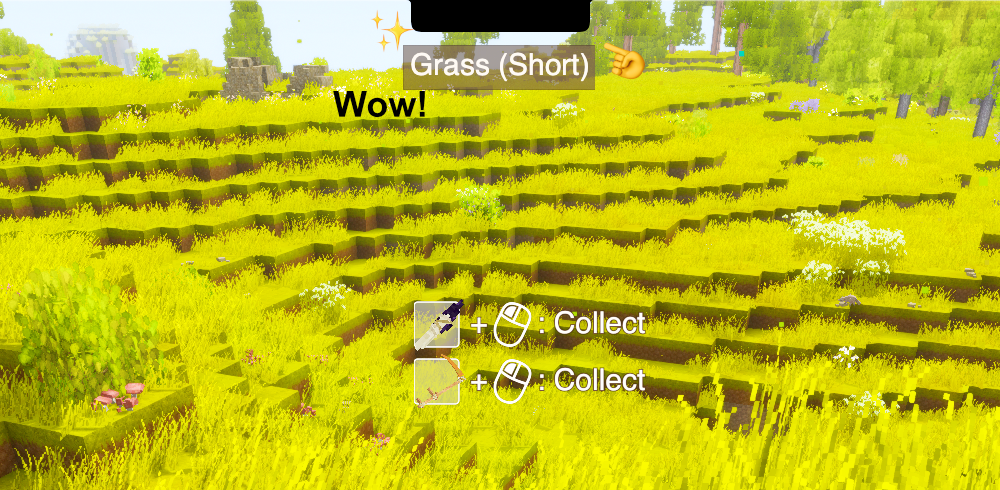
Get it here! I recently got a new laptop that has a notch. And while developing my other mod, I noticed that Vintage Story places the Entity and Block Info HUD directly underneath it. So I whipped up a quick-and-dirty mod to add extra padding above the HUD to dodge the notch. It's configurable under VintagestoryData/ModConfig/notch.json.
-
When you come on back to it, if you can't get your network to mind its manners a last resort option could be something like Hamachi. Or Tailscale, I've been learning Tailscale lately and it's pretty nifty. They're intended to be used to let devices talk to each other as if they were on one big LAN together. Hamachi's the "traditional" choice here, but I believe Tailscale Funnels would also let you smuggle outside people into your Linux server without having to faff around with you-specific stuff like your specific router's configuration.
-
Oh and on the joining, that's a stickier topic. When you connect to the internet, you connect through your router. When your computer goes and talks to other computers, they see the router's IP address. You can figure out what that is by typing "What is my IP address" into your search engine of choice. But that also goes for every other device connected to your router. If someone from the outside tries to talk to your router's IP, your router doesn't know what device it's trying to talk to. Could be any of them. So you need to go into your router's configuration portal or app and tell it to route incoming traffic on <whatever port your server is running on> and send it specifically to the computer you're running the server on. You mentioned port forwarding, so I think you might have done some or all of that already? In that case, the missing piece ought to be finding out that external IP address that your router is using and connect to that.
-
Oh good, if it now works without sudo, that oughta be the end of it. The server probably went in and fixed the permissions for you. Don't run it with sudo again, and it's probably wise to remove the new user from the sudo list. If the server doesn't need sudo and can be started from the new user you created, all is well. I don't have a good resource off the top of my head, honestly you seem to be doing pretty well on the same path I took way back when: Try stuff out, break everything, keep backups, don't be afraid to burn it all down and reinstall from scratch. And don't be afraid to ask questions and share what you're learning, just like you're doing here!
- 9 replies
-
- 1
-

-
- linux
- server help
- (and 1 more)
-
Sounds like your Linux experimentation is going pretty well so far, that's great to see! Now to be a killjoy, I really wouldn't recommend starting it with sudo. If a hacker discovers a vulnerability in the VS server, you could be hosing your entire system. Instead, since the server's telling you which directory it wants, I'd recommend doing something like sudo mkdir /var/vintagestory/ sudo chown vintagestoryuseryoucreated /var/vintagestory Which will create the directory and give it wholly over to the vintage story user you created so it can do whatever it needs to with it. On Linux, if you haven't already run into this info yet, files and folders can be owned by a user and assigned to a user group, and permissions are split into groups of three. There are read, write, and execute permissions, and those can be given to the owner of the file, given to the group associated with the file, and blanket permissions for everyone else. The chown command changes the owner of a file or folder, and if you needed to edit permissions, you can use chmod like this: sudo chmod u+rwx /path/to/file sudo chmod g-wx /path/to/file sudo chmod o-rwx /path/to/file Which gives the user (owner) of the file all permissions, removes write and execute permissions from the associated user group, and removes all permissions from all others. In general on Linux, you'll typically want to avoid running things with sudo, particularly software that will stay running for a long time. It often works, but it takes absolutely all the safeties off. Many services will outright shut themselves down and refuse to run if they notice they're running as the root user.
-
Likely was warming up four or more ingots, for multi-plate smithing. Three is only how many were accidentally placed.
-
Idk if you guys remember this, but like forever ago sites would just shove a script onto their site that'd hook into random keywords in their articles and link them to some kind of sponsored search that they'd get money for. You still see similar things in news sites today, although not quite so egregious and not automatic. Now it seems like we're doing the same thing, except without anyone making money off of it. It's apparently just trendy now to capture random words, not even your own words, but words from your users, and turn them into search terms⌕ for your own site. I guess it's effectively just auto hashtags but something feels off about it, looking like a link but not being intended by the human you're actually talking to, and the key phrases picked are⌕ so hit-or-miss, and it's popping up more and more across Reddit, YouTube, TikTok, more and more places. Anyway, that's all my yelling at clouds out of my system for the night.
-
- 2
-

-
Open up the logs folder, you'll need to be able to read the whole logs and the complete errors to be able to debug things properly. And copying and pasting text is a lot better than taking screenshots of segments of it.
-
Interesting, I just did a standard tar xvf vs_server_linux-x64_1.21.5.tar.gz incantation, as well as extracting it with Apple's built-in Archive Utility. macOS uses bsdtar by default is the only other difference I can think of. I also shuffled it onto a Linux server that I have running a more typical GNU tar and saw the same results. Does the md5sum from my last post match with what you have? diff@tilde ~/server> tar xf ../vs_server_linux-x64_1.21.5.tar.gz diff@tilde ~/server> ls assets/ VintagestoryAPI.dll VintagestoryServer* credits.txt VintagestoryAPI.pdb VintagestoryServer.deps.json Lib/ VintagestoryAPI.xml VintagestoryServer.dll Mods/ VintagestoryLib.dll VintagestoryServer.pdb server.sh* VintagestoryLib.pdb VintagestoryServer.runtimeconfig.json diff@tilde ~/server> tar --version tar (GNU tar) 1.35
-
I'm not seeing what you're seeing. I downloaded "vs_server_linux-x64_1.21.5.tar.gz" which was labeled "Linux tar.gz Archive (server only) (42.9 MB)" and when I extract it, I see a very similar directory structure to what you see in 1.15.10: ~/D/vs_server_linux-x64_1.21.5 ❱ ls assets/ VintagestoryLib.dll credits.txt VintagestoryLib.pdb Lib/ VintagestoryServer* Mods/ VintagestoryServer.deps.json server.sh* VintagestoryServer.dll VintagestoryAPI.dll VintagestoryServer.pdb VintagestoryAPI.pdb VintagestoryServer.runtimeconfig.json VintagestoryAPI.xml ~/D/vs_server_linux-x64_1.21.5 ❱ md5sum ../vs_server_linux-x64_1.21.5.tar.gz 89a46b35336d7032ea7f906366c82c8a ../vs_server_linux-x64_1.21.5.tar.gz
-
20% sure sounds like the offhand penalty. What does it change to if you do have something in your offhand? Does it go up or just stay the same? If it stays the same, that'd kinda suggest that the offhand penalty isn't being removed from your character for some reason when you unequip. What's it look like if you start a new world with all your mods enabled? Does it go away if you start a new world with them disabled?
-
Small 0.5.1 release with mostly asset changes: New: Added additional detail to footstep sound effects. Fix: Crash when resizing windows. Dev: Altered dev settings to auto-launch into a world when debugging. Fix: Ignore music tracks again. Dev: General tidying to make future development easier. Fix: Add support for wind whipping when falling sound effect. New: Mod support for A Culinary Artillery and Fauna of the Stone Age: Pantherinae.
-
Especially because Discord channels are the equivalent of forum categories. It's crazy to only have a single thread going at a time, which is why servers often resort to multiple channels for the same topic. Discord does have conversational threads, as well as structured forums with completely independent threads, but they're just. There's something off about them usability-wise, the cross between a recent posts lists and real-time chat doesn't mesh well together. Only the most active threads get any eyes and far too many threads go completely unanswered, no different from speaking in a single overactive chat channel. I'm not sure why but they don't solve the problem they were made to solve.
-
Doesn't look like it. I did a search for "temporal stability" and "sanity" and sorted by date. Temporal stability was added in 1.12 and was always called that even before we had full details of what "temporal stability" even was. 6 months later was the first time it was called "sanity." My guess is that given that this game takes lovecraftian cues, when people see the world warping around them their first thought goes to classic cosmic horror themes of forbidden knowledge and lost sanity. If you go on youtube, so many first-time vintage story videos call it sanity, which are then a lot more accessible of an entrypoint to the concept than the handbook.
-
Another update this one has a lot of invisible stuff moving behind the scenes but I think it'll be worth it in the long run. 1. A new feature has been added: Caption channels. For closely-related sounds, they can be marked with a channel and all captions of the same channel will collapse down into one caption. This is especially handy for layered sound effects. When standing in a rift, there are sounds for "Rift grinds," "Reality echoes," "Reality groans," "Reality grinds." Similarly, many sound effects come in pairs, like "Wind rustles" vs "Wind blows." Now these groups have channels that will prevent them from flooding the caption list. Channels can also be implemented by any mods that want to add special support for captions. 2. Multi-sound caption behavior has also been improved. The caption will display the loudest/highest priority sound in its channel. This is different from the old behavior where I just stopped drawing directional arrows whenever there was more than one sound per caption. There was also an update before that I didn't make a post for, so 3. A typo was fixed that caused single right directional arrows to draw offscreen. 4. A volume/range threshold was added that prevents low-volume or distant noises from being drawn. This also means a lot less caption noise, especially from environmental sounds like waves, wind, and distant thunder.
-
If you transfer the clientsettings from a different computer, it's easy for wires to get crossed that way. That's how I shot myself in the foot. And worse, if you hit Open Folder from Mod Manager, it ignores what's in clientsettings.
-
VintageStory does have a feature called Dimensions that I've bumped into while swimming through the docs. I'm not sure it's equivalent to Minecraft dimensions though. For building a new dimension I'm sure you would need a pretty hearty amount of C# and a hefty amount of research to power it all. If you're starting out modding, I'd definitely recommend checking out the guides and tutorials for it on the wiki!
-
Game can detect a room, can it detect a house, so things stop spawning in it
Diff replied to Monty B's topic in Suggestions
Yeah it'd be nifty if an area's overall stability also operated similarly to the like rain levels of an area, so more unstable areas see more severe rift activity more often. Or if they experienced temporal storms more often, cause right now temporal storms are more like temporal earthquakes -
In-game, you hit unbreakable mantle at a surprisingly shallow level.
-
Suggestion: Add a 'Perceived Temperature' Indicator
Diff replied to Dead Sigma's topic in Suggestions
This may shock you, but I have been. Absolutely impossible, yes. Absolutely. So to be explicit about it: everything I am saying only applies to a warm, dry human and a small, well-insulated space. I do trust you know what you're talking about. I also trust my own experience of having built snow shelters where I had to remove some outer layers to keep from overheating. I also trust the Inuit and their igloos which are capable of holding warmth without requiring a lamp to add warmth. Your body loses heat to your surroundings. Your surroundings lose heat to their surroundings. If A is greater than B, your surroundings will gain heat until the two stabilize. If your surroundings are insulated enough, that point can be comfortable. The amount of heat your body dumps into its surroundings is variable and relatively small, but it can be enough if you set yourself up for it. For a small contrived example, just climb into a sleeping bag and pull it up over your face. You've created an enclosed area that'll get quite warm quite fast even in quite cold weather, and that basic principle from earlier doesn't break down if you give yourself a bigger sleeping bag, install some poles, and realize you've now got an awkward miniature insulated tent. It doesn't break down if you swap the awkward insulated tent for a snow-insulated shelter. There is a tipping point as you increase the size, but if your insulation is enough it can at least be the size of a one-person shelter. -
Not an uncommon opinion. What would you change to improve them?




