PilotG
-
Posts
17 -
Joined
-
Last visited
PilotG's Achievements

Berry Picker (2/9)
9
Reputation
-
Its so compact! Love it
-
How big is the paper? Im thinking of doing something similar.
-
The perspective is crazy on this one! I also love the shading with black. Really gives it that comic book look.
-
Hand Sculpted, Hand Painted Shiver Miniature
PilotG replied to Edwin_Blacktallow's topic in Videos, Art or Screenshots
Hate these things. Good job! -
Im also begging my friends to buy this game. An uphill battle no matter what i show is possible in the game. *sigh*
- 1 reply
-
- 3
-

-

-
- screenshot
- screenshots
- (and 1 more)
-
Dang these are super cool. I feel like drawing some of these.
-
I didn't even notice that the bear takes up a backpack slot. dang.
-
@Danat She needs that calorie intake.
-
Im reading bell tower :)
-
Im thinking of adding a firearms mod. Any you recommend?
-
I love it! When you say pen and ink do you mean ball point or dip pen?
-
I made the mistake of putting my charcoal pit ontop of peat.
PilotG replied to gogeode's topic in Videos, Art or Screenshots
I have yet to do this. I hope when it is my turn to not pay attention where the charcoal pit is, it will be glorious. -
Damn I got to go back to that one deposit I had and see what is there. Does it show up when prospecting?
-
I wonder what the traders thinks of us.
-
- 2
-

-
-
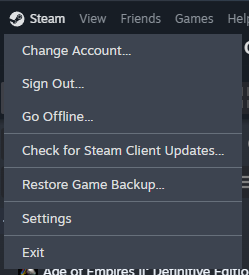
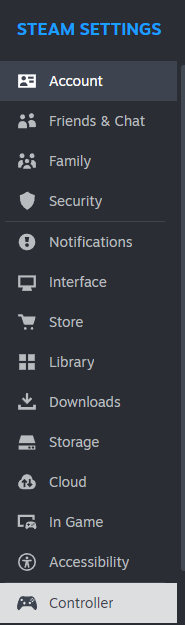
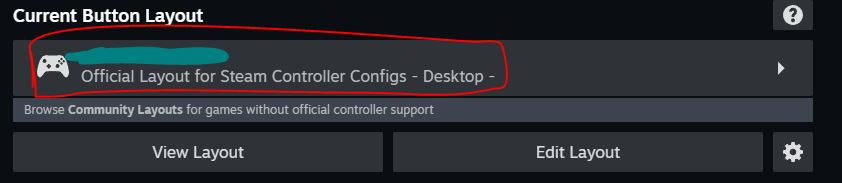
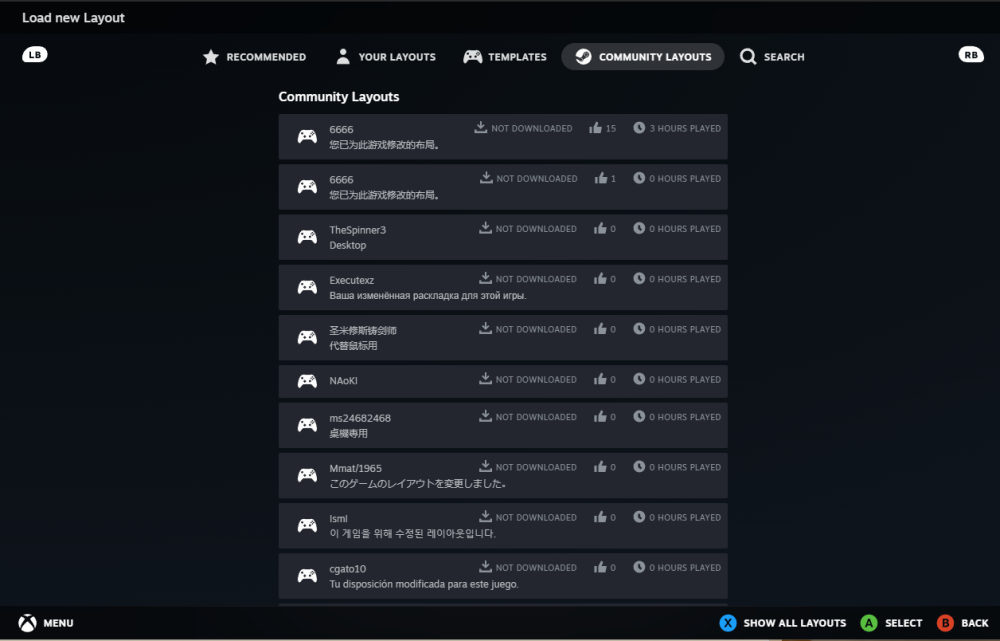
@Elsa Droz This is a pretty old thread. Here is what i learned on my little bit of experimenting. Steam>Setting>Controller. Scroll down to where it says Non-Game Controller Layouts. Click edit. Make sure your controller is connected to the PC so that you may map the buttons. Enable Steam Input. Click the controller icon to select from controller layouts. Click community layouts and chose one of them. I recommend choosing a Minecraft one and editing that. Please ensure that your key mappings line up with your VS keybinds. After this you may need to restart your computer. If any of this is wrong please let me know and I will update my post. Hope this helps.