xXx_Ape_xXx
-
Posts
308 -
Joined
-
Last visited
-
Days Won
11
Content Type
Profiles
Forums
Blogs
News
Store
Everything posted by xXx_Ape_xXx
-
 No, that will not work, as the "half" variant is not defined in the root tree of the clutteredbookshelf, but is assigned via attributes using "variant": "half" Clutter use an attribute driven generation of its variations, while most regular blocks/items use "variantGroups" to define various variations of the block/item. Even tho "variantsGroups" is used in the file, it is nested inside the "attributes": tree, and not in the root, and can not be called like we would do with regular blocks. These attributes are then parsed by C# code to make all the variations. I know it's confusing, it took me a long time to get a somewhat grip of what it all does too.
 -
You can use these in recipes like this (generally for any clutter): { "ingredientPattern": "B", "ingredients": { "B": { "type": "block", "code": "game:clutteredbookshelf", "attributes": { "type": "bookshelves/bookshelf-ruined-empty1", "variant": "half" } } }, "width": 1, "height": 1, "output": { "type": "block", "code": "my-amazing-block" } } Hope that helps
-
Simple answer: Use at your own risk! It might break, it might not, and no guarantees are given either way.
-
This issue have been resolved: #6682
-
A command line tool to scale your models quickly
xXx_Ape_xXx replied to genovefa's topic in [Legacy] Mods & Mod Development
Silt Striders -
Hey, nothing wrong using the forums, I'm sure there are experienced modders here aswell
-
Share your blocktype json and we can take a look, it's hard to guess without knowing what we're searching for. Might be shape missing, texture not referenced properly or a number of other things that can cause this. Note: Asking on Discord generally gets you faster answers, and more eyes on your issue, than the forum
-
You might want to take a look at this mod: Alternative Map Icon Renderer Continued
-
I have 32gb myself and have it turned off, as I saw microstutters when it was enabled. Test it and see what your results are, as every system is different, there is no definite answer to this.
-
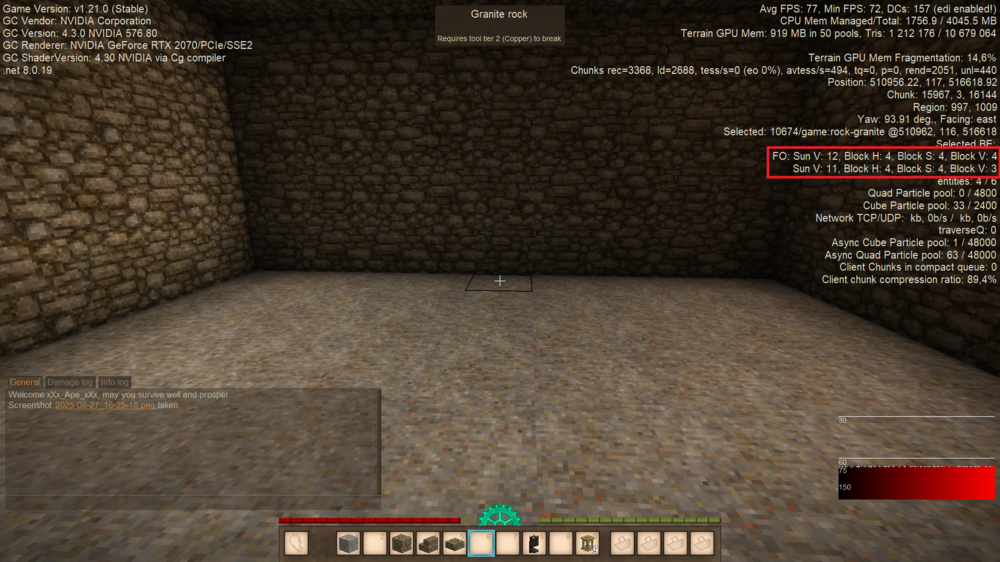
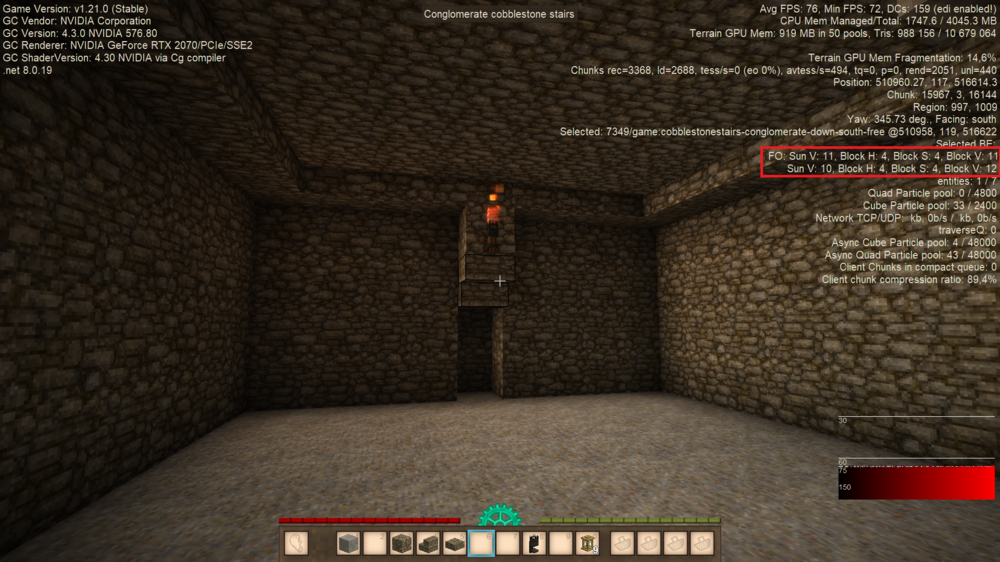
Torches do not emit enough light to keep a room of that size safe from spawns. The entire section along each wall, including the corners, are too dark to prevent spawns. In this particular case where you have a shiver spawned, they require a lightlevel of 7 or lower to spawn. The lightlevel along your walls are as low as 3-4. You can check the lightlevel by turning on the extended debug overlay, by pressing ctrl+F3 Then you look for the values on the far right side, following Block V: at the end in the marked area in my picture: As you can see in the bottom picture, the values are way bellow the values needed to prevent spawns of any unfriendly mobs. And yes, I recreated your room You can keep this size room safe by either placing more torches along the walls, or by placing a lantern in each end of your room, where you now have the torches Hope that helps!
-
Check your "VSync Mode" I had the same issues after the update, but they disappeared after I change the setting to Off Another thing to consider, since you have 64gb ram, is to turn off Ram Optimization in the config file Find "optimizeRamMode" and set it to 0 in you clientsettings.json file
-
It already exists: VS Launcher
-
Not sure where the misconception comes from, but the nests do NOT spawn the locusts! However, among the nests you will find 1-2 sometimes 3, cage-like cubes, and those are the actual spawners. They can be among a group of nests, or all on their own, often in the ceiling somewhere, and they have a set limit of locusts they spawn, before needing time to fill up for another "batch" of locusts ready to be spawned. Agitation of this cage, eg. trying to destroy it, will activate spawning and dump the amount of locusts it has ready. Player proximity will also trigger spawning, but not as rapid as trying to destroy it. Good luck on your endeavours in the depth!
-
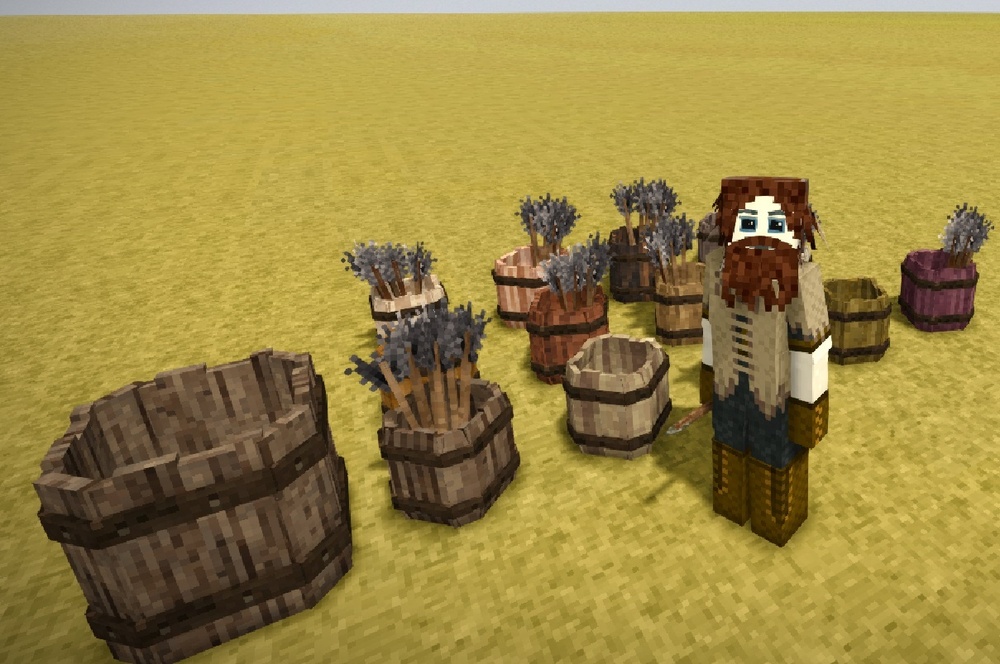
Well, in case anyone wanted to store arrows in barrels, you now can: Arrow Barrels
-
Totally understand the need for something like this, I'm a goldfish and get distracted easily. There's this mod To do list that might help a bit, tho it's not exactly what your idea is. I find it helpful for my use, maybe it will be of use to you too?
-
Were you guys thinking of something like this?
-
True to some degree, as I've taken damage from lightning strikes inside my building, but not struck directly. Haven't looked at the code to see what it actually does, but there seem to some kind of spherical damage area where the lightning strikes. Anyho, making a lightning rod and placing it high is recommended around your coops and shelters for animals, to prevent such disasters
-
Are we no more than a mere hallucination in this world? Some kind of sentient being from long past, floating trough time as a shadow of what once was? I think I need a glass of wine now...
-
If you think that's weird, try holding a glass pane in your hands and look at yourself in 3'rd person

-
MapSizeY is found in two separate locations in the serverconfig.json file, make sure to set both to the same value before creating the world.
-
How to check json after editing?
xXx_Ape_xXx replied to GaryP's topic in [Legacy] Mods & Mod Development
All I did was change the modinfo.json and the mod worked fine for me, all fuel sources had 5hr burntime. I recommend getting the mod Extra Info for displaying information on timer and such. -
How to check json after editing?
xXx_Ape_xXx replied to GaryP's topic in [Legacy] Mods & Mod Development
Had a look at the mod you're working on, Fast Pitkilns, and there are a few issues with the modinfo.json file that will prevent it from even starting. Change it to: { "Type": "content", "Name": "Fast Pitkilns", "Version": "1.0.0", "ModID": "FastPitkilns", "Description": "Makes Pitkilns Fire Faster.", "Website": "", "Authors": [ "Aureus_Prime" ], "Contributors": [], "Side": "Universal", "RequiredOnClient": true, "RequiredOnServer": true, "Dependencies": {} } And it should load and work just fine on 1.20.12 If you want it to be ready for 1.21, you'll need to add one more patch for the aged wood that have been added as valid fuel for the pit kilns. -
How to check json after editing?
xXx_Ape_xXx replied to GaryP's topic in [Legacy] Mods & Mod Development
Hi and welcome to the forums! I use this mod myself, for checking the results of patches: PatchDebug It's an old mod, but surprisingly, it still works. Just make sure you follow the directions given in the description, and the results should be printed in the "server-debug.log" file. If there are a lot of patches, get ready to sift trough a looong log file If you need further assistance or get stuck, there are several people here ready to take a look at your patch and help resolve issues should they appear. -
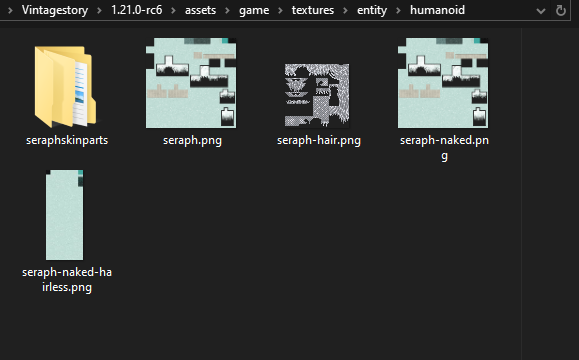
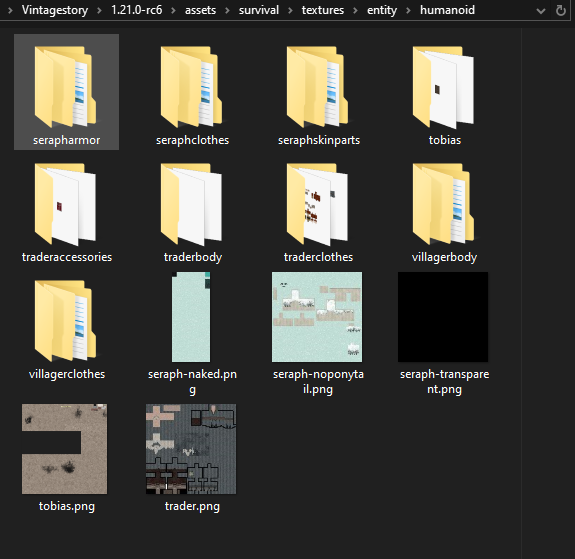
What do you mean you can't find the textures? Like, they're not in any of the texture directories? Or do you mean it does not render when in game? How are your mod structured? Are the new face expression files in your mods namespace, or added to the game namespace? Have you tried to add game: prefix to the texture paths? "textures": { "seraph": "game:entity/humanoid/seraph-naked" }
-
Is there a mod to make wind speed change less frequently?
xXx_Ape_xXx replied to Echo Weaver's topic in Questions
@Krougal The mod you're thinking of is either Simple Wind Direction or Pelagus Wind, with the latter actually updated just 5 days ago. Optionally you could just write a mod to replace the wind patterns. They are found in assets/game/config/windpatterns and contain json files for all the various wind speeds and their settings.