MasterDeeJay
-
Posts
16 -
Joined
-
Last visited
-
Days Won
1


MasterDeeJay's Achievements

Berry Picker (2/9)
6
Reputation
-
 MasterDeeJay changed their profile photo
 -
Csatlakozz a magyar játékosokhoz a két egyedi szerverünkön! Szerver weboldala és információk: Vintagestory.hu #1 Homo Sapiens playstyle szerver Kihívást keresőknek: realisztikusabb, lassabb fejlődés, nehezebb túlélés, kőkorszaktól az acélig. Nincsenek szörnyek és semmi ami természet feletti...vagy mégis? srv1.vintagestory.hu:42420 #2 Lore Survivor Seraph playstyle szerver Egy különleges világ, ahol a túlélés mellett a titkok felfedezése a legfontosabb. Romok, ősi tárgyak és elfeledett történetek várnak rád – minden sarokban rejthet magában valami újat. Dimenziók nyílnak rémségeket hoznak. Fő Quest is aktív. srv1.vintagestory.hu:42421 Parancsok a szerveren! Modok leírása! Szabályzat! Discord szerverünk
-
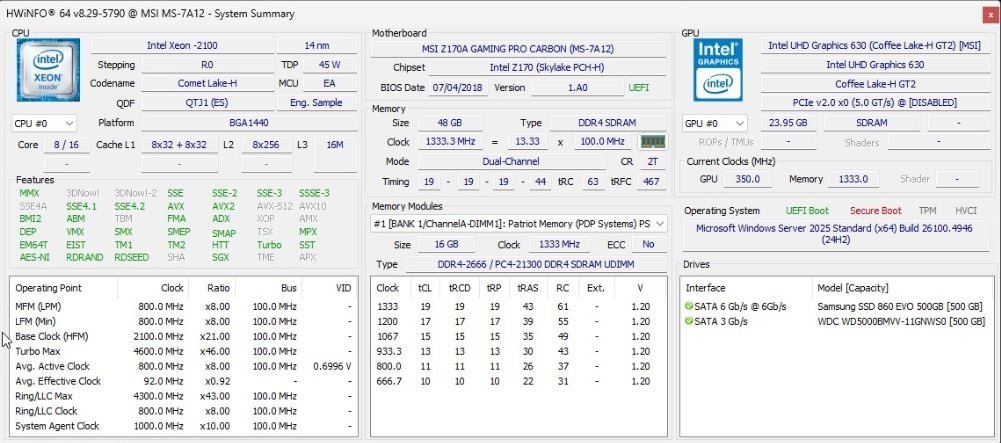
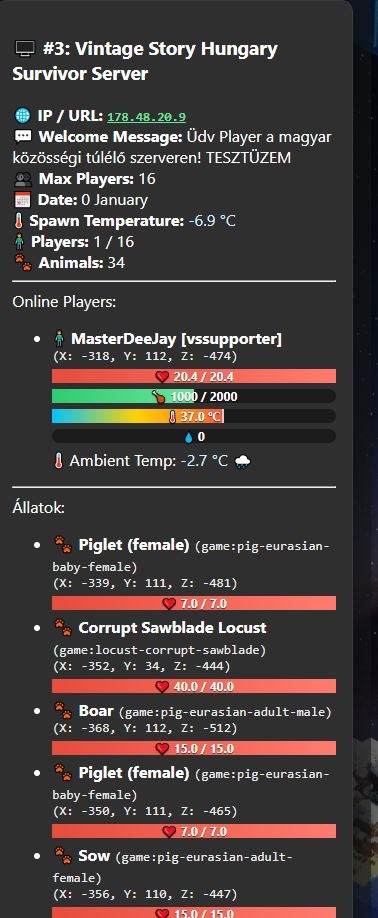
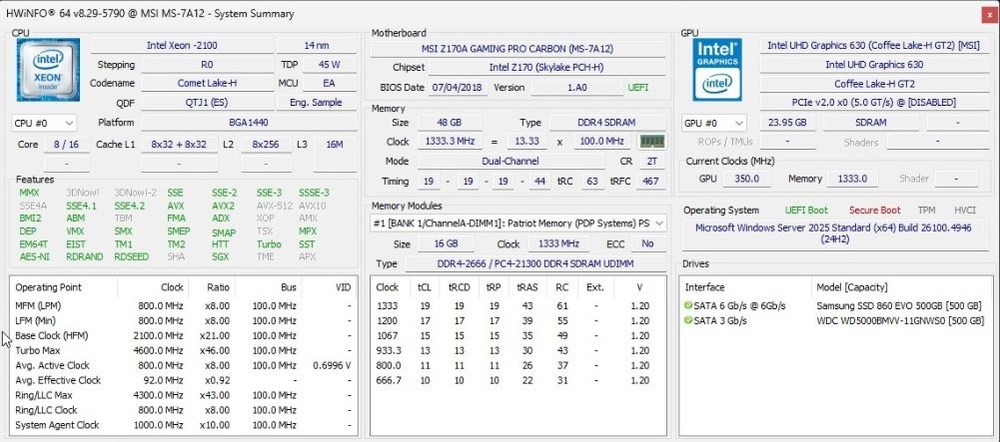
Hi! I have two server on one pc with only a few players but with a lot of mods. The server is custom made from my older hardware projects. It is dedicated to server so no video card and only remote access. I want set it to keep more chucks loaded if possible because i have 48GB ram and most of the time the servers eats only 1-2GB. I increased a lot of values with the help of chatgpt. General Server Performance Settings Setting Description DefaultEntityTrackingRange Distance (in chunks) from the player within which entities (animals, players, etc.) are tracked and updated. Higher values increase visibility but use more resources. DefaultSimulationRange Distance (in blocks) around each player where world simulation (e.g., crops growing, machines running) remains active. RequestChunkColumnsQueueSize The maximum number of chunk column requests (vertical stacks of chunks) waiting to be processed by the server. ReadyChunksQueueSize How many fully generated chunks can be queued and ready to send to players. Larger = smoother loading but more memory usage. ChunksColumnsToRequestPerTick How many new chunk columns the server requests each tick (every 50 ms). Controls world generation rate. ChunksToSendPerTick Maximum number of chunks sent to clients each tick. Affects how fast terrain loads for players. ChunkRequestTickTime How often (in milliseconds) the server processes chunk requests. ChunkColumnsToGeneratePerThreadTick How many chunk columns each world generation thread processes per tick. Higher = faster terrain generation but higher CPU load. Saving and Chunk Management Setting Description ServerAutoSave Interval (in seconds) between automatic world saves. Default 600 s = every 10 minutes. SpawnChunksWidth The width (in chunks) of the spawn area that always stays loaded around the world spawn. ChunkUnloadInterval Time (in milliseconds) before unused chunks are unloaded from memory. Large numbers keep chunks loaded longer. UncompressedChunkTTL How long (in ms) an uncompressed chunk stays in memory before being compressed or removed. CompressedChunkTTL How long (in ms) a compressed chunk remains cached before being fully discarded. Player and Entity Tracking Setting Description TrackedEntitiesPerClient Maximum number of entities each client can track simultaneously. Prevents overloads with too many mobs or items nearby. CalendarPacketSecondInterval How often (in seconds) the server sends calendar/time updates to clients. Larger intervals reduce bandwidth use slightly. PlayerDesyncTolerance Maximum positional desync allowed between server and client (in blocks). Helps smooth movement. PlayerDesyncMaxIntervalls Maximum number of intervals allowed before the server forcibly re-syncs player positions. Anti-Abuse and Fair Play Setting Description AntiAbuseMaxWalkBlocksPer200ms Maximum distance (in blocks) a player can walk in 200 ms before being flagged for possible speed hacks. AntiAbuseMaxFlySuspicions Number of suspicious flying detections before the player is flagged. AntiAbuseMaxTeleSuspicions Number of teleport-related anomalies tolerated before triggering anti-cheat. Thread and Performance Limits Setting Description MaxPhysicsThreads Maximum threads used for physics simulations (e.g., falling blocks, moving entities). MaxWorldgenThreads Maximum threads for world generation tasks (terrain, caves, etc.). MaxEntitySpawnsPerTick Maximum number of new entities (e.g., mobs, animals) spawned each tick. ChunkThreadTickTime Interval (in ms) for chunk-thread processing; controls background workload pacing. My settings: { "DefaultEntityTrackingRange": 6, "DefaultSimulationRange": 160, "RequestChunkColumnsQueueSize": 12000, "ReadyChunksQueueSize": 800, "ChunksColumnsToRequestPerTick": 8, "ChunksToSendPerTick": 256, "ChunkRequestTickTime": 15, "ChunkColumnsToGeneratePerThreadTick": 40, "ServerAutoSave": 600, "SpawnChunksWidth": 9, "TrackedEntitiesPerClient": 3500, "CalendarPacketSecondInterval": 45, "ChunkUnloadInterval": 100000, "UncompressedChunkTTL": 45000, "CompressedChunkTTL": 120000, "PlayerDesyncTolerance": 0.035, "PlayerDesyncMaxIntervalls": 20.0, "ChunkThreadTickTime": 5, "AntiAbuseMaxWalkBlocksPer200ms": 4, "AntiAbuseMaxFlySuspicions": 4, "AntiAbuseMaxTeleSuspicions": 8, "MaxPhysicsThreads": 4, "MaxWorldgenThreads": 4, "MaxEntitySpawnsPerTick": 12, "ServerMagicNumVersion": "1.3" } I have two servers so i think with 8c/16t i can use 4/4 threads in the settings. My hardware is: I welcome any tips for optimisation!
-
- 3
-

-
how to get player coordinates?
MasterDeeJay replied to MasterDeeJay's topic in [Legacy] Mods & Mod Development
first i query the spawn position: private object GetSpawnPoint() { try { var sp = api?.World?.DefaultSpawnPosition; if (sp == null) return null; var bp = sp.AsBlockPos; return new { X = bp.X, Y = bp.Y, Z = bp.Z }; } catch { return null; } } then the player position: private async Task<List<object>> GetOnlinePlayersWithDetailsAsync() { return await Task.Run(() => { var players = new List<object>(); var online = api?.World?.AllOnlinePlayers; if (online == null) return players; foreach (var player in online) { try { if (player?.Entity == null) continue; var pos = player.Entity.Pos?.XYZ ?? new Vec3d(0, api.World.SeaLevel, 0); var blockPos = new BlockPos((int)pos.X, (int)pos.Y, (int)pos.Z); var climate = api.World.BlockAccessor?.GetClimateAt(blockPos, EnumGetClimateMode.NowValues); var watched = player.Entity.WatchedAttributes; var playerData = new Dictionary<string, object> { ["Name"] = player.PlayerName, ["Coordinates"] = new { X = blockPos.X, Y = blockPos.Y, Z = blockPos.Z } }; if (config.ShowHealth) { var health = watched?.GetTreeAttribute("health"); playerData["Health"] = new { Current = FiniteOrNull(health?.GetFloat("currenthealth")), Max = FiniteOrNull(health?.GetFloat("maxhealth")) }; } if (config.ShowHunger) { var hunger = watched?.GetTreeAttribute("hunger"); playerData["Hunger"] = new { Current = FiniteOrNull(hunger?.GetFloat("currentsaturation")), Max = FiniteOrNull(hunger?.GetFloat("maxsaturation")) }; } if (config.ShowBodyTemp) { var bodyTemp = watched?.GetTreeAttribute("bodyTemp"); playerData["BodyTemp"] = FiniteOrNull(bodyTemp?.GetFloat("bodytemp")); } if (config.ShowWetness) { var wet = watched?.GetFloat("wetness", float.NaN); playerData["Wetness"] = FiniteOrNull(wet); } if (config.ShowTemperatureForPlayers) { playerData["Temperature"] = FiniteOrNull(climate?.Temperature); playerData["Rainfall"] = FiniteOrNull(climate?.Rainfall); } if (config.ShowEntitlementsForPlayers) { var entitlements = player.Entity?.Player?.Entitlements? .Select(e => e?.Code) .Where(code => !string.IsNullOrEmpty(code)) .ToList() ?? new List<string>(); playerData["Entitlements"] = entitlements; } players.Add(playerData); } catch (Exception ex) { api?.Logger?.Warning("ServerStatusQueryMod player collect error: " + ex.Message); } } return players; }); } Then on my webserver i simply do a math: (ofc i can do it inside the mod not outside but it works this way now) function renderPlayer(player, spawnPoint) { const li = document.createElement("li"); const entitlements = Array.isArray(player.Entitlements) && player.Entitlements.length > 0 ? ` [${player.Entitlements.join(", ")}]` : ""; const nameEl = document.createElement('div'); nameEl.innerHTML = ` <strong>${player.Name}${entitlements}</strong>`; li.appendChild(nameEl); const coordsEl = document.createElement('div'); coordsEl.className = 'coords'; const spawnX = spawnPoint?.X ?? 0; const spawnZ = spawnPoint?.Z ?? 0; coordsEl.textContent = `(X: ${(player.Coordinates.X - spawnX)}, Y: ${player.Coordinates.Y}, Z: ${(player.Coordinates.Z - spawnZ)})`; li.appendChild(coordsEl); So my mod is now fully works https://mods.vintagestory.at/show/mod/27202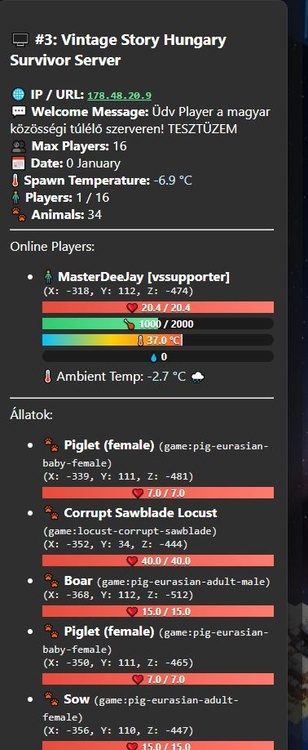
-
how to get player coordinates?
MasterDeeJay replied to MasterDeeJay's topic in [Legacy] Mods & Mod Development
Solved, thanks! -
Hi! I want to query player coordinates for my mod. I use this code: private async Task<List<object>> GetOnlinePlayersWithDetailsAsync() { return await Task.Run(() => { List<object> players = new List<object>(); foreach (var player in api.World.AllOnlinePlayers) { var blockPos = player.Entity.Pos.AsBlockPos; var climate = api.World.BlockAccessor.GetClimateAt(blockPos, EnumGetClimateMode.NowValues); players.Add(new { Name = player.PlayerName, Temperature = climate.Temperature, Rainfall = climate.Rainfall, Coordinates = new { X = blockPos.X, Y = blockPos.Y, Z = blockPos.Z } }); } return players; }); } The real player coordinates in game are 344, 135, 035 but i got: X: 51344, Y: 135, Z: 51035 It is somehow +51000, 0, +51000
-
I have started to create a server status mod for my server. It generates json http and the web server connect to it. I am a beginner and my english is not perfect. Currently i can query a few things. https://vintagestory.hu/ I can query the online players, temperature near outside player, location. Year (0 but i added 1386 just for fun), Month (and seasson on the north side of the map) But i need some help to query the following: Wind direction and speed rain strength (i only got precipitation but that gives me 0 or 1 not the strength) humidity possible? rift activity? The current code is (free to use) using System.Net; using System.Text.Json; using System.Text; using System.Threading.Tasks; using Vintagestory.API.Common; using Vintagestory.API.Server; using System; using System.Collections.Generic; public class PlayerWeatherMod : ModSystem { private ICoreServerAPI api; private HttpListener httpListener; private string url = "http://+:8181/"; public override void StartServerSide(ICoreServerAPI api) { this.api = api; httpListener = new HttpListener(); httpListener.Prefixes.Add(url); httpListener.Start(); httpListener.BeginGetContext(HandleRequest, httpListener); api.Logger.Notification("PlayerWeatherMod HTTP szerver elindítva: " + url); } private async void HandleRequest(IAsyncResult result) { try { var listener = (HttpListener)result.AsyncState; var context = listener.EndGetContext(result); listener.BeginGetContext(HandleRequest, listener); var response = context.Response; response.AddHeader("Access-Control-Allow-Origin", "*"); response.AddHeader("Access-Control-Allow-Methods", "GET, POST, OPTIONS"); response.AddHeader("Access-Control-Allow-Headers", "Content-Type"); response.ContentType = "application/json"; response.StatusCode = 200; var data = new { players = await GetOnlinePlayersWithDetailsAsync(), weather = GetWeatherInfo(), date = GetGameDate() }; byte[] buffer = Encoding.UTF8.GetBytes(JsonSerializer.Serialize(data)); await response.OutputStream.WriteAsync(buffer, 0, buffer.Length); response.Close(); } catch (Exception ex) { api.Logger.Error("Hiba történt a HTTP kérés feldolgozása közben: " + ex.Message); } } private async Task<List<object>> GetOnlinePlayersWithDetailsAsync() { return await Task.Run(() => { List<object> players = new List<object>(); foreach (var player in api.World.AllOnlinePlayers) { var pos = player.Entity.Pos.AsBlockPos; var climate = api.World.BlockAccessor.GetClimateAt(pos, EnumGetClimateMode.NowValues); players.Add(new { Name = player.PlayerName, Temperature = climate.Temperature, Rainfall = climate.Rainfall, Coordinates = new { X = pos.X, Y = pos.Y, Z = pos.Z } }); } return players; }); } private object GetWeatherInfo() { var pos = api.World.DefaultSpawnPosition.AsBlockPos; var climate = api.World.BlockAccessor.GetClimateAt(pos, EnumGetClimateMode.NowValues); return new { Temperature = climate.Temperature, Rainfall = climate.Rainfall }; } private object GetGameDate() { var calendar = api.World.Calendar; string[] monthNames = { "Január", "Február", "Március", "Április", "Május", "Június", "Július", "Augusztus", "Szeptember", "Október", "November", "December" }; string monthName = monthNames[(int)calendar.Month % 12]; return new { Year = calendar.Year, Month = monthName }; } public override void Dispose() { httpListener?.Stop(); httpListener?.Close(); api.Logger.Notification("PlayerWeatherMod HTTP szerver leállítva."); } } Thanks for any help!
-
Thanks for the answers. It see now this is a complex system. Im not touching the time/date. So i simply just disable harsh winter for this year, i hope thats not screw up anything.
-
And what if i edit worldConfig daysPerMonth to 1 ? And just wait a few days to april and increase it to 30?
-
I have a little 4 player sever just started. The calendar is on september. For the new players i want to skip the winter just for maybe two times. Is there a safe way (server command) to skip the winter without rotten food or killing the crops? Setting calendar mode spring restart the server and back to seasons after a restart is starting at spring?
-
New Player Start (option to bring back the torch and bread)
MasterDeeJay replied to dakko's topic in Suggestions
I think the new play just needs a tutorial quest like in 7dtd basic survival tutorial https://ravenhearst7d2d.fandom.com/wiki/Basic_Survival_Quest_Chain. When i first start the single player i dont even know what to do first, and the first day i forgot to make a simple torch so i cried in a 2x2 dirt base in the dark night I know there is a good guide in game but it is much better to display some kind of quests or any display that tells what to make on the first days. Dont need food, player must explore a little to get food, but starving should be a longer process with negative buffs not just constant hp loss. One Basket maybe. -
In the game 7 days to die it is works almost good. The players buliding only solid blocks (wood, iron, bricks...) that is not affected. It is difficult to build with dirt, snow. (like not possible to build a dirt shelter) and the blocks has stablity (Structural Integrity), weight and affected by gravity. It is a complex system, sometimes slow and heavy on cpu/ram but it works. (not 100 percent)
-
What makes minecraft is look like minecraft? the cubes I know it wasnt the first voxel game but the first thing is about minecraft is the cubes What if we replace the cubes to normal realistic look shapes like the NoCubes mod https://www.curseforge.com/minecraft/mc-mods/nocubes Or like the game: 7DaystoDie