P3t3rix
-
Posts
30 -
Joined
-
Last visited
-
Days Won
1
Content Type
Profiles
Forums
Blogs
News
Store
Everything posted by P3t3rix
-
Yeah, it should be listed in the normal keybindings (default tilde). Also if you want to change the abort keys (default: escape) you should be able to do so via the AbortKeycodes Config option (ModConfig/TogglyConfig.json).
-
When the grave is destroyed, the items just drop (like when you destroy a normal block). This means that they could have fallen into the hole. I am currently not really active anymore, but if it happens again and you can replicate the bug, i will see what i can do.
-
Looks like some api changed... fixed with 2.2.1
- 33 replies
-
- 2
-

-
- quality of life
- open source
- (and 3 more)
-
Updated it for 1.14.0-rc6. Just use version 2.2.0 and have fun!
-
Not with the latest RC because of some breaking API changes.
-
I wonder if an alchemy system would also mean some kind of (optional) progression/gating system. Like discovering different potions, that can only be crafted after a recipe has been found, is gated behind a character trait (making specialization more meaningful for multiplayer) or can only be crafted if it's night time. This could also be used to guide new players by for example combining it with a quest/progression system. But i get off topic and from the options listed i like machines the most, i mean a water wheel (which would maybe require river mechanics) and creating a (simple/not so simple) factory would be really cool.
-
It should work for 1.13.4, if it doesn't please report the error
-
@DasPrinzip A similar issue was reported by @Julius van Vern but we could never reproduce it. A clean server with the same world did fix the issue at the time. If it still happens on a fresh installed server could you post logs and maybe your world, so i can try to reproduce it ?
-
drifter ? maybe all they want is to get you 5 ft under
-
Should be fixed with 2.1.1 Thanks for reporting
-
@Keena How did you install the mod ? On the client and the server ? If you want you can PM me on Discord. Edit: just tried it again on a dedicated server, it should work if you install it on the client and the server.
-
Because currently library mods do not work independent where deployed. I decided to embed the dependencies to make the mod standalone again.
-
No it is not possible as far as i know because it adds an additional block to the game. as well as an recipe. @Julius van Vern
- 33 replies
-
- 1
-
-
- quality of life
- open source
- (and 3 more)
-
Version 1.0.1 released: Small bugfix
- 33 replies
-
- 1
-
-
- quality of life
- open source
- (and 3 more)
-
Yeah figured this out by looking at VSHud. Should be fixed now.
- 11 replies
-
- 1
-

-
- quality of life
- client
- (and 2 more)
-
Ok, i will try to reproduce it. Thanks for reporting
-
You shouldn't need the mod on the server at all. Could you try if the current version of VS works for you ? I just tested it on 1.12.14.
-
The config should be stored in your Vintage Story data directory (e.g. AppData->Roaming->VintageStoryData->ModConfig). What do you mean with does not work on servers? Does it throw an exception ?
-
A simple client side mod that allows to switch on a toggle for the mouse buttons. Gone are the days with hurt fingers because you had to hold the mouse button to get rid of the whole forest. Also since version 3 there is a toggle for sprinting (thx @Tyron for the necessary changes to the input handling) Put it into your Mod folder and press the "Toggly Toggle Mouse" (defaults to tilde) or "Toggly Toggle Sprint" (defaults to capslock) hotkey ingame. For more information and source code: https://github.com/p3t3rix/VsToggly 1.0: initial release 1.0.1: working on multiplayer clientside now 2.0: use foundation mod to ensure compatibility 2.1: embed the library because library mods currently do not work independent where deployed. 3.0: added toggle key for sprinting. Downloads: For VS-1.12: Toggly-2.1.0.zip For VS-1.13.1: Toggly-3.0.zip
- 11 replies
-
- 7
-
-

-
-
- quality of life
- client
- (and 2 more)
-
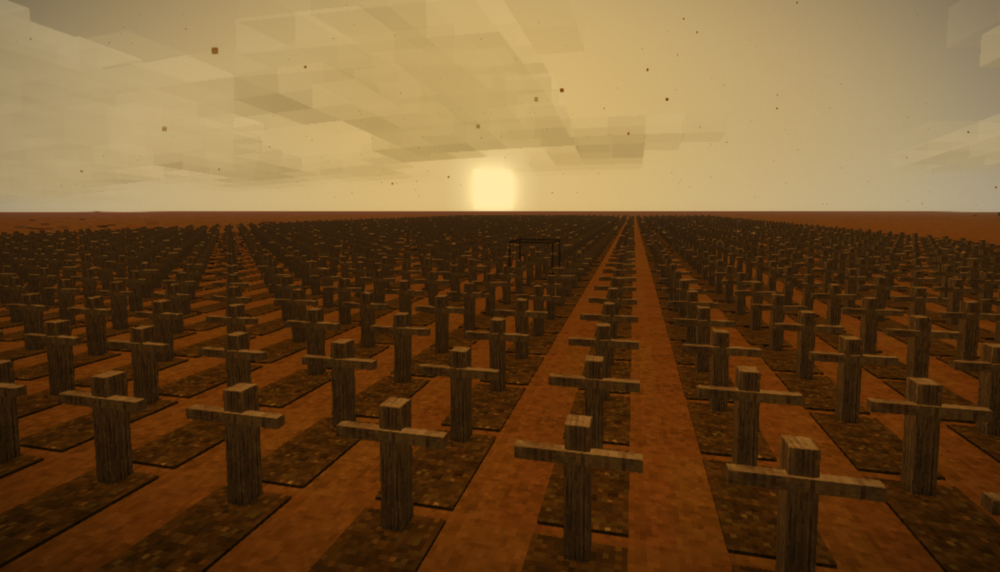
GraveMod A simple little mod that on death creates a waypoint and stores the items in a grave, to ensure you can get your stuff back and don't have to wonder "where did i die ?" ,"Are my items despawned or is this the wrong place?" Graves can also be crafted for decorative purposes. To install just drop the zip into the Mods folder. More infos and source code: https://github.com/p3t3rix/VsGraveMod Version history: 1.0: initial release 1.0.1: small bugfix 1.1: now search surround blocks for a position for the grave 2.0: Use Foundation library to ensure compatibility with my other mods 2.1: embed foundation library to avoid conflicts. 2.1.1: fix npe some user experience. VS-1.14.0-rc6: 2.2: Update for 1.14.0-rc6 VS-1.14.0-rc8: 2.2.1: Update for 1.14.0-rc6 GraveMod-2.1.1.zip GraveMod-2.2.0.zip GraveMod-2.2.1.zip
- 33 replies
-
- 6
-
-

-
-
-
- quality of life
- open source
- (and 3 more)