


Brady_The
-
Posts
745 -
Joined
-
Last visited
-
Days Won
7
Content Type
Profiles
Forums
Blogs
News
Store
Everything posted by Brady_The
-
Luckily the problem solving should be pretty easy. Enter the bugged chunk, type "/debug chunk relight" into chat and execute.
-
Head over to "%AppData%\VintagestoryData\Logs", zip client-crash, client-main and server-main, and attach the zip to your comment. Without any further information contained in those logs, we can only guess.
-
Very nice. Your ruins would fit right into the Vanilla base game.
-

Weaver's Weed 0.4.17 - New source for Reeds and Fibers
Brady_The replied to Jobediah Timberman's topic in Mod Releases
Did you get it to work, @Mackzli? -
If anyone can answer any of your questions, it's probably the OP of this thread: He hasn't been on the forum the last two weeks, but he might react to a ping, if any questions arise which haven't been answered in his thread.
-
I have to admit that I never worked with redwood logsections, but they might be not rotatable, because a) logs don't look any different however you rotate them, so they don't, which the log sections inherited, or b) their rotation has been set this way so that they always form a complete log when four of them are placed in a square. It might also just be an oversight of the devs. You can't chisel logsections because this has been disabled for them for reasons unknown.
-
Of course, that was rather silly of me. Guess who's never played MP. Hah Does anybody else on this server experience this problem? Does anybody else crash if they enter the chunk you are trying to load into?
-
Disable More Piles and test if the crash still occurs.
-
If I am understanding you correctly, your problems should be solved by executing /worldconfig noLiquidSourceTransport false in the chat and restarting the world.
-
How do I add new cave paint patterns?
Brady_The replied to Hwaldar's topic in [Legacy] Mods & Mod Development
This endeavour is a bit too specific to get information from the wiki. I personally haven't ever used cave art in the game, yet alone tried to mod it, so I can't personally be of any help, but if I were interested in creating such a mod, I'd download this one and see what it does and how, and then go from there, adapt it, add onto it, remove parts, depending on my goals. -
I am not familiar with Linux, so I can't really help you there, but these comments might : https://discord.com/channels/302152934249070593/351624415039193098/1064266542197506129 https://discord.com/channels/302152934249070593/351624415039193098/1051445298708365403
-
How do i re-texture things
Brady_The replied to Slimypeople48's topic in [Legacy] Mods & Mod Development
The easiest way would probably be a texture replacer. Set up a mod with the following folder structure: mymod(.zip) ├ modinfo └ assets └ game └ textures └ block └ plant └ crop Into the crop folder you'd copy all folders and files found in "assets\survival\textures\block\plant\crop", which you then would change to your liking. This way you won't change any vanilla files (instead those will be overwritten by your mod files, if the mod is activated), vanilla files won't be reverted back to the default on updates, you can share the mod very easily, etc. -
How to Create and Edit Waypoints with the mouse?
Brady_The replied to caffeine's topic in Discussion
You remember right. That's still the way it works. Can you create and edit waypoints with a mouse on a freshly created world? -
Can someone please explain to me what all this means?
Brady_The replied to circusseal's topic in Questions
Probably related, potential workaround included: https://github.com/anegostudios/VintageStory-Issues/issues/5252 @circusseal, @David Bennell -
The path is incorrect. Your first instinct wasn't too bad, you want to add something at the root after all, but you do that by inserting the key you want to add directly into the path. "path": "/transitionablePropsByType", That of course means, that the value has to be adjusted as well, starting it with "*": instead. (Don't forget to remove the trailing bracket "}" either.) "freshHours" is pretty straight-forward. This numbers sets up the time an item has before it spoils. For firewood "Cure" is the wrong kind of "type", though. If you look at the bowstave, you can see that for wood and such "Dry" is being used. That's also the reason why you probably want to set the number to 0, so that the firewood starts transitioning right away.
-
You simply hit Ctrl+V in the Customize Screen in World Creation. It's not very intuitive.
-
Whoops. I must have given an outdated command. Sorry for that. It's interesting though, that "cr" stopped working. Generally many VS commands have abbreviations of the written-out versions. Cheers for the heads-up!
-
Patching language files doesn't work. But you can overwrite these values. You would need to be a bit more concrete. This pseudo-code wouldn't work. That was quite the silly statement. Obviously it wouldn't work, it's pseudo-code after all. Take https://github.com/Nateonus/vsmodexamples/releases/download/SimpleBlockTutorial/simpleblock-complete.zip for example. That's a wiki tutorial mod. It has the following language definitions in "simpleblock(-complete.zip)/assets/simpleblock/lang/en.json". { "block-simplegoldblock": "(Example Mod) Simple Gold Block" } If you would want to overwrite this string, you'd create this "en.json" file in "[yourmodid]/assets/[yourmodid]/lang": { "simpleblock:block-simplegoldblock": "Simple Gold Block" } The mod id (simpleblock) can be found in several places, the easiest one would be in the "modinfo.json" of the respective mod.
-
I just tested it, for me it still seems to be working.
-
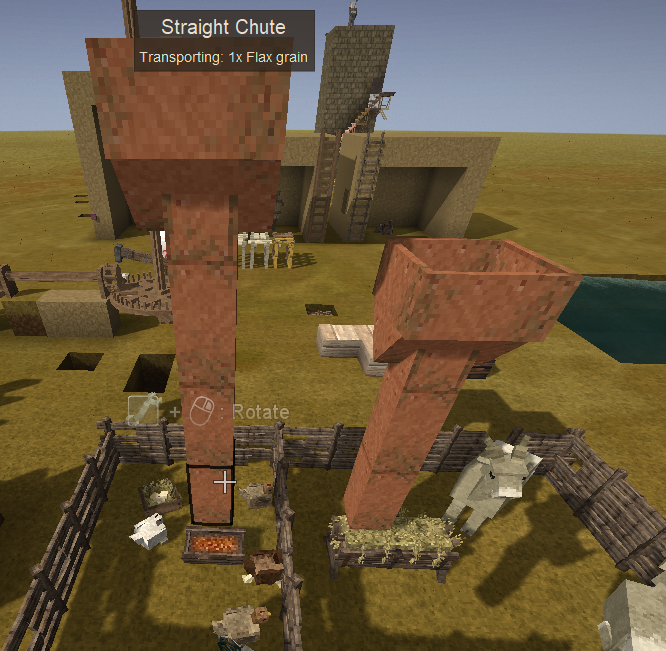
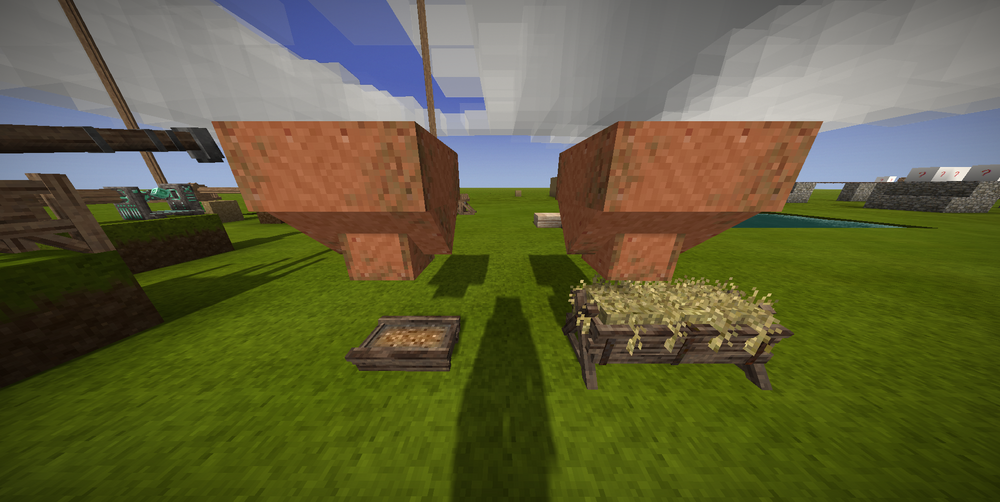
That's already possible! Nice idea. I don't know how long this will take to be implemented into the base game, but a modder is currently working on something like that. I never tried it myself, but I think this is already possible. If you catch rabbits and let them breed, their generations should go up like the "tameable" animals, with their respective generational benefits.
-
That could be it. It's very doubtful that the door state (closed) was changed by the game on an update. Depending on the distance and the openness of the area to the coop you could block in any gaps and simply herd the chickens back (albeit I don't know how easy this will be on gen 11, luring them with food might be an option), or if that option is not feasible, catch them with the new (considering you updated from 1.18) reed basket trap one by one and bring them back this way.
-
I can't say that I have seen that many of them bundled up together before, but they most likely are lighting errors. If they are, entering those chunks and executing "/debug cr" should fix them.
-
Can someone please explain to me what all this means?
Brady_The replied to circusseal's topic in Questions
There are definitely some outdated mods (monitor lizards, just to name two examples), some incompatibilities (mainly between AAAEntityCorrect and animal mods which utilize the current vanilla file structure to patch, which is patched by AAAEntityCorrect), two versions of PetAI fighting each other (delete the older one), but the main problem seems to be related to Microsoft.NETCore.App/7.0.20 and non-existing files or directories within that installation. Linux is totally alien to me, so I am afraid I can't help you there. You probably get faster and better help on the Discord server. Sorry! -
server-main.log
-
Extensive guide or explanation of the chiseling system
Brady_The replied to xXx_Ape_xXx's topic in Discussion
You can only add non-chiselled blocks to the selection.




