The Insanity God
-
Posts
78 -
Joined
-
Last visited
1 Follower

The Insanity God's Achievements

-

Ban AI Mod Development
The Insanity God replied to Micah Holmes's topic in Mod Development Questions/Troubleshooting
There are actually more guides out there but they are all over the place, for instance: The wiki: https://wiki.vintagestory.at/Special:MyLanguage/Category:Modding:Content & https://wiki.vintagestory.at/Special:MyLanguage/Category:Modding:Code Youtube, for instance: https://www.youtube.com/watch?v=RI7_ZT38WqA Discord: There is the Unofficial VS Modding Cooperative server with a guides / useful tools and tricks section Github: people with library like mods sometimes have their own wiki/guides on github (me being one of those), usually more catered to their mod but still The forums (apparently, I wasn't aware there was a guide section here ) And probably more places. -
Cant get item in crock
The Insanity God replied to Micah Holmes's topic in Mod Development Questions/Troubleshooting
To my knowledge it's always been a barrel but then again I rarely put anything aside from actual meals in a crock (which do use right click) -
Drying Box
The Insanity God replied to Micah Holmes's topic in Mod Development Questions/Troubleshooting
You need to define the `transitionSpeedMul`multiplier, which is a mapping of containerType -> transition type -> multiplier so in your case that would look somewhat like this: "transitionSpeedMul": { "box": { "Dry": 2 } } Handled by this bit of code:
-
Cant get item in crock
The Insanity God replied to Micah Holmes's topic in Mod Development Questions/Troubleshooting
How are you trying to get it into the crock? cause putting items in a crock works a bit weird, you got to first put it in a barrel and then use the crock on the barrel. Not sure if this supports liquid items though, since those go into a different barrel slot -
Jam not showing nutrient info
The Insanity God replied to Micah Holmes's topic in Mod Development Questions/Troubleshooting
The liquid items themselves don't normally show their satiety indeed (the liquid containers handle this), adding: nutritionProps: { "satiety": 10, "foodcategory": "Fruit" } top level (so not in attributes) would make it... except it's not multiplied with the amount of items, so it will just say 10 regardless of much liquid is in the stack.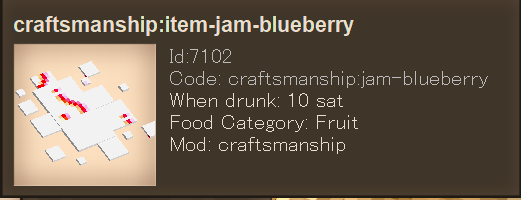
-
The Insanity God changed their profile photo
-
I see 2 potential issues: Muddy gravel uses a wild card for textures, not sure how well it handles that. The code seems to expect the base block to always have 1 variantgroup (rock type) and is designed to use this to find the base block... which muddy gravel doesn't have
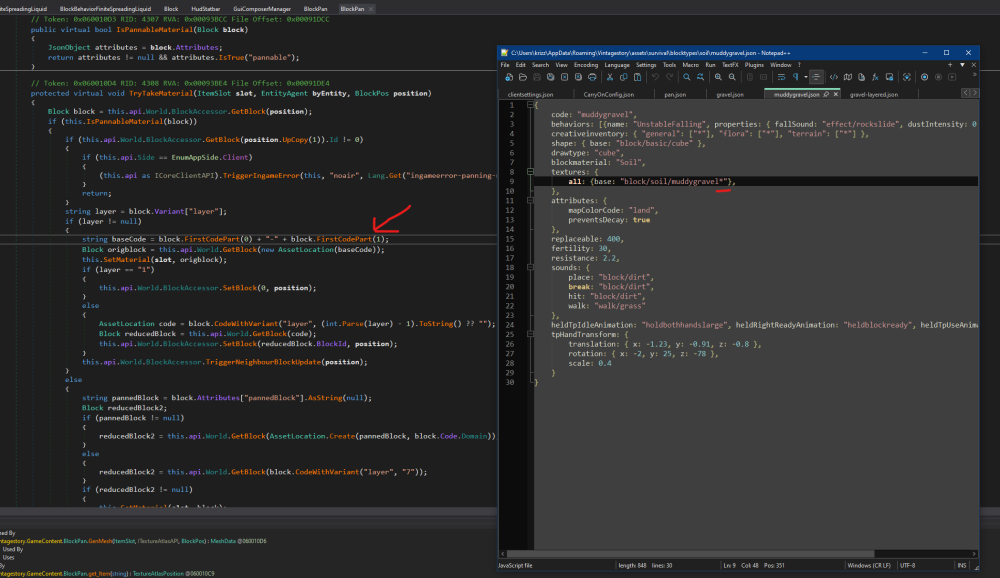
-
Mod cant find assets?
The Insanity God replied to Galicate's topic in Mod Development Questions/Troubleshooting
Essentially assets are stored in: "{modfolder}/assets/{domain}/{assetcategory}/path/to/asset". Where `assetcategory` is something that needs to be defined. The game uses this to separate assets, decide which side needs the files and whether they affect gameplay (which has effect on whether a client only mod can patch the file). I'm guessing your issue is probably forgetting to create the `AssetCategory`. -
https://mods.vintagestory.at/chiseltab Note: it's not really possible to figure out if a block is "available in survival mode" programmatically the best I can do is "chiselable while in survival mode"
-
Honestly this is a far broader issue then AI run locally or in the cloud, the type of AI (AI is actually a very broad term that contains many things people don't think of when they hear the word) and how it's used also matter. I've made posts about this before on the vintage story discord server, but I would really like to see this tag properly split up with it's own layered sub tags. Where did you see this? To my knowledge it has never and still is not required to be tagged with AI.
-
Just a heads up but this thread is marked as "Solved" so it's very easy to miss this thread. Syntax issue indeed: `greenhouseTempBonus` is a field and not a method parameter so you have to pass it differently... with triple underscore that is (so `___greenhouseTempBonus`) see the harmony docs for more info. On a side note: in this case it might be better to change the result rather then the input (temp) that way you can avoid other patches that change the bonus of greenhouse from affecting you (currently if someone where to increase the bonus tom 10C then your code would make it be a static 25C instead of 20C) public static bool Prefix(ref float __result, float ___greenhouseTempBonus) { if (___greenhouseTempBonus > 0f) //check if we are in a greenhouse { //Overwrite result and skip original __result = 20f; return false; } return true; // Let the original method do it's thing }
-
You forgot to mark the `FastForward` class itself with `[HarmonyPatch]`, resulting in the patch not being found.
-
The tags field is part of the `CollectibleObject` class which is a shared base class for `Item` and `Block`, you can't really have an item that does not implement this. Though if I remember correctly tags where only added recently, don't think they even exist in the latest stable release. You can use an AddMerge patch for that: https://wiki.vintagestory.at/Modding:JSON_Patching#AddMerge_operation
-
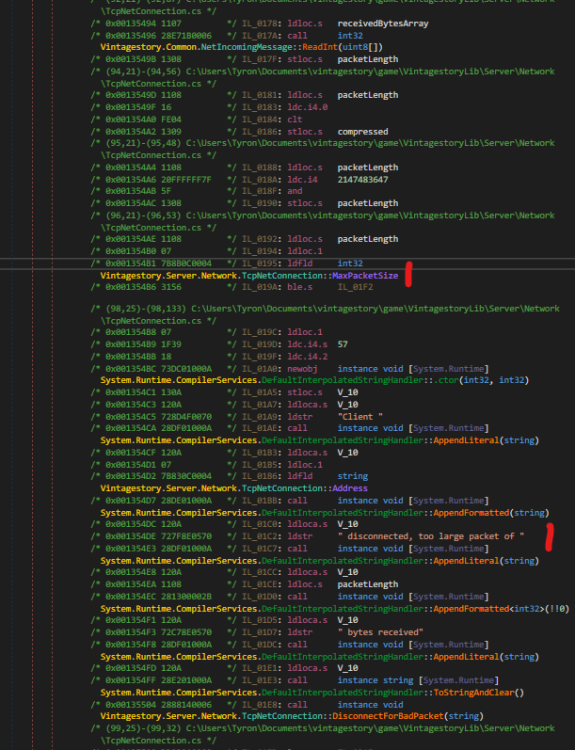
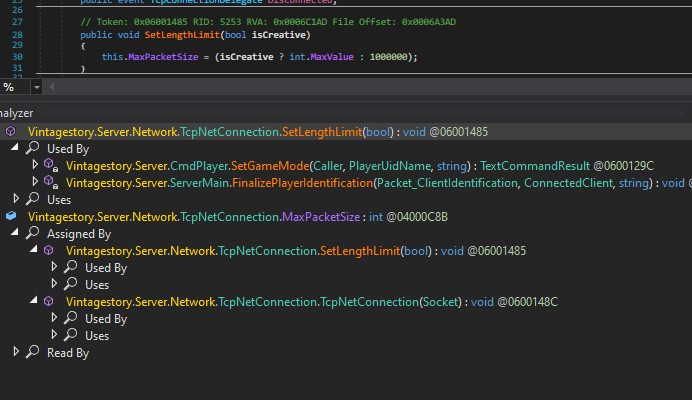
This would be found in the `TcpNetConnection` class, though I can't seem to inspect the code as C# only as IL code so perhaps that's why you couldn't find it. A From the looks of it the max packet size is defined in how many bytes are in the packet. `MaxPacketSize` interestingly enough seems to be variable: it starts of at 5000 bytes then increases to 1000000 bytes once the player identification has been completed and increases to `int.MaxValue` if the player is in creative (I guess to better allow certain creative tooling) In general the best way is to simply not send large packets. Lets say you want to update the entire visible map, well don't send the entire map in 1 packet but instead send a packet for every chunk column and update it 1 chunk column at a time.

-
InventorySorter
The Insanity God replied to The_Architect1's topic in Mod Development Questions/Troubleshooting
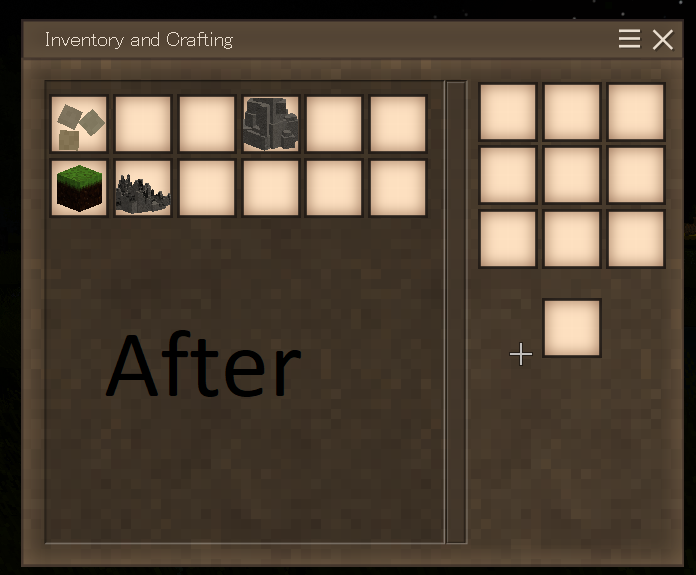
If this was a test to see if someone could point out all the issues then you certainly did a good job , I probably missed some things but here are my findings: 1. The `assets` folder and `modinfo.json` file should be directly in the zip and not in a sub folder, otherwise the game will complain. 2. You say it's a `client-side` mod but `Side` is not set to `Client` inside the `modinfo.json`, currently the game would see it as a universal mod that is required both on server and client. 3. You appear to be using the `World.Config` but not only is this global for all players, it's also server leading so changing it from the client side won't persist. Consider using a local config file with `api.LoadModConfig` and `api.StoreModConfig`. 4. HotKeys are handled client side so your sorting of the inventory is happening client side.... but inventories are server leading, so if you want this to be done client side you need to send the actual packets for opening the inventory and moving stuff to the server (just moving the `ItemStack` between slots on the client is not enough). Testing shows that the slots indeed only appear sorted but go back to normal once you try to interact (as the server sync overrides the local changes) *as for why it ignored the first 6 slots, see point 6. 5. Would recommend calling `MarkDirty` after modifying the `ItemSlot` manually even on client as this calls the `OnItemSlotModified` event. 6. The `SortyInventory` (and `ApplySorted`) is starting at index 10? This doesn't seem right to me... in the base game everything after slot 4 would be the actual backup content (1 to 4 being the slots for the actual backpacks themselves), also rather then using a hard coded number, check the actual slot types as mods might change the amount you have. (`ItemSlotBackpack` for the backpack slots and `ItemSlotBagContent` for the actual content of the bags) 7. `MergeStacks` is wrong, it assumes that all ItemStacks are equivelant as long as the `Code` is the same but this just isn't true, not only does this ignore transitions such as rotting (this requires extra logic for merging the transition progress) but some items like for instance clutter uses the attributes to differentiate meaning this will merge multiple different kinds of clutter into 1. The `StackSize` calculation is also wrong: the `ItemSlot` can also put a limit on the `StackSize` so `Collectible.MaxStackSize` is not enough, you need the actual `ItemSlot` to check the limit. (btw there was no need to call `ToString` on the code here as `AssetLocation` properly implements equality methods, meaning this is just unnecessary overhead) 8. In `SortInventory` you pass a sorting method that either calls `GetTypePriority` or `GetSmartPriority` depending on the `currentMode`, consider just passing the`GetTypePriority` or `GetSmartPriority` method based on `currentMode` that way it doesn't need to constantly compare `currentMode` (and you avoid the risk of it ever changing mid sort 9. Not necessarily wrong but your secondary sorting is using the `Collectible.Code.ToString()` which means you are for starters indirectly sorting on Mod since the Code exists of `Domain` (generally ModID) + `Path`, secondarily the code could be the same for multiple items if they are using attributes to differentiate so consider using `GetHeldItemName` instead. 10. `GetSmartPriority` and `GetTypePriority` checks for hard coded words to check the tool/material, which is very prone to error. Instead use `Collectible.Tool` which contains a nullable enum that can be matched to check for tool types and `Collectible` and if a `Block` use `GetBlockMaterial` to check the material instead. 11. Not very relevant since it shouldn't be stored in the world config in the first place but rather then storing locked slots as "lockedSlot" + slotNumber, you could have just stored a `BoolArrayAttribute` (it doesn't have a fluent method for it though) 12. `lockedSlots` has a max size of 40 but depending on the mods present you might have more so this size should really be increased at runtime if the backpack inventory ever go's over 40.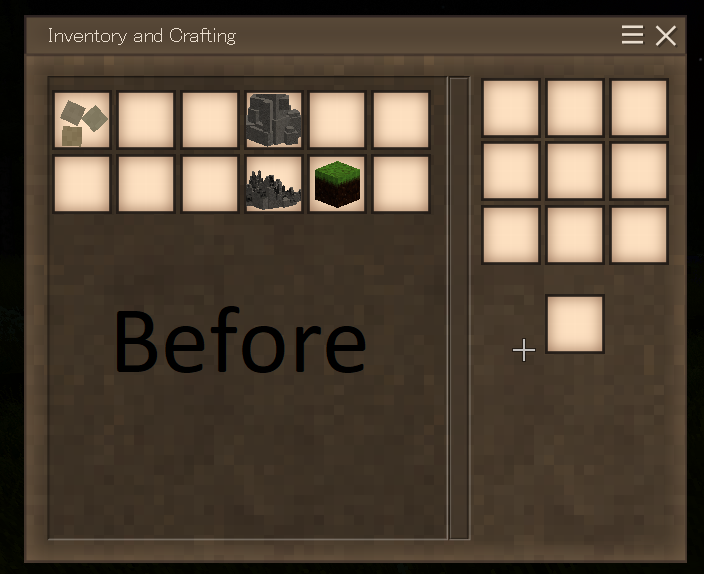
-
Light level would be decided by the `V` of `HSV`, normally this is stored inside the LightHsv field on the Collectible but the lantern has some extra custom logic on it which you will likely want to patch to achieve this: https://github.com/anegostudios/vssurvivalmod/blob/rc/Block/BlockLantern.cs#L56