The Insanity God
-
Posts
62 -
Joined
-
Last visited
Content Type
Profiles
Forums
Blogs
News
Store
Everything posted by The Insanity God
-
https://mods.vintagestory.at/morehudbars
-
 I don't think emotes where meant to be set to repeat, I see no functionality for stopping them through commands so you will likely have to create your own command + entity packet to do this.
 -
I can't say much about what you did wrong but this is not an engine limitation. `OnBeforeRender` runs for every ItemStack (not to be confused with ItemClass, which contains the shared data). I for instance use this method for rendering Ice Cubes in BrainFreeze (there is only 1 ItemClass instance, but each ItemStack renders differently depending on the liquid stored in the ItemStack attributes). If those variants are fixed (as in you have to chose from a list such as wood types) and not dynamic like with this post then I would recommend looking into Attribute Rendering
-
Fairly sure there isn't any command for that. Not sure why you would even need this but would be fairly simple to make a custom hotkey for this from code. public class SandBoxModModSystem : ModSystem { [UnsafeAccessor(UnsafeAccessorKind.Field, Name = "CameraMode")] internal static extern ref EnumCameraMode CameraMode(Camera instance); public override void StartClientSide(ICoreClientAPI api) { base.StartClientSide(api); api.Input.RegisterHotKeyFirst("toggle-first-third-person", Lang.Get("Toggle between first and third person"), GlKeys.M, shiftPressed: true); api.Input.SetHotKeyHandler("toggle-first-third-person", input => { if(api.World is ClientMain client) { ref EnumCameraMode cameraModeRef = ref CameraMode(client.MainCamera); cameraModeRef = cameraModeRef switch { EnumCameraMode.FirstPerson => EnumCameraMode.ThirdPerson, _ => EnumCameraMode.FirstPerson }; } return true; }); } }
-
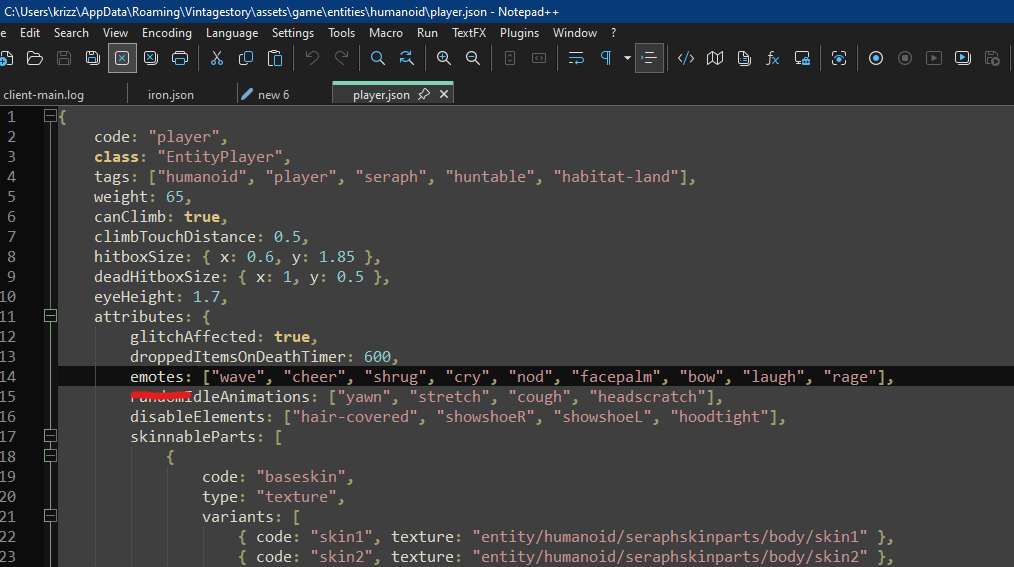
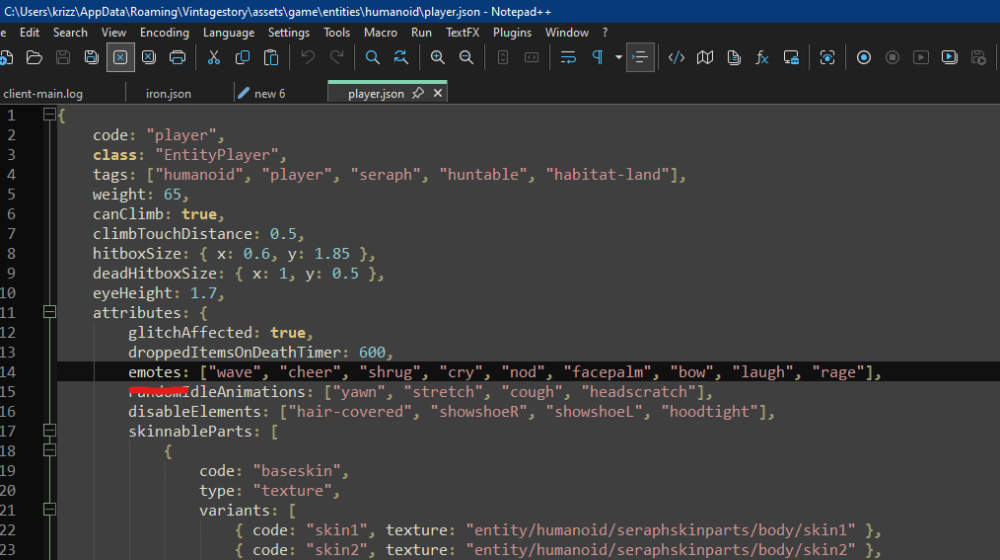
You don't need any c# code to make `/emote` work, the animation just needs to be registered as en emote in the Entity file:
-
Well you could add a listener to the chunk dirty event instead but point taken. Multiblocks in particular are indeed rather lacking in regards to this. What I mostly meant with that under the hood there is still a "tick-based system" is that for a variety of reasons (consistency and concurrency for instance) events are often triggered by something tick based (like physics, where every tick the player moves a bit based on their velocity) and/or result in enqueuing a task that is then run by a tick based system. For instance RegisterCallback just registers the delegate to a shared list which is then checked every tick to see if they should be called.
-
Yup, they are working on this though. Harmony allows for changing almost anything in code (except you can't edit generic methods and you can't add fields, though there are workarounds for the later), for most stuff you can just make Behaviors though. There is the IEventAPI for mods to push/listen to events and some base game events you can attach to but for the most part stuff is intended to be done through Behaviors. (Personally I'd say the distinction between "tick-based system" and "event-based systems" is always a bit weird though, since usually "event-based systems" still run a "tick-based system" under the hood to actually trigger those events so it's really more of an abstraction layer on top then a replacement system) Actually a lot of the framework for dimensions is already in place and in fact even used in some places already albeit with limitations (MiniDimensions) I haven't messed with this myself but I know there is a lot of possibilities in regards to this... not only from code, where you can straight up register your own ChunkGeneration steps using the IServerEventAPI but also from JSON using landforms. Someone with experience with terrain generation can probably tell you more about this. Idk about futuristic tech but I definitely think steampunk level tech is coming to VS, if not by the developers then by modders... it's only a matter of time.
-
That's certainly interesting... when debugging from the IDE it adds the folder it compiled into as an extra place to load mods from, perhaps this somehow affects the load order when it's not decided by dependencies.
-
To my understanding the Lang system is just a last entry wins system, meaning what matters is the load order.
-
Wait the modmaker puts stuff in game domain folder? I'm surprised I haven't seen this one before then.
-
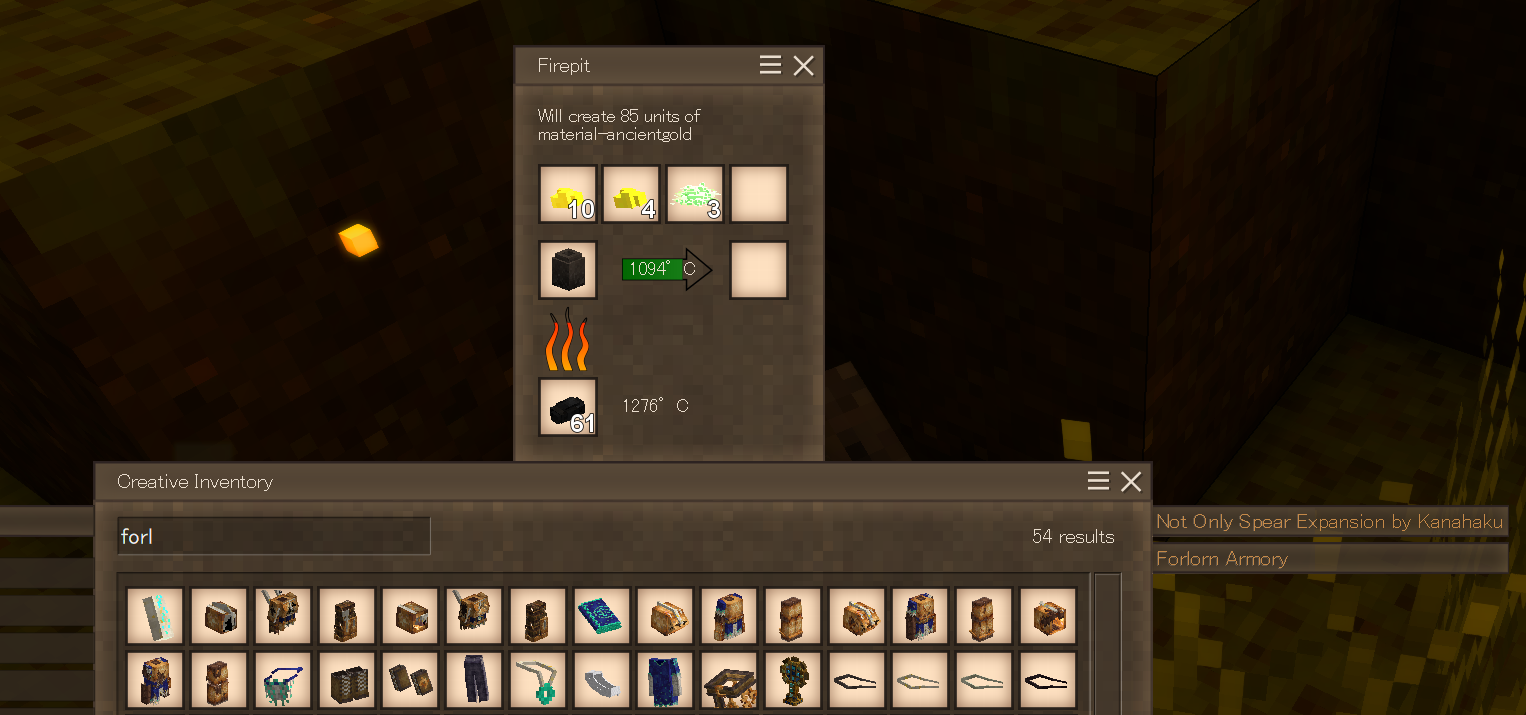
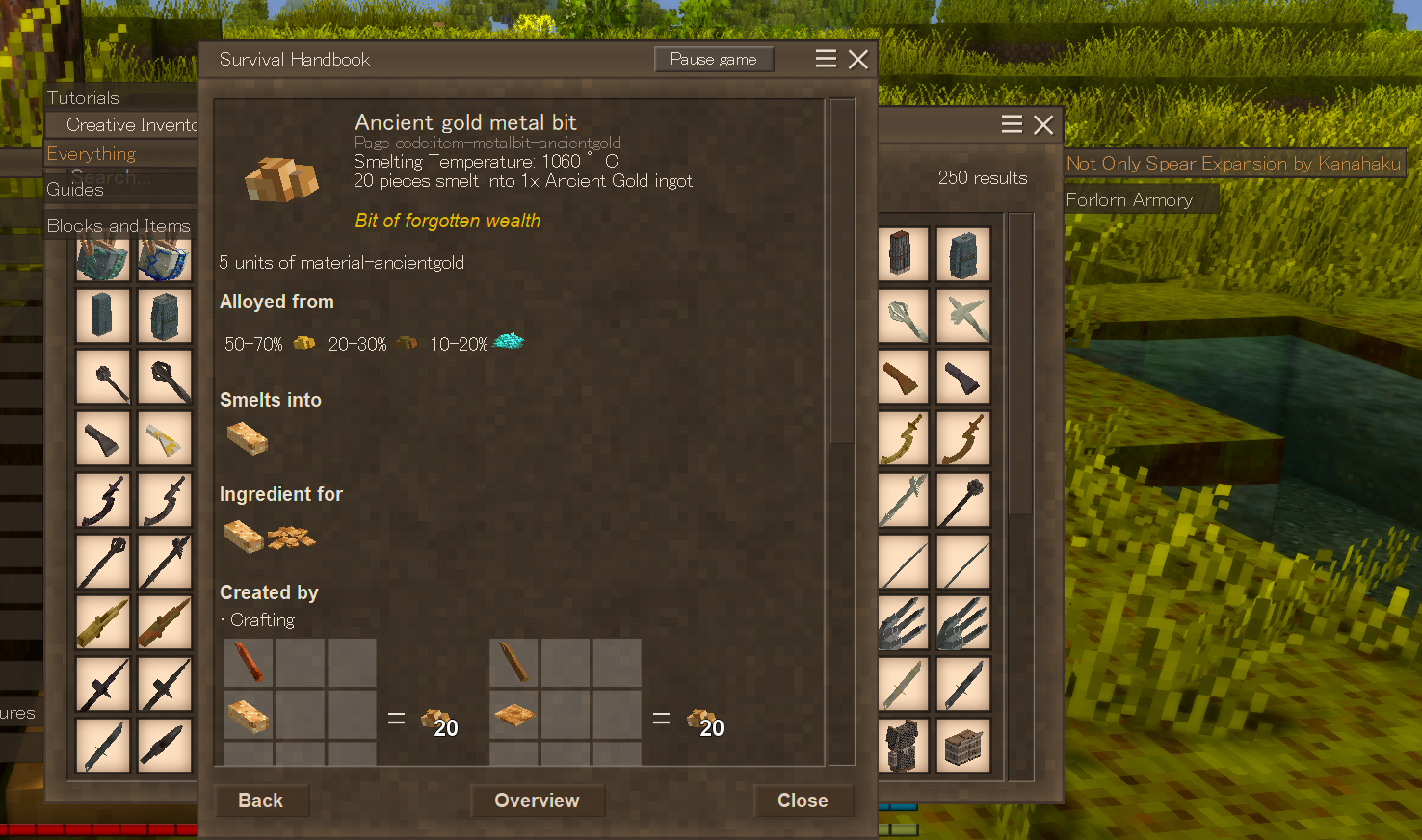
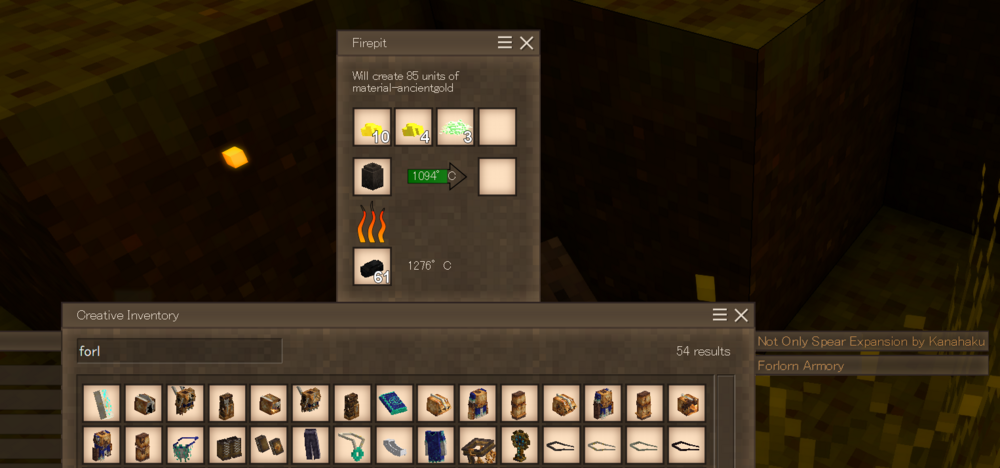
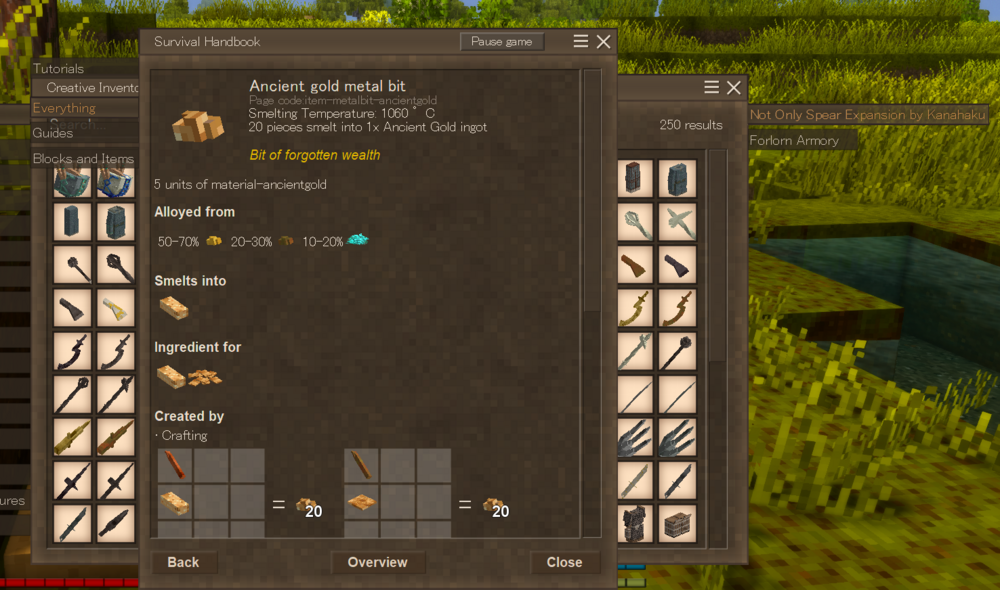
For as far as I can see your alloy recipe works just fine even with that other mod (though you are lacking a language string for material-ancientgold) Your real problem lies elsewhere, namely in the combustibleProps that are required to exist and have a melting point that is reachable with existing fuel sources for it to show up as moldable, which disappears once you add "spearexpantion". The reason why this happens is because both your mod and "spearexpantion" put patches inside the game domain folder with the same name (meaning the files themselves end up overriding each other). This is why you never put anything inside the game domain folder unless absolutely necessary. Simply move the patch files from "assets/game/patches" into "assets/heavyforlonarmor/patches" and prefix the target file with "game:" (some already have this) and problem is solved.
- 8 replies
-
- 2
-

-
- compatibilty
- mod
- (and 1 more)
-
clothing attributes/conditions
The Insanity God replied to Micah Holmes's topic in Mod Development Questions/Troubleshooting
And so should drinking I'd say... but here we are -
Handbook Game Mech
The Insanity God replied to Micah Holmes's topic in Mod Development Questions/Troubleshooting
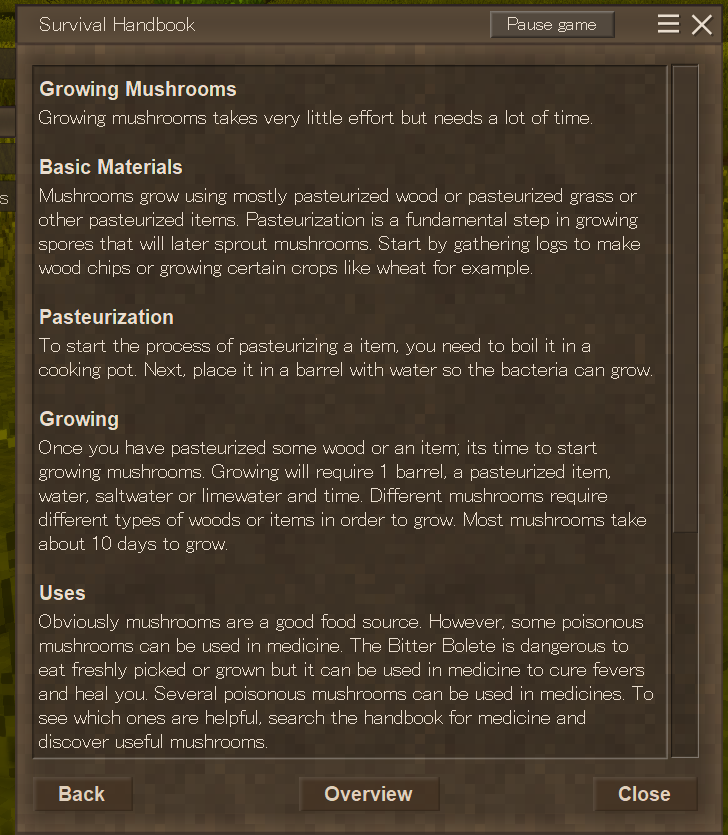
I think that was just meant as a short form for "Game Mechanic Information" not an actual domain The issue is actually precisely that the domain was not specified... those language strings defined in the handbook config don't automatically get the domain added (they aren't even considered AssetLocations but just plain strings) so when it ends up looking for the code it actually ends up looking for "game:gamemechanicinfo-mushroomgrowing" On the other hand... the language file does automatically add the domain so it ends up searching in the wrong domain, simply prefixing this stuff with "craftsmanship:" should do the trick.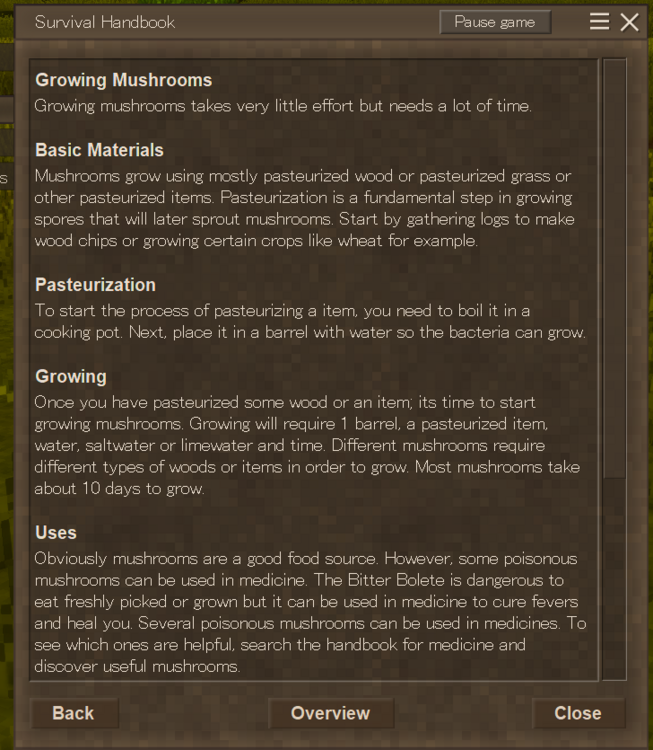
-
clothing attributes/conditions
The Insanity God replied to Micah Holmes's topic in Mod Development Questions/Troubleshooting
The base game "warmth" is purely about keeping yourself warm, there is no benefit to cooling as there are only penalties for being too cold and not for being too warm. Are you thinking of HiedrateOrDiedrate's cooling attribute, or some other mod by chance? This is how it is for all clothing but you could just change your `creativeinventory` into a `CreativeInventoryStacks` and set the attribute manually: "CreativeInventoryStacks": [ { "Tabs": [ "general", "items", "clothing" ], "Stacks": [ { "Code": "craftsmanship:blouse-{category}-{upperbody}-{color}", "Type": "Item", "Attributes": { "condition": 1 } } ] } ], -
Bread Crash
The Insanity God replied to Micah Holmes's topic in Mod Development Questions/Troubleshooting
It's because of the attributes yes, the game automatically generally adds your domain as a default when loading an `AssetLocation` field... problem being that the attributes are not loaded as `AssetLocation` but as a `JsonObject` and then later read by other code which often does not do this, like in this case. You should be able to fix the error by prepending `craftsmanship:` to your `initialCode` and `resultCode`. (I don't have your `dough` itemtype so I can't test that)- 1 reply
-
- 1
-

-
New Trader: Not listed
The Insanity God replied to Micah Holmes's topic in Mod Development Questions/Troubleshooting
Traders are entities and what you see in the creative inventory are not entities, you need to create your own `creature` item/variant (the vintage story equivalent of a spawn egg), see `survival\itemtypes\creature.json` -
Actually should probably make this public or add a public add method. That way support can also be added the other way around (as in the other mod could register a method of their own to your mod if present)
-
This depends on how you do it, as long as you make sure to only access the code from the other mod when it is actually present then it will work just fine. Keep in mind however that this doesn't always behave as you might expect when looking at the uncompiled code, variables for instance are always declared at the start of the method when compiled, so doing this would fail if the mod is not present: public void DoStuff(ICoreAPI api) { if(api.ModLoader.IsModEnabled("ModB")) { var modBModSystem = api.ModLoader.GetModSystem<ModBModSystem>(); modBModSystem.PerformAction(); } } But if you extracted the content of the `if` statement to a new method then it would work. In your scenario you would probably want to make create a collection of delegates and only register the method for each different mod if they are present, which would look roughly like this: //Returns wether the provider is able to provide water and how much water was provided public delegate bool WaterProviderDelegate(ICoreAPI api, BlockPos pos, Block block, BlockEntity blockEntity, int requestedAmount, out int waterRetrieved); public class SprinklerModSystem : ModSystem { internal static readonly HashSet<WaterProviderDelegate> WaterProviders = []; public override void Start(ICoreAPI api) { if (api.ModLoader.IsModEnabled("hydrateordiedrate")) { WaterProviders.Add(WaterProvider_HoD); } } private static bool WaterProvider_HoD(ICoreAPI api, BlockPos pos, Block block, BlockEntity blockEntity, int requestedAmount, out int waterRetrieved) { waterRetrieved = 0; if (blockEntity is BlockEntityPipe) { if (FluidSearch.TryFindWellSpring(api.World, pos, out var foundWellSpring, maxVisited: 4096)) { int delta = foundWellSpring.TryChangeVolume(-requestedAmount); waterRetrieved = -delta; } return true; } return false; } public override void Dispose() { base.Dispose(); WaterProviders.Clear(); } } public class BlockEntitySprinkler : BlockEntity { public int WaterCapacity { get; protected set; } = 1000; public int CurrentWaterAmount { get; set; } = 0; public override void ToTreeAttributes(ITreeAttribute tree) { base.ToTreeAttributes(tree); tree.SetInt("currentWaterAmount", CurrentWaterAmount); } public override void FromTreeAttributes(ITreeAttribute tree, IWorldAccessor worldAccessForResolve) { base.FromTreeAttributes(tree, worldAccessForResolve); CurrentWaterAmount = tree.GetInt("currentWaterAmount", 0); } public override void Initialize(ICoreAPI api) { base.Initialize(api); if (api.Side != EnumAppSide.Server) return; RegisterGameTickListener(OnServerTick, 1000); } private void OnServerTick(float timePassedInMs) { CollectWaterFromProviders(); //Actually do something with the water } public void CollectWaterFromProviders() { if (SprinklerModSystem.WaterProviders.Count == 0) return; int remainingCapicity = WaterCapacity - CurrentWaterAmount; if (remainingCapicity <= 0) return; var downPos = Pos.DownCopy(); var block = Api.World.BlockAccessor.GetBlock(downPos); var blockEntity = Api.World.BlockAccessor.GetBlockEntity(downPos); foreach (var provider in SprinklerModSystem.WaterProviders) { if (provider(Api, downPos, block, blockEntity, remainingCapicity, out int waterCollected)) { CurrentWaterAmount += waterCollected; break; } } } }
-
Cache issue?
The Insanity God replied to Micah Holmes's topic in Mod Development Questions/Troubleshooting
They are not identical, the code is different. The code of the crashing version has a `-` in it, which is a big no no as it this symbol is used to separate variants. This means that whenever the game attempts to do any kind of logic for looking up variants it will think that your base code is "cabinet" (because it discards everything after the first variant separator) which generally results in it being unable to find the block or item. The method that is crashing does exactly that: `CodeWithVariant` attempts to take your code and replace the "side" variant with the value "east" (if present) but in the process it removes the `-1` and thus becomes unable to find it.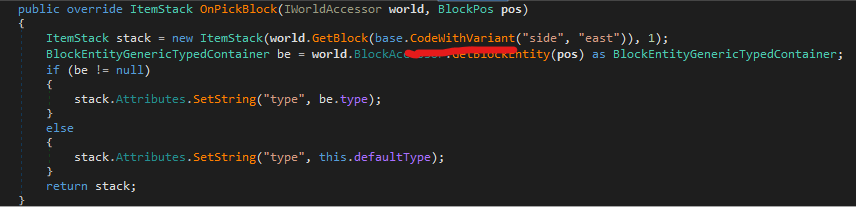
-
@Mrflaxe `BlockEntityChisel` is indeed the class you want but it's in `VSSurvivalMod.dll` not `VintageStoryLib.dll`.
-
As @Diff said, it's not an actual field but just a getter/setter method hence you cannot accept it using `___fieldname` as this is only a thing for fields. You'd have to either accept `___typeAttributes` and interface with it manually or use reflection: var pregnancyDays = Traverse.Create(__instance).Property<float>("PregnancyDays").Value; (I assume the utility method mentioned is referring to the `Traverse` class)
-
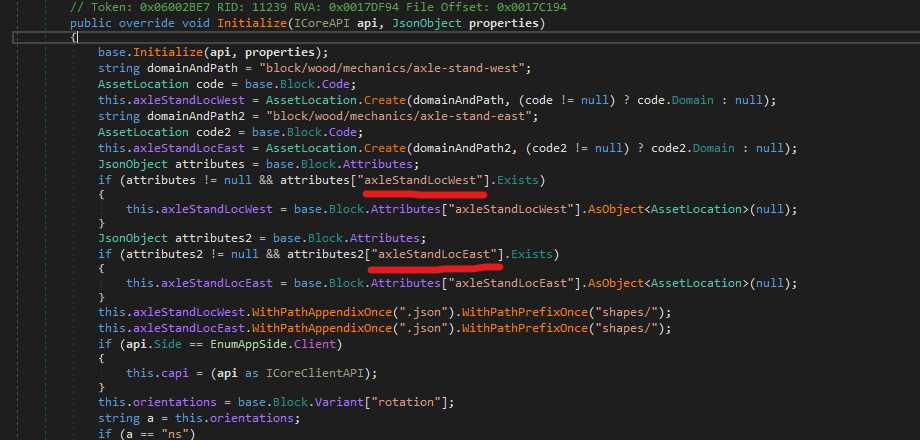
@joe saw They actually aren't hard coded, you can define them in the Block Attributes to override the default.
-
@AmethystZhou I haven't used it myself before so I don't have much in depth knowledge but it uses Dana's AttributeRenderingLibrary so would recommend reading their wiki and maybe looking into other mods using it. wiki: https://github.com/Craluminum-Mods/AttributeRenderingLibrary/wiki/Attributes-(ItemShapeTexturesFromAttributes)#name
-
Fence Crashing
The Insanity God replied to Micah Holmes's topic in Mod Development Questions/Troubleshooting
@Micah Holmes Well the fence classes are designed to select the variant that would connect the correct sides (I assume this is what you mean with rotation) and you just removed that altogether so makes sense that rotation doesn't work anymore... This is only relevant for stuff with the "BlockGenericTypedContainer" class (or a class inheriting it). Other blocks would generally use "HorizontalOrientable" (or "OmniRotatable") behavior but this won't work very well for fences as it has more then just rotations (it has different variants for connecting multiple sides after all) -
Fence Crashing
The Insanity God replied to Micah Holmes's topic in Mod Development Questions/Troubleshooting
You just changed your block class to ' BlockFenceStackAware' which requires a different kind of setup, like a "wall" texture and "-top" shapes. See `Vintagestory\assets\survival\blocktypes\stone\drystonefence-free.json` for example.