


Professor Dragon
-
Posts
709 -
Joined
-
Last visited
-
Days Won
3
Content Type
Profiles
Forums
Blogs
News
Store
Everything posted by Professor Dragon
-

World settings outside the usual range?
Professor Dragon replied to DearValentina's topic in Questions
Hello @DearValentina , Could you advise what your intended end result would look like? Examples of what worlds look like if you push the World Configuration settings to their maximum are here (scroll down that page to the examples with pictures): https://wiki.vintagestory.at/World_Configuration#World_generation In the scenario you suggested, you're pushing the maximums outside of the developers maximum range suggestions: /worldconfig landformScale [0.2-3] Sets the percentage variation of various landforms, making them larger or smaller during generation (default: 1.0)* Available only during world create stage. So maybe make up a "small" test world and try out any values you like, with the caveats: Be aware there may be unintended consequences (if it works at all). Some might be obvious, but others might be subtle. A bug report for terrain generation errors on this world probably wouldn't be looked at Professor Dragon. -
@MKMoose is on the money with their comprehensive response. Adding my two cents: 1) "I'm trying to find borax so that I can make leather." My recommendation is to try and find instead a limestone or a chalk biome instead. Do NOT deliberately set out to find enough Borax for leather working. Run around for long enough and you'll encounter huge plains of limestone (or a chalk cliff), with more than you'll ever need for leather working. They're near white on the colour map. 2) "With my prospecting pickaxe I found a place where it says minuscule amount of borax." Good news! You actually only need a miniscule amount of borax (when you find it . . .), but it is only a few pieces that you need for smithing your iron anvil and the like. The better news is that you'll eventually likely stumble on borax if you keep wandering around, by finding a few pieces on the surface. You can then dig down exactly under that surface piece and hit a small vein - which will be more than enough than you'll ever need for steel working. 3) If you are not adverse to mods, then you want "Block Overlay." Enter in the block you're trying to find, and it will show you exactly where it is located around you. Is it cheating hard? Yes. However, there are valid use cases for it, given how prospecting works and world generation etc etc. 4) There are mods that tell you exactly what is in the column you are standing on. An intermediate solution is any of the mods that show exactly what is in the column that you're standing on. So you do your normal prospecting, get a reading of "Decent" and then check with the mod if there is really anything below your feet. Professor Dragon.
-
Has Anybody Else Experienced Glitchy Crafting Output Slots?
Professor Dragon replied to ThePeterCopter's topic in Questions
The above got flagged as a Duplicate Issue and the main one to put your comments and logs against now is: https://github.com/anegostudios/VintageStory-Issues/issues/9175 I've encountered the same issue when crafting items that have multiple ingredients and outputs available, such as axes when there are both bone and wood in your inventory, but I assumed that this was because of the "Improved Handbook Recipes" (1222.0.2) mod, and so have not troubleshot further. Professor Dragon. -
1.22.0 - Fishing, Mechanisms, Metalworking and More!
Professor Dragon replied to Tyron's topic in News
Agree. For the Resonance Archive, banning ground storage means that anti-rust monster explosives can't be used, and you can't place a crock down (can eat from inventory, and can use the kitchen). I understand they don't want block breaking, or torch placing, but still it seems out of place to move from a "you can change anything game" to "nothing can be changed, not even clearing rubble." Practically, I am not particularly squeamish about entering Creative Mode when needed. For example, if there is a Trader whose door is blocked by trees in the past, then I'll move to Creative to clear a path. I could use the same approach to conduct "repairs" on the Traders now, for example. Hole in the roof, Guv? Fixed it for you. Now how about I use this 'ere chest of yours? -
On Ruins and Clutter . . . it has previously been mentioned that it would be good if you could use Glue and Tools to "repair" Clutter into their functional equivalents. A ruined shelf becomes an aged shelf, for example. Currently, the only use for Clutter is decoration . . . and given the sorry state of it, mostly decoration for broken down barns, junk piles, abandoned sheds and the like. Since the Glue bug (probably fixed by now?), I have turned on the "pick up clutter" option and have never regretted it. If I see something that looks decorative, I snag it and ignore that I was meant to spend effort cooking up glue. It has already cost me time and effort to find a ruin and loot it - making hot glue for an odd piece is just unwarranted punishment as far as I'm concerned at that point. Not without a rework of the glue mechanic. /End slightly off topic thoughts.
-
Found a "Block Randomizer" Block... looks cool...
Professor Dragon replied to Lingam's topic in Discussion
There are several issues at the Issue Tracker on this. eg: https://github.com/anegostudios/VintageStory-Issues/issues/9172 Most so far seem to have been mod related. But there are a good set of steps on that thread on how to identify and eliminate those known causes. And if not, how to add the relevant logs and configuration files for the Dev. team to review. I just encountered this myself. As it was a newly visited chunk, I recreated it and the surrounding set with "/wgen regen 1". Professor Dragon.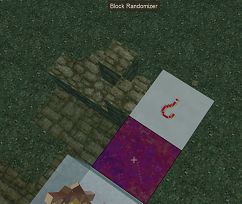
-
Maybe start on this page: https://wiki.vintagestory.at/Debugging_Performance_Issues Check that the suggestions on improving server performance are followed. There is a suggestion on that page on how to gather performance logs for debug checking. I'm not sure on your troubleshooting skills, but perhaps some of that you can review. I am guessing that when they say to send in the logs, it is after reviewing the above, and they mean to send it to the usual GitHub site for issue tracking here: https://github.com/anegostudios/VintageStory-Issues Professor Dragon.
-
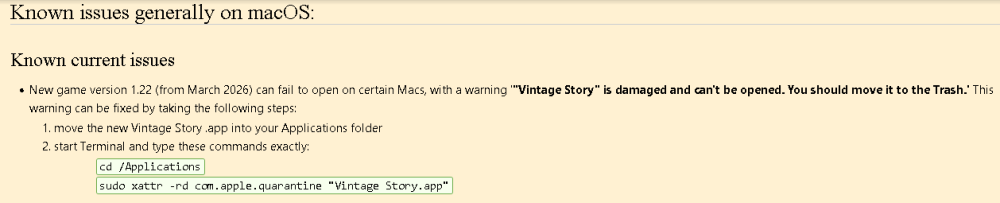
Are you facing the issue with "damaged file" message reported here? If so, try going through those steps: https://wiki.vintagestory.at/Installing_the_game_on_MacOS#Known_issues_generally_on_macOS: Professor Dragon (NB Not a Mac user. Just a forum search index user, so any further Mac skills are non-existent. )
-
1.22.0 - Fishing, Mechanisms, Metalworking and More!
Professor Dragon replied to Tyron's topic in News
Thanks for this update. It is huge! Lots of great features. I've just spent about 40 game hours in a new world, and many of the new features such as the berry bush redesign and the addition of fishing are immediately noticeable. Loving also the QOL improvements that are throughout. Looking forward to progressing to water wheels, new metal working and so on. Love the new traders. It makes so much more sense that they have static bases, rather than caravans that didn't move. Much more detail. Great designs. Won't add spoilers, as people should discover these on their own. Some things I noticed: Can't eat meals in a Trader home, as it is a protected space, so the normal right click a meal bowl (if pointed at a block - which is most directions) gives the message that it is a protected space. You probably should be able to eat there - unless they are very fussy about crumbs. Not all Traders have an accessible chest or bed, I don't think (???). Intentional(?). Should some Traders have a weather protected room? Maybe Luxury Traders (for examples) shouldn't have wind whistling through. Fishing line cast animation is smooth and satisfying. However, there is no "retract" animation. It would be nice to have one. Coming? Anyway, having a lot of fun. Thanks VS team. -
Is the game supposed to occasionally go rainbow-y?
Professor Dragon replied to Silfrenbirce's topic in Questions
The cooking . . . it does nothing! I'm just trying out the "new" update v1.22.3 (Yeah, yeah . . . I'm slow. And I was waiting for the stable release.) I made up a Chanterelle Wavy Cap and vegetable meal - after checking the Wiki, because I'm not silly - and was up a tree when this happened: I was checking the current rift status quick smart, I can tell you! But no, not that. Definitely the prepared meal. I had to eat a second portion to be sure. Then a third because I was hungry and short of food. Then the fourth portion . . . because you may as well, at this point, right? Apart from turning the world an ever more vivid shade of rainbow, there were no lasting ill effects. I was half worried that in this game, drifters might be even more attracted to you when in this condition. (I shouldn't give them ideas . . .). Professor Dragon.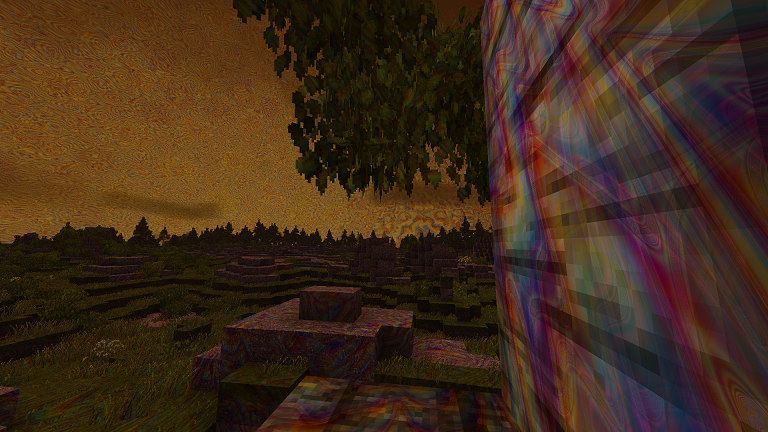
-
Thanks @LadyWYT, I was afraid of something like that. This is one feature request (being able to disable monster spawns inside a nominated safe space) that I wish would be included as an option. Professor Dragon.
-
I'm not aware of a way to disable vertical temperature changes completely. Temperature is impacted by world settings and a formula based off height. It is not stored at the block level. You MIGHT be able to use two tools to get what you want: 1) World generation settings to alter sea level and world temperature settings. The latter is easy enough - set to a hot world. It does impact the whole world though. The former needs research. There is some discussion on altering world height and sea level settings to impact temperature. You'd need to look into this. 2) Mods that alter the temperature generation curves. I don't see a mod which disables the temperature settings completely (might be one - I don't see it). But there are mods which adjust the temperature curves. eg: Temperature Height Tweak You may be able to modify the mod and introduce your own world curve. Yeah, probably more work than you expected - and it would also be a WORLD wide setting. I can't do better than quote the mod author burneddi: EDIT You may be better off with a different approach. Rather than trying to change temperature, put on a theme pack to give green textures eg: https://mods.vintagestory.at/greengrass Professor Dragon.

-
There is only one reliable in-game way to do this - https://wiki.vintagestory.at/Rift_ward All other methods are either sledge-hammer in nature (removing all monsters) or only partially effective (small well lit rooms with no spawn space are mostly still not spawn proof). Unfortunately, a Rift Ward has these drawbacks: Late game Very expensive Only covers a limited area Noisy EDIT: Even it is not totally secure! Just checked the Wiki and it says "There is a 2.5% chance of failing to block a rift." Still, if you want one secure "bunker", then it might be your best bet. 1) Build your bunker Maybe a little distance from your main base, if you don't want the noise. 2) Switch to Creative. Give yourself Rift Ward materials and Temporal Gears for fuel. 3) Build and fuel it up before a Temporal Storm approaches. Bonus points: Give yourself some activities to do, such as panning or forging. When a storm comes, cower inside in safety. I regard this cheat as "fair play," as I regard it as unfair by the game that you can't spawn proof even a small area. (Besides, you'll still be installing mods anyway for better room detection, light detection etc.) Thanks, Professor Dragon Disclaimer: I've been away a while. So I hope this information is still current. I'm planning on doing a download of the latest update an building a world, so I may get to test this out.
-
1.22.0 - Fishing, Mechanisms, Metalworking and More!
Professor Dragon replied to Tyron's topic in News
Huzzuh! I've been waiting so long for the stable release - this will be fun! Time to roll a new world. Thanks Dev team! ! ! -
I'll give it a test sometime, but I won't be able to do it soon, sorry. If anyone else can test on current version, it would be appreciated. Two things: Was this done with or without mods? Without mods is better as a test. Consider putting this feedback into the GitHub report above. Professor Dragon.
-
Hello @Shoom, @Warpkitty, could either of you re-test on the current version (After 1.21.6)? It is not a stable release yet, and I won't be on V.S. until that is released most likely. Thanks.
-
Is VTML still supported in the latest version?
Professor Dragon replied to yacine_cnbl's topic in Questions
Different play styles Books are great for diaries - I use them in every world to record when major and minor events happen, such as crop planting times and build start and finish dates, or grand expeditions, near death experiences, "To Do" lists, plans etc. If you have a main book in your base, you can come back to it months later and pick up where you left off. (Although unless they've fixed the bug due to very long player created books taking a long time to load, I'm also using third party note tools.) I can see them being useful in multi-player worlds for lore building, "Welcome to the server" guides and other things you want your players to know about, establishing build styles, giving tips, setting up player quests etc. Professor Dragon. -
I know the feeling. I'm hanging out for the stable release also, because I don't really have that much room on my old computer to be running multiple versions. That's why I've been a bit quiet here lately. Professor Dragon.
-
I'm curious - because I want a way to stop snow falling down the chimney. What exactly counts as "blocking" a chimney? Does it have to be within the structure itself, does it have to seal the chimney hole (eg block on top). What? Your sacrifice is advancing knowledge for the greater VS community. Here, have a cookie. Professor Dragon.
-
Is VTML still supported in the latest version?
Professor Dragon replied to yacine_cnbl's topic in Questions
Yes, it does work - at least, according to this Issue Tracker report that I found where a different issue was being reported. https://github.com/anegostudios/VintageStory-Issues/issues/7776 However, examples of VTML text were used on v1.21.6 Did you remember to Sign your book? See this thread from that same Issue Tracker report, where the user mentioned problems - that they solved - writing to player generated books rather than to Handbooks. Signing the book in their case worked for them. The thread is bigger, so worth checking out. Professor Dragon. -
Is that a question or a suggestion? There are already many different roof colours in the game - check out the Creative mode menu. If you're desperate for using those materials and only have a small area to do, then consider Chiselling the base blocks. Otherwise, the answer is going to be "mods" - but to my knowledge, one has not yet been written for either Andesite or Sandstone. I guess it would be a fairly big task, and I'm not sure there is a big audience for it. "What does a Sandstone or Andesite roof even look like?" would be a valid question. I'm not sure that they exist in the real world. Professor Dragon.
-
Is there a mod or setting for bed time skip?
Professor Dragon replied to Witherskul's topic in Questions
@DoctorSnakes is right - there is not in general, however there are mods in particular which may get what you want. Remember that Vintage Story is also built as a multi-player game, and different in operation to Minecraft, so how it operates is much more function specific and well, different. I was going to say that "Time is weird in Vintage Story," but on reflection was going to restate it as "Time is complex in Vintage Story," before finally on further reflection thinking it is more accurate to say that "Time is weirdly complex in Vintage Story" - or my final thoughts "Time is complex and weird in Vintage Story." Some things that you might expect to progress during sleeping do not, and it is a case of checking individual behaviours. See https://wiki.vintagestory.at/Time for more details and commands and cautions to manipulate time. Search the web for time mods such as "Vintage Story time mods" or similar. Professor Dragon. -
Are there any mods that add flight boosters to gliders?
Professor Dragon replied to InternetDragon's topic in Questions
Not that I know of. However, there are mods that improve the basic glider. Search the net for "vintage story glider mod" and you'll come across them. eg https://mods.vintagestory.at/show/mod/21867 Or there are mods which improve air travel in totality, from simple hovering cars to a full on air-ship: https://mods.vintagestory.at/vsairshipmod Professor Dragon. -
If you really want to be sure, use a light level mod like one of these: https://mods.vintagestory.at/easylightlevels I haven't tried this one, but it is updated to the current version (although the above also still works): https://mods.vintagestory.at/show/mod/32420 Professor Dragon.
-
1.22.0-pre.1 - Fishing, Mechanisms, Metalworking and More!
Professor Dragon replied to Tyron's topic in News
Fantastic update. Thank you! As well as the new feature updates, many of the little issues that I've encountered have been addressed. Who knows what the performance features do behind the scenes, but that can only be good. I was going to pull out some of the features/fixes that I liked, but it's practically the whole list <SNIP!> Nibblers: We've discovered a bug that prevented animals like hares from eating player-planted crops since 1.19. This is now fixed. Make sure to protect your crops! Added cabinets and much improved storage system, allowing voxel-precision mixed item placing on cabinets, including books, clothing, chiseled figurines, all previously storable 1.21 items, and more! Cabinets are wood typed and can be upgraded with cabinet doors. Added mannequins to display your clothing Major forge rework. Updated model, added optional bellows, added metal tongs, fuel types matter now, and more Fully rebuilt trader outposts Two new farm-able crops: Fennel and Licorice - Eight new Mushrooms Four new flowers: Bluebell, Ghost pipe, Daffodils and Mugwort Sleek doors texture rework and they now have a glass window Added 8 new variants of storage vessels Added survival mode craftable clay tiles Fixed: Resonance Archives gasifier would burn fuel too quickly Fixed: Baking an item in an oven would reset the spoilage timer Fixed: Animals would never eat planted crops Tweak: Add chiselable full block stone path Handbook improvements Tweak: Stone path stairs and slabs now extend 1 voxel 'below ground' to cover the gap that can be left by regular path blocks. Stone paths now use wildcards to randomize texture, rather than alternates. Fixed: Pie dough sides were unusually dark when placed besides blocks Lots of internal preparatory work for foot steps sounds Tweak: Performance tweaks Tweak: Command Tweaks: Wood ladders can be sawed back into boards Ladders made entirely of sticks have their own model, separate from ladders made from planks Fixed: Fixes npc dialogue link text cut off in some cases Fixed: Armor stands could only be placed at edges of blocks Fixed: Color accurate worldmap: Still used vintage colors until the map was opened Fixed: Rotation of clayforming for watering cans matches output Added crowbar for easier removal of wooden beams Added crock labels for fruit jam Placed backpacks can now be opened New Sound Tracks Feature: New collectibles and craftables eature: Added pot pies - this allows you to create mixed meat & vegetable pies Raw fat now can spoil, and can be cooked into rendered fat, which does not spoil. Feature: Added in-wall mechanical power axles Awwww! Tweak: Can no longer grid craft stuff from hot items Fixed: Luxury trader was still selling gold omok pieces <End snip> It's going to be a long wait though until the stable version is out . . . counting the days . . .



