Brady_The
-
Posts
750 -
Joined
-
Last visited
-
Days Won
7
Content Type
Profiles
Forums
Blogs
News
Store
Everything posted by Brady_The
-
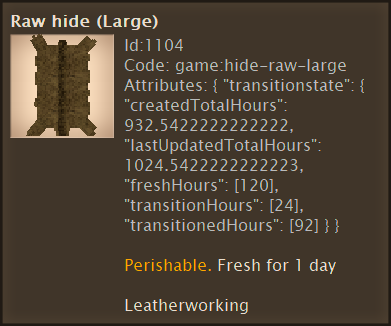
Try "transitionedHours" instead. "freshHours" is the amount of time the hide will stay fresh (5 * 24 = 120). "label" is the wrong key to use. It's a variable custom to the crate. Or maybe not. I'd probably start with This is all just theoretical. I wish I could help more, but my extremely-soon-to-be-replaced-computer makes surfing an obnoxiously annoying past-time. I can pretty much forget about doing any modding. Or forget anything I wrote instead. If it works, it works.
-
I can't say for sure that this will work for hides (its function might be limited via code), but you could try "copyAttributesFrom". (In Vanilla it is mainly used for armour repair recipes.)
-
Help a Beginner? (Adding Player Model Features)
Brady_The replied to Charleston's topic in [Legacy] Mods & Mod Development
I am sorry, I can't really help you there. That error is very generic, it could be anything. Maybe the crash is caused by the missing language strings. I personally would have a look at some other mod doing something similar and see if those work. If so, compare yours to theirs and see what is different. For example, check out https://mods.vintagestory.at/show/mod/17519#tab-files version 2.2.0. -
Help a Beginner? (Adding Player Model Features)
Brady_The replied to Charleston's topic in [Legacy] Mods & Mod Development
This happens because you are trying to add your moustache to an array (square brackets) with the wrong value contents (curly braces). I've not dabbled in hair, but I did help somebody a bit a while ago. I adapted their solution to your parameters. See if [ { "file": "game:entities/humanoid/player.json", "path": "/attributes/skinnableParts/8/variants", "op": "addmerge", "value": [ { "type": "shape", "code": "mst-typical01-skinny", "shape": { "base": "expandedhairs:shapes/entity/humanoid/seraphskinparts/hair-face" } } ], "side": "server" } ] does the trick. -
Follow this guide: (The topic is about multiple installations, but the same applies in your case).
-
This has to be done via code. I'd have a look at https://mods.vintagestory.at/farmlanddropssoil and https://mods.vintagestory.at/farmlanddropswithnutrients to see how the mod authors did it. That's way beyond my current league.
-
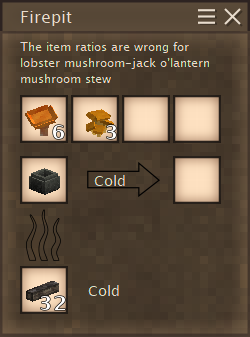
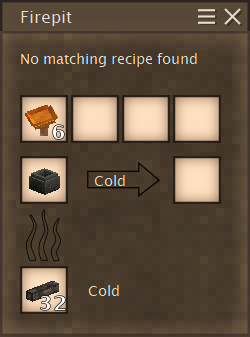
I am not sure when it was added, but the additional cooking information are very nice. It's going to help beginners a lot.
-
Yes. Paths always start with a forward slash. The prefix "game" is a domain and includes all Vanilla folders (creative, game, survival). It's a link, not related to the general assets of Vintage Story, used by all game modes and the game itself (GUI, fonts, etc), which are stored in the "game" folder.
-
json patch Patch mod not working
Brady_The replied to Krougal's topic in [Legacy] Mods & Mod Development
Ah, you are talking about the path of the actual patch file. This is the wrong place for patches. They belong in "\mod.zip\assets\domain\patches", no matter what file you are patching. The navigation to the changed file (and thus the form of asset (blocktypes, recipes, shapes, etc)) happens in the patch file itself with the property of the "file" key. -
json patch Patch mod not working
Brady_The replied to Krougal's topic in [Legacy] Mods & Mod Development
I don't know what you mean with that. Have you looked into the spoiler in my first comment and changed your patches accordingly? Edit: Yeah, the file paths are okay. -
json patch Patch mod not working
Brady_The replied to Krougal's topic in [Legacy] Mods & Mod Development
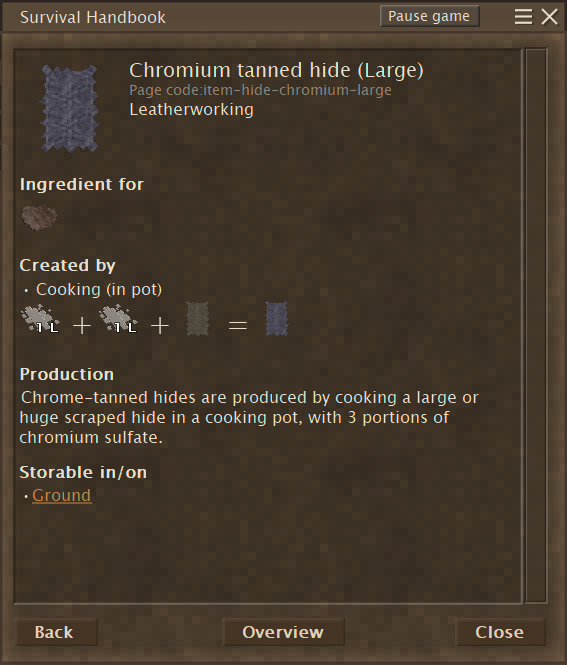
It seems to be working for me.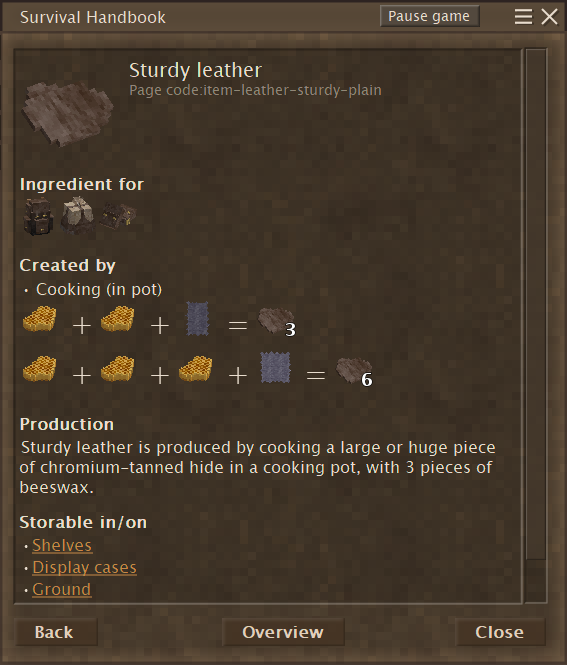
-
json patch Patch mod not working
Brady_The replied to Krougal's topic in [Legacy] Mods & Mod Development
Your paths are wrong. "server" doesn't exist in any recipe I know of. Both recipe files are arrays (square brackets). The way you navigate through arrays is with array indices. Note: Array counts start at 0 not 1. You just have to take the most direct path to the keys you want to change, no need for detours. I can highly recommend https://mods.vintagestory.at/show/mod/513 when working with patches. It is a great debugging tool showing you exactly what your patches are doing.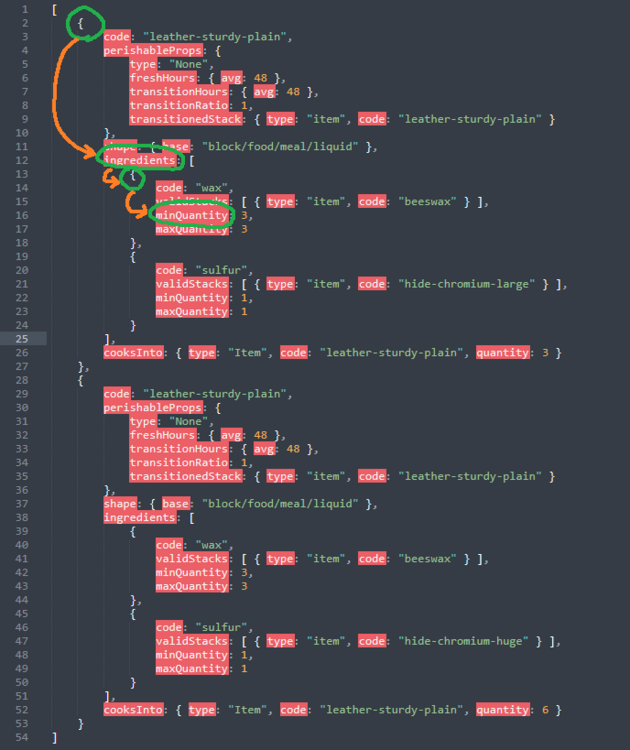
-
https://www.twitch.tv/tyronx1
-
If you cannot figure out the source, utilising the sound effects feature of https://mods.vintagestory.at/accessibilitytweaks could help you tracking down the source. It has the option to only display currently playing sounds, so that should narrow down the list quite nicely.
-
Trying to host a server and get data directory missing error.
Brady_The replied to Barbe Rousse's topic in Multiplayer
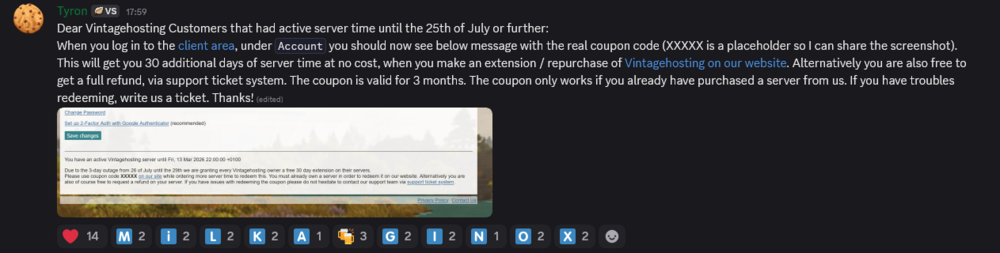
Could be related to this: If it doesn't work at all, your best bet would be to open a ticket. Additional information:
-
Custom Recipes Overriding Vanilla Recipes
Brady_The replied to jun1per's topic in [Legacy] Mods & Mod Development
You want a patch to just edit the recipe in question. The game comes with a mod creator tool. Simply change the recipe in the recipes file to your liking, then execute ModMaker.exe found in the installation directory. That'll give you a complete mod which you can either use directly, or unpack the patch file within to include in any mod you might have already started. https://wiki.vintagestory.at/index.php/Modding:JSON_Patching -
As of right now 1307 servers are on version 1.20.9. You should be good. https://vsserverlist.th3dilli.dev/stats
-
VS model creator (Error)
Brady_The replied to TalibooPremium's topic in [Legacy] Mods & Mod Development
What shape are you trying to open? Textures not showing up could have a couple of reasons. Currently I can think of: You set up the wrong texture path. It should be "Vintagestory\assets\survival\textures". The shape you are opening has no textures defined in the shape file itself. You disabled textures (View -> Show Textures, or Ctrl+T). -
Don't apologise, my reading comprehension was abysmal in this case. As far as I know, story locations are generated at world creation. I remember somebody sharing a funny screenshot of his spawn location, which was basically on top of the archive.
-
VS water basically works like MC water. It flows 8 blocks (I think, don't remember the exact numbers) while losing height every block it flows further away from a source block. You'll have to place source blocks (with a bucket for example) to create still water. Water physics would be very cool, though. Maybe one day we'll have something like that.
-
What region do you mean with "it"? The Resonance Archive? It's extremely unlike that you broke anything.
-
VS model creator (Error)
Brady_The replied to TalibooPremium's topic in [Legacy] Mods & Mod Development
Hello and welcome, TalibooPremium. Install a 64-bit version of Java. -
Hm, that is odd. Unless you are going to tell me that you are using some landform mod. In that case it could be possible that the mod removes the "veryflat" preset, even though I haven't come across any mentions of incompatibilities or problems such as yours yet. I can't say that I have the biggest worldgen knowledge. You could try Zane's suggestion. Maybe there's more information to be found in the client-main and server-main log. They are stored in "%AppData%\VintagestoryData\Logs".
-
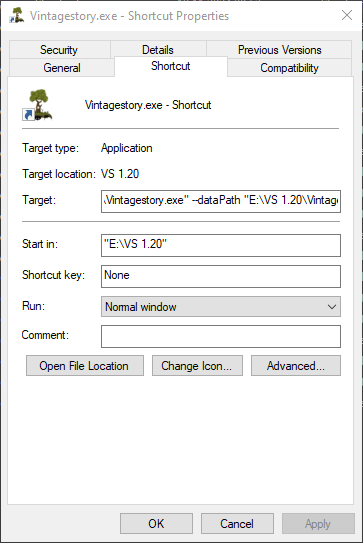
No installation needed! With innoextract you can simply unpack the downloaded .exe installation files, move the result to any folder you like, and even set data and mod directories via shortcut properties. You can find a more in-depth explanation for the latter in this thread.